> ## Documentation Index
> Fetch the complete documentation index at: https://docs.nomadsarc.app/llms.txt
> Use this file to discover all available pages before exploring further.
# 📢 Address Validation
How to validate the **Address lines** using Character limit on the checkout page?
## Guide
Go to the [Settings](https://admin.shopify.com/apps/dynamic-checkout-customizer/settings) page and open the [**Address Validation**](https://admin.shopify.com/apps/dynamic-checkout-customizer/settings) tab.
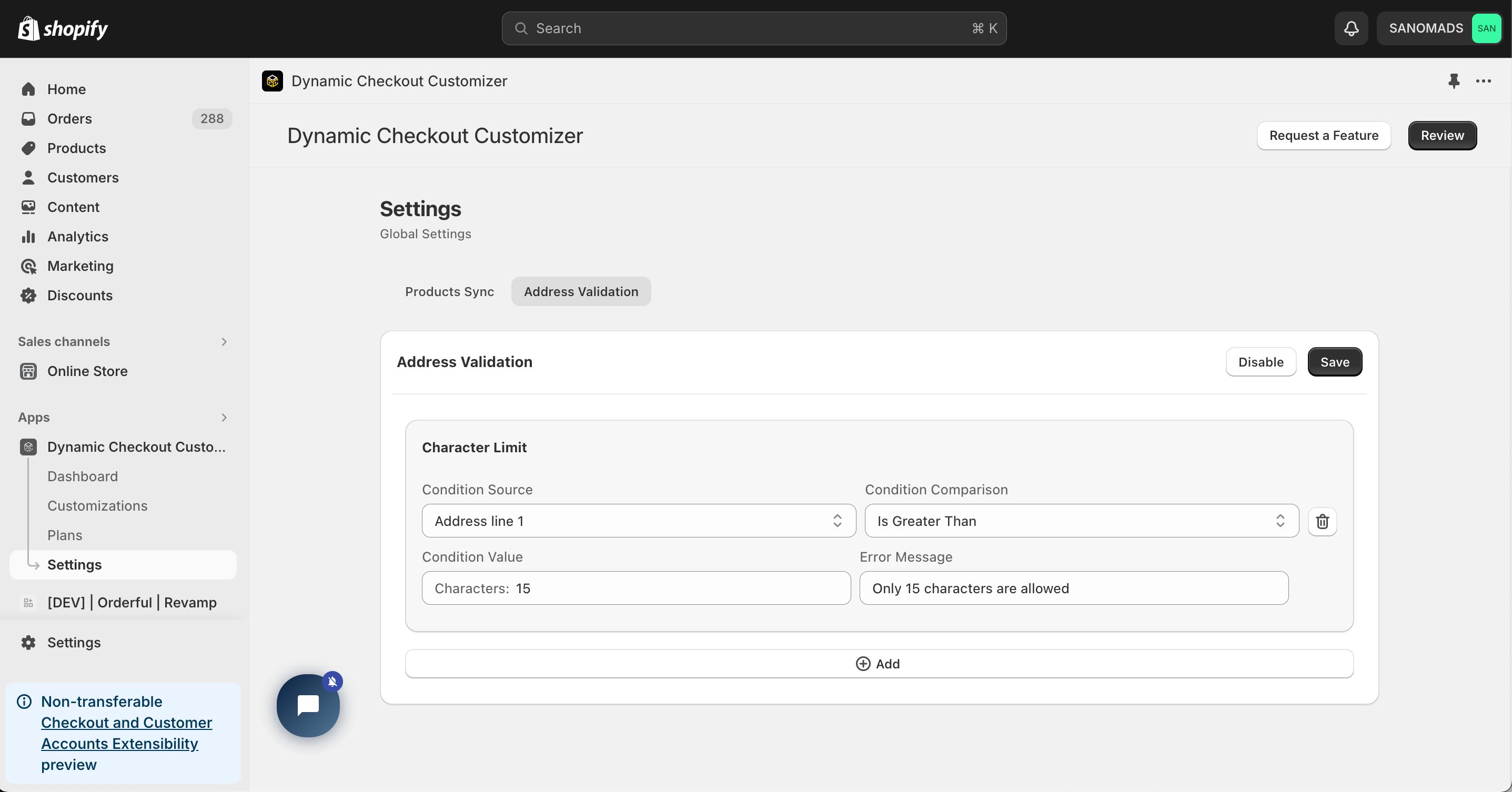
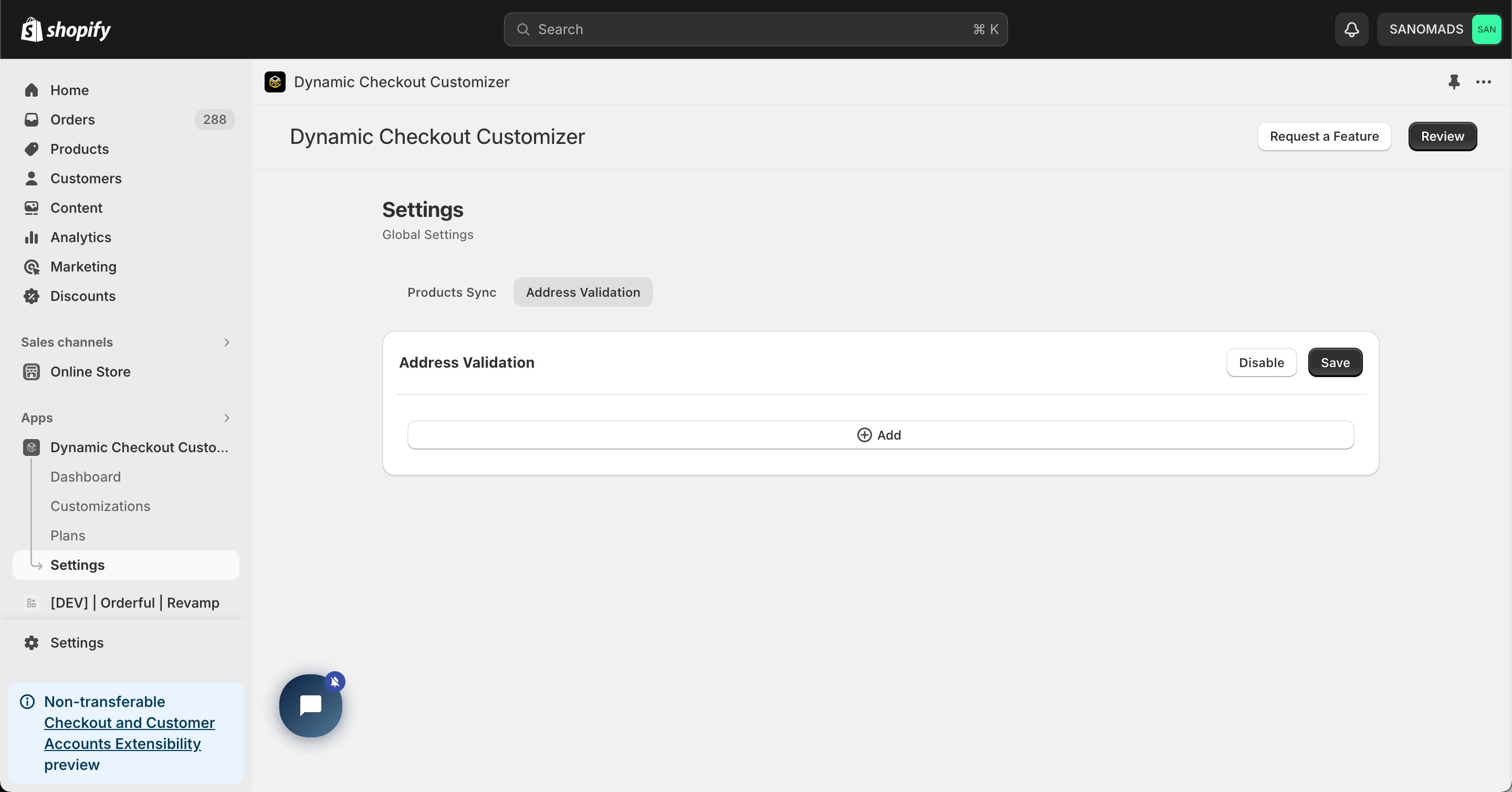 Add a new validation condition for **Address Line 1** using the **Character Limit** option.
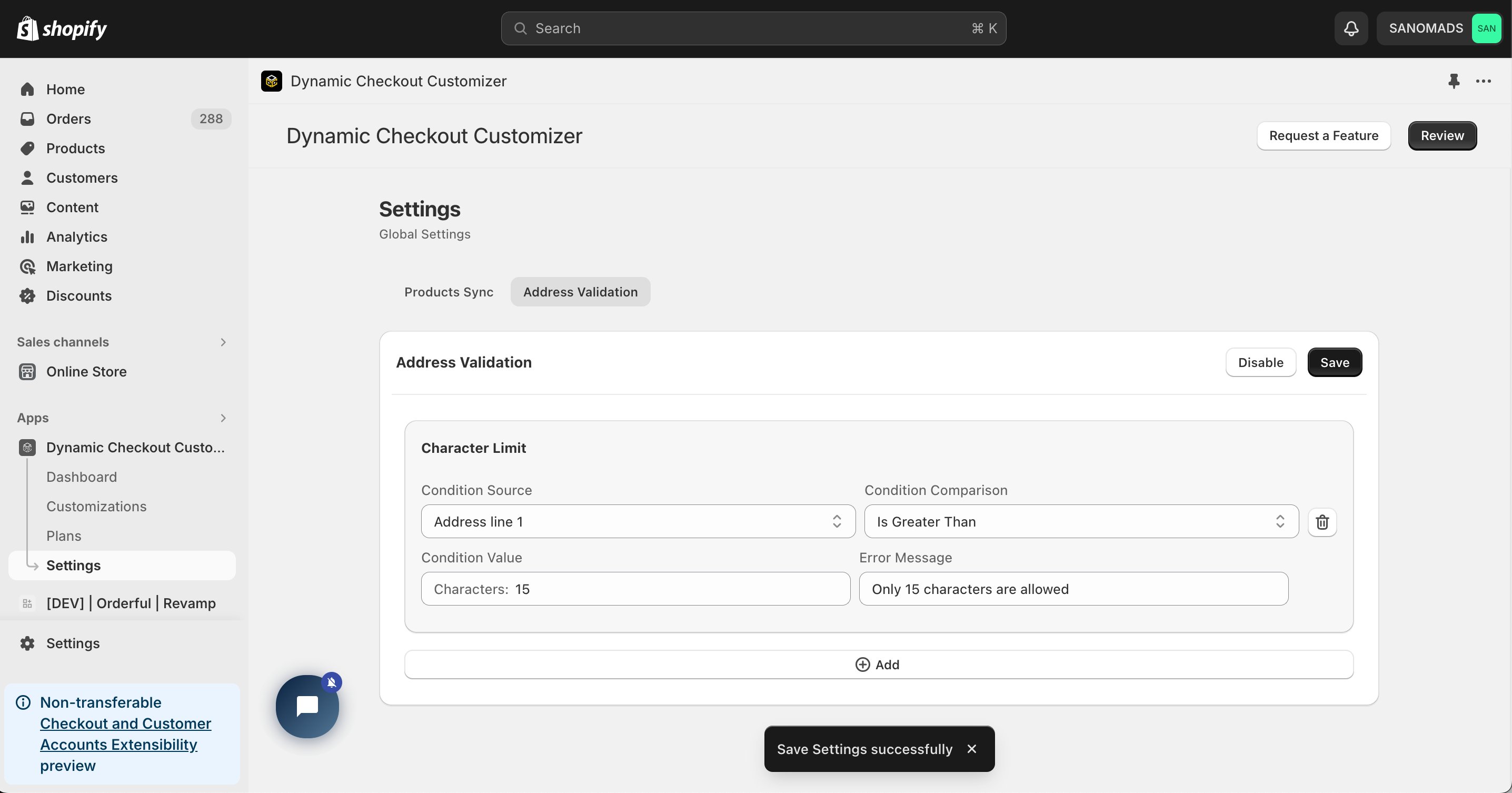
 Click **Save** and **Enable** to activate the Address Validation settings.
 If you need a custom **Regular Expression (Regex)** for advanced validation, please contact our support team.
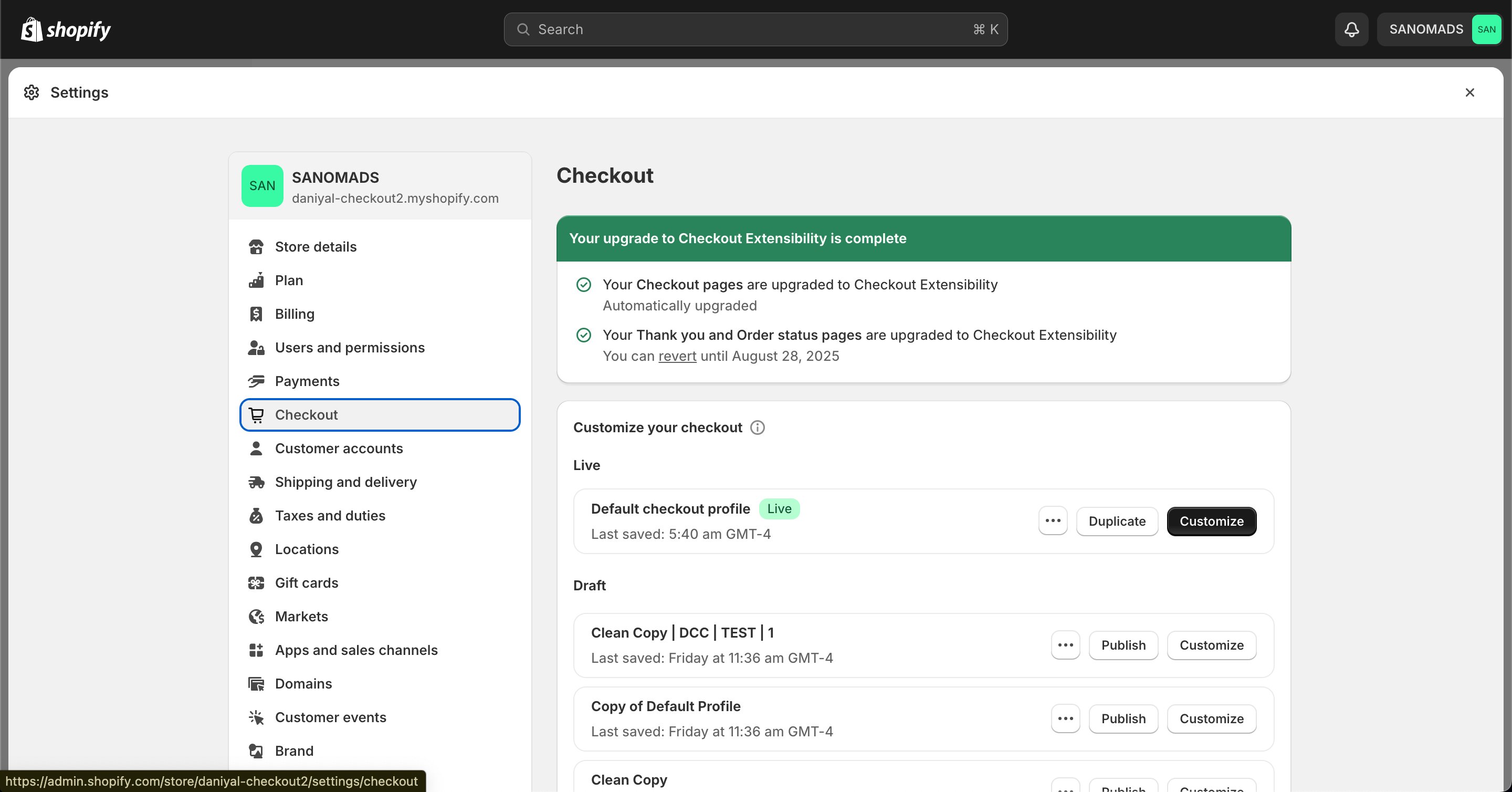
Go to your Shopify [Settings](https://admin.shopify.com/settings) **→ Checkout**, select your checkout profile, and click **Customize**.
If you need a custom **Regular Expression (Regex)** for advanced validation, please contact our support team.
Go to your Shopify [Settings](https://admin.shopify.com/settings) **→ Checkout**, select your checkout profile, and click **Customize**.
 In the [Checkout Editor](https://admin.shopify.com/settings/checkout/editor), click **Add app block**.
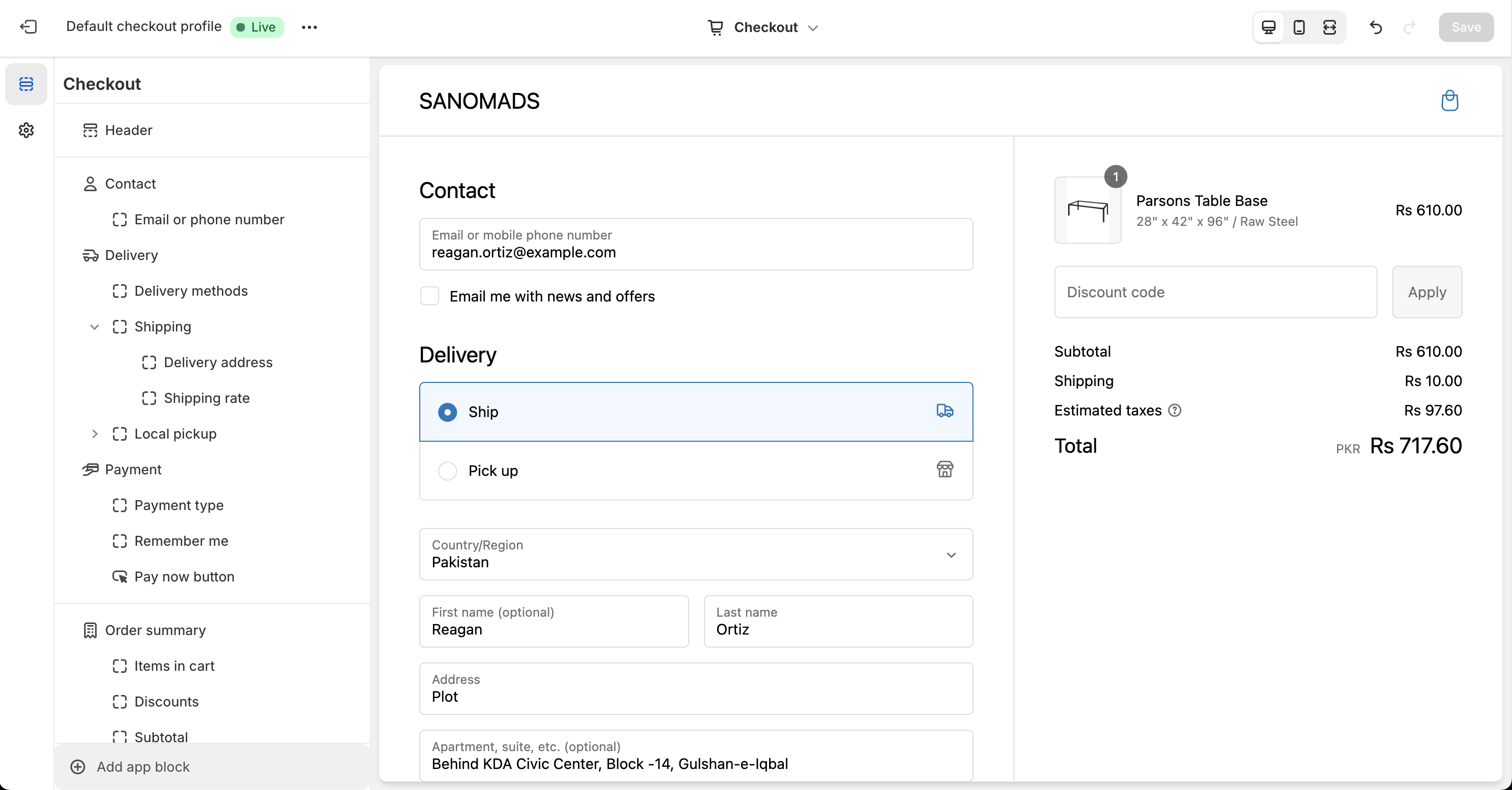 Choose the **Checkout – Address Validation** app block and place it in your checkout.
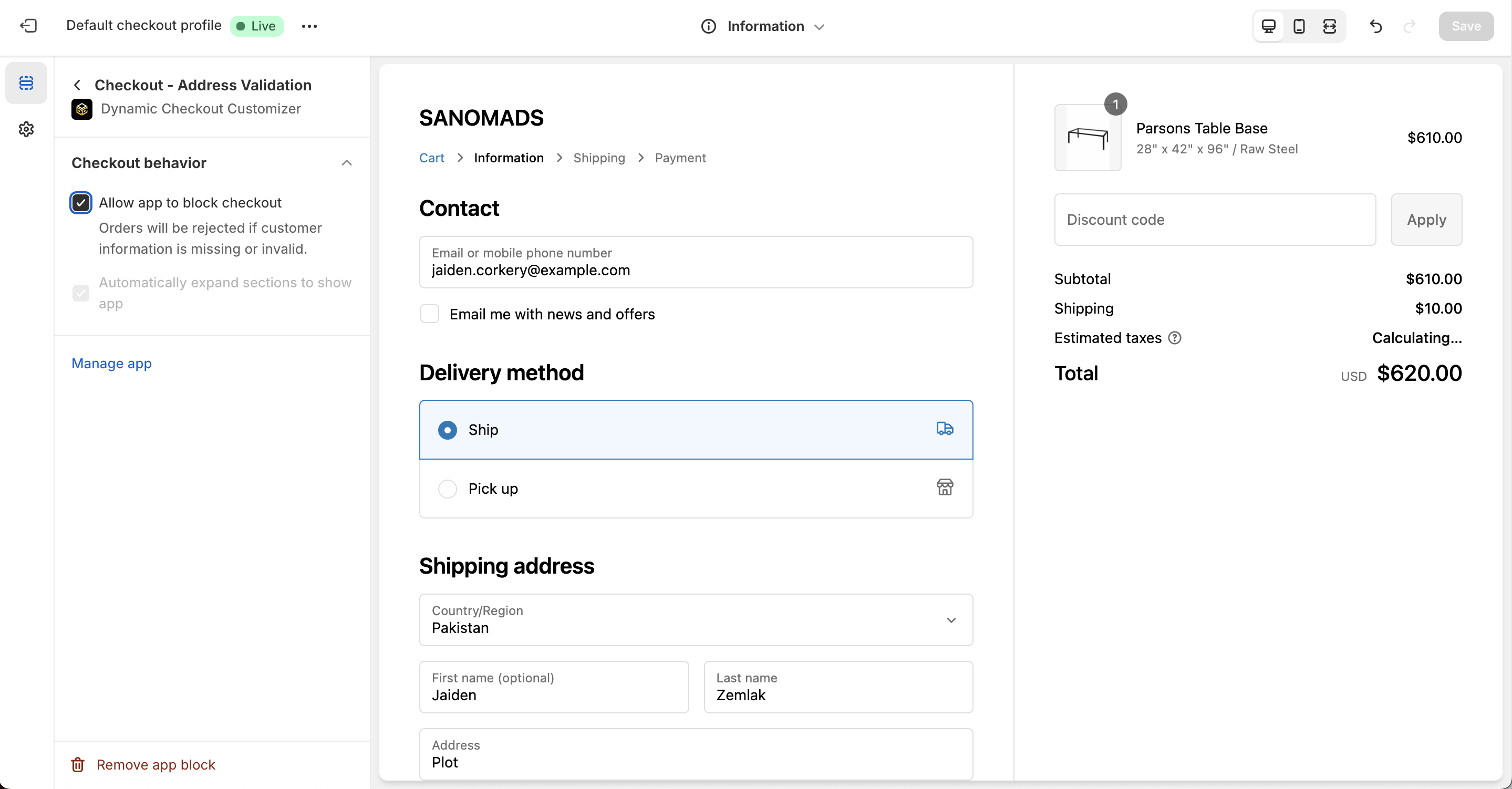 Click **Save** in the Checkout Editor to publish the customization. Refresh your checkout page to verify that Address Validation is active.
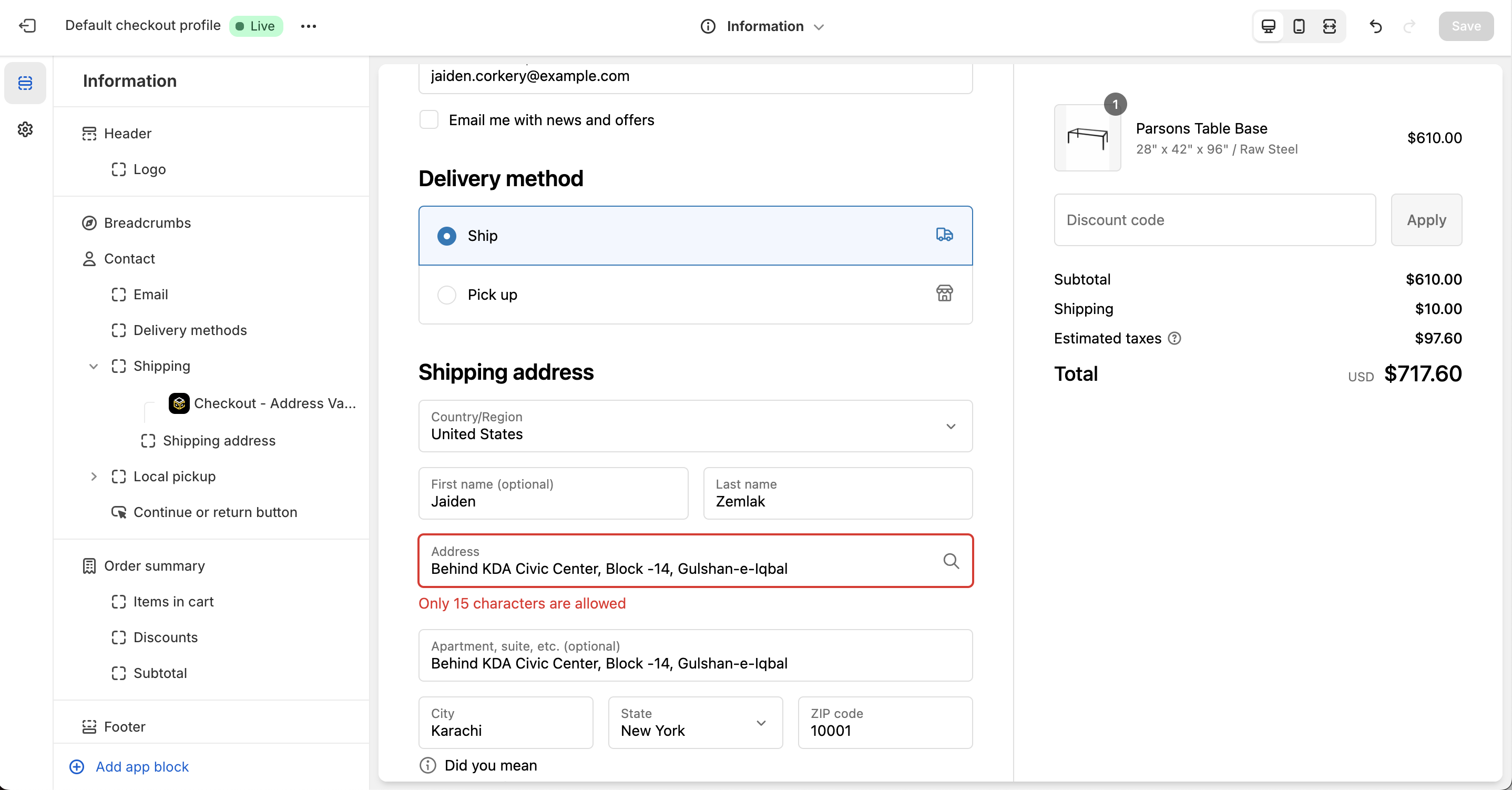 **Why does it matter?**
Address Validation helps reduce shipping errors by validating customer address input during checkout. This can reduce shipping and logistics costs by **up to 10%** while improving delivery accuracy and customer satisfaction.
**Why does it matter?**
Address Validation helps reduce shipping errors by validating customer address input during checkout. This can reduce shipping and logistics costs by **up to 10%** while improving delivery accuracy and customer satisfaction.