> ## Documentation Index
> Fetch the complete documentation index at: https://docs.nomadsarc.app/llms.txt
> Use this file to discover all available pages before exploring further.

# 📦 Bundle Upsell

How to Upsell Products on Checkout using the **Template ->** **Upsell -> Bundle upsell** option? A simple walkthrough.

<video src="https://mintcdn.com/nomads-arc/CG_hEn4NJlaeeeAR/videos/Bundle-upsell.mp4?fit=max&auto=format&n=CG_hEn4NJlaeeeAR&q=85&s=cbde240053b8807f98eb2c6021135f1f" controls data-path="videos/Bundle-upsell.mp4" />

## Guide

<Steps>
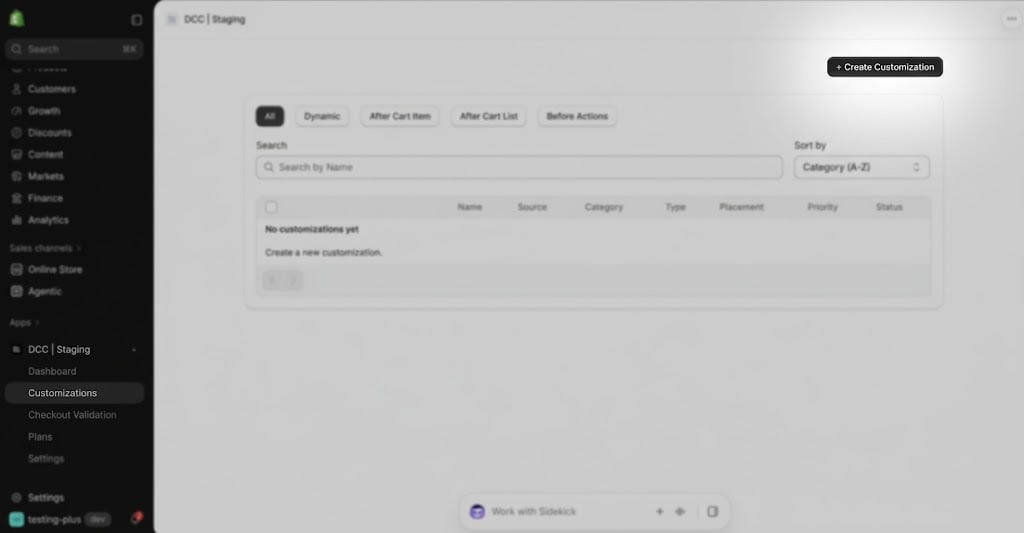
  <Step title="**Create a new customization**">
    Create a new [**customization**](https://admin.shopify.com/apps/dynamic-checkout-customizer/customizations).
    <img src="https://mintcdn.com/nomads-arc/4PMFHZjnoTGXkuaw/images/image-46.png?fit=max&auto=format&n=4PMFHZjnoTGXkuaw&q=85&s=42ad5a72f21c831cc7c4120448990446" alt="Image" width="1024" height="533" data-path="images/image-46.png" />
  </Step>

  <Step title="**Choose the Bundle upsell**">
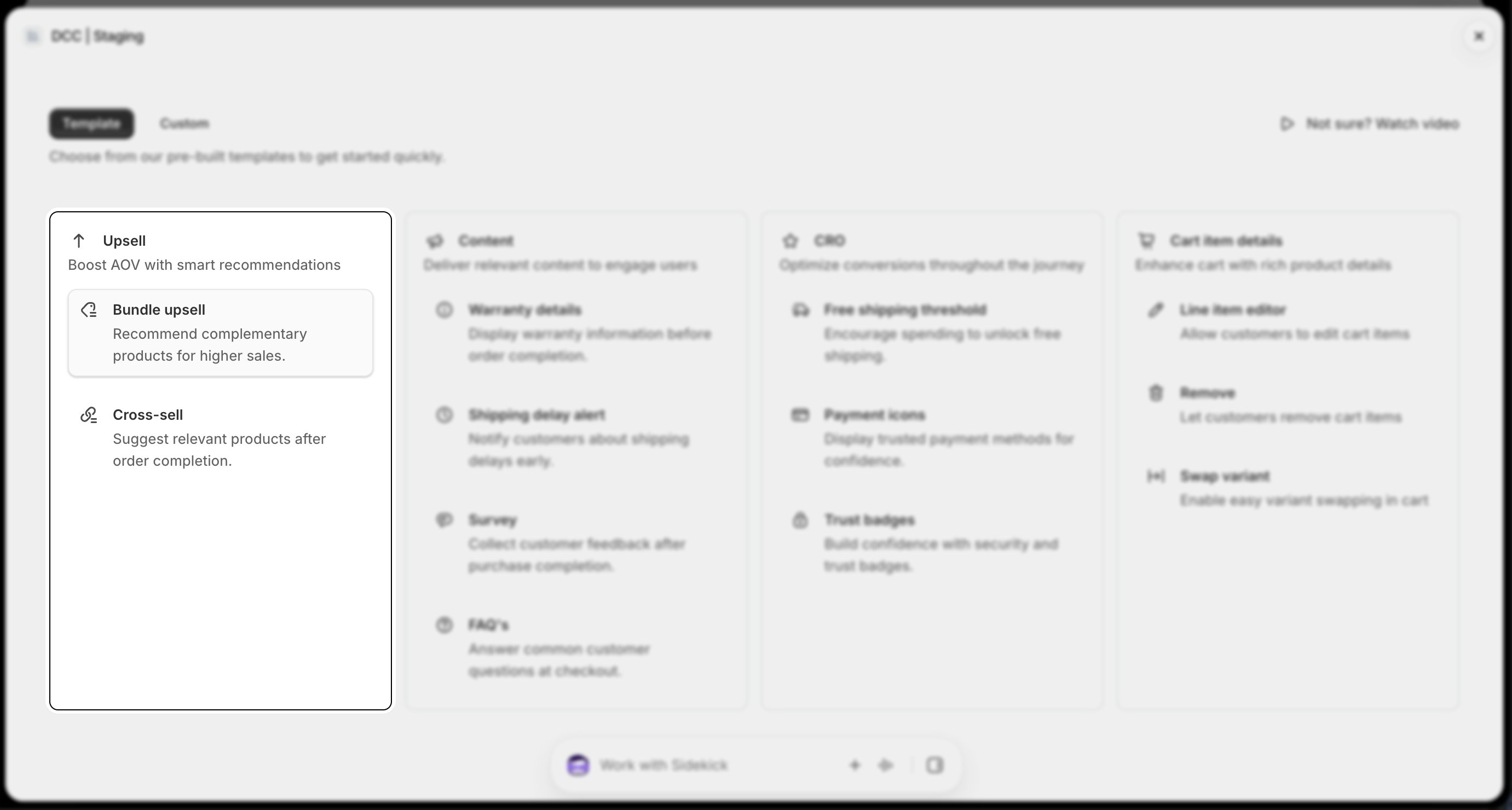
    Choose the **Bundle upsell** option from Upsell section
    <img src="https://mintcdn.com/nomads-arc/4PMFHZjnoTGXkuaw/images/bundle_4_upsell_card.png?fit=max&auto=format&n=4PMFHZjnoTGXkuaw&q=85&s=ff7d7257eaa20f7bcac86f2fb0b30494" alt="Bundle 4 Upsell Card" width="2762" height="1480" data-path="images/bundle_4_upsell_card.png" />
  </Step>

  <Step title="**Configure conditional experience**">
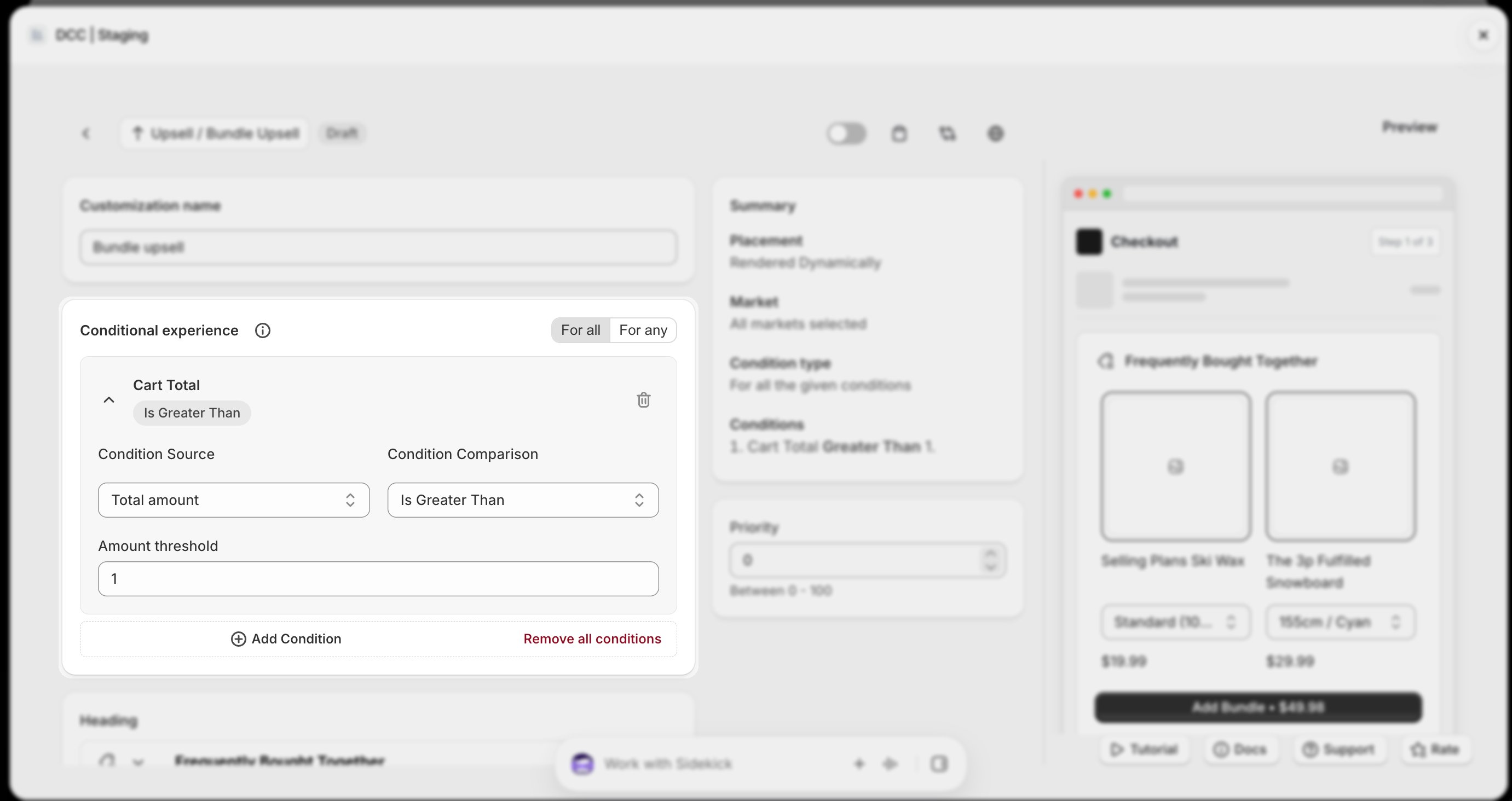
    Add one or more **conditions** to control when the customization is displayed during checkout.
    <img src="https://mintcdn.com/nomads-arc/4PMFHZjnoTGXkuaw/images/bundle_1_conditional_experience.png?fit=max&auto=format&n=4PMFHZjnoTGXkuaw&q=85&s=81dc014b3a001266d6b7512937c8c501" alt="Bundle 1 Conditional Experience" width="2762" height="1464" data-path="images/bundle_1_conditional_experience.png" />
  </Step>

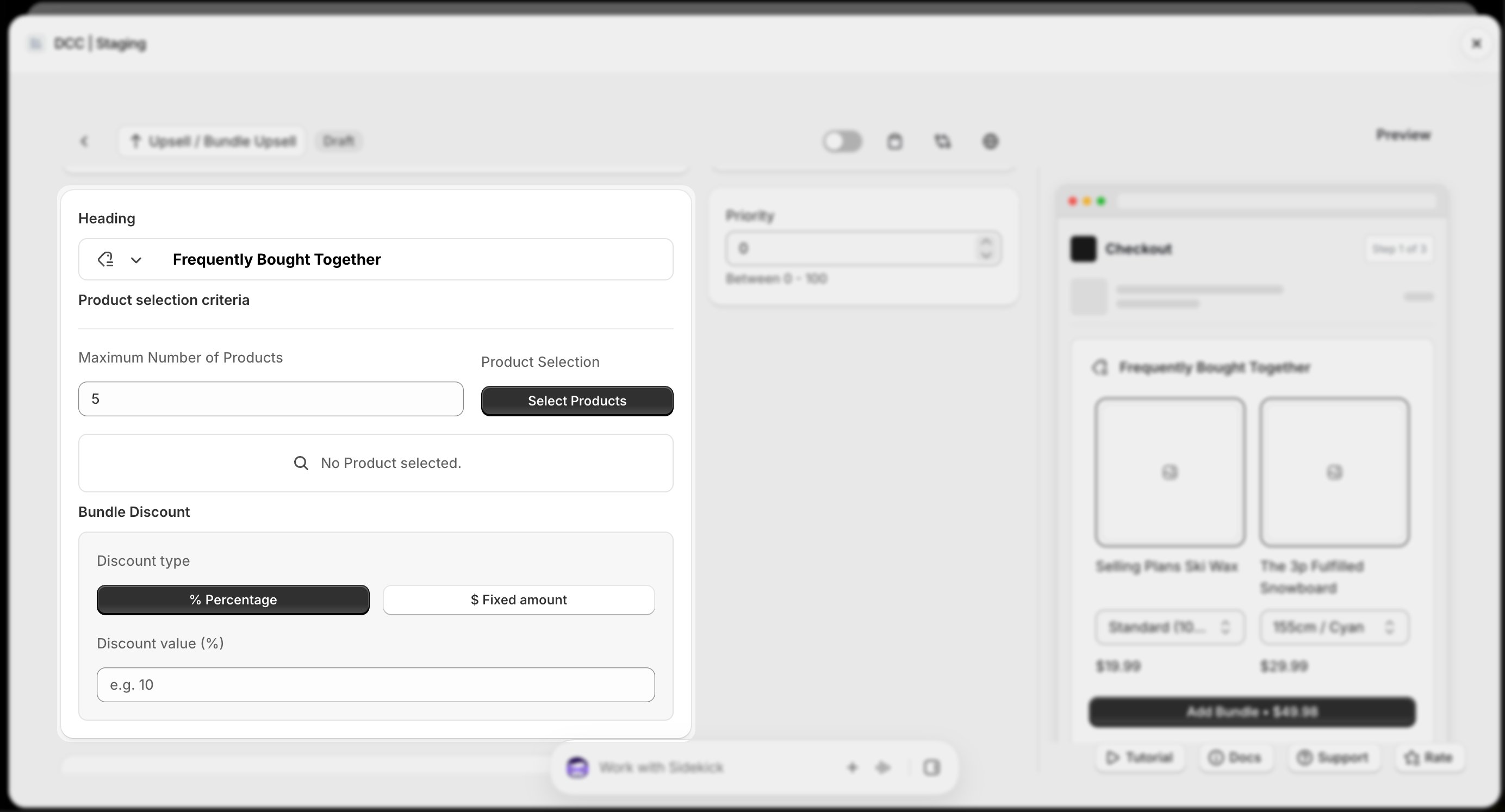
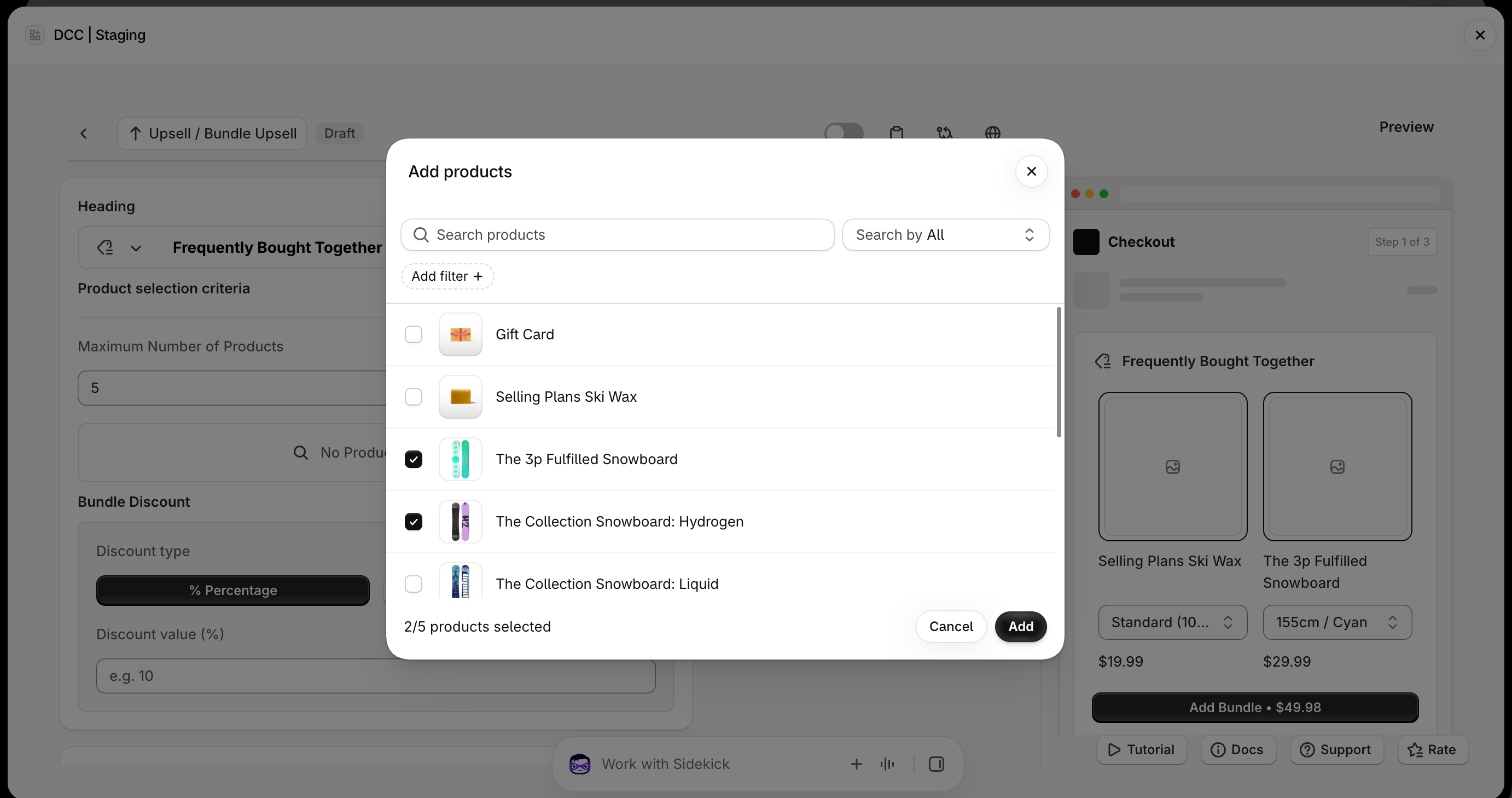
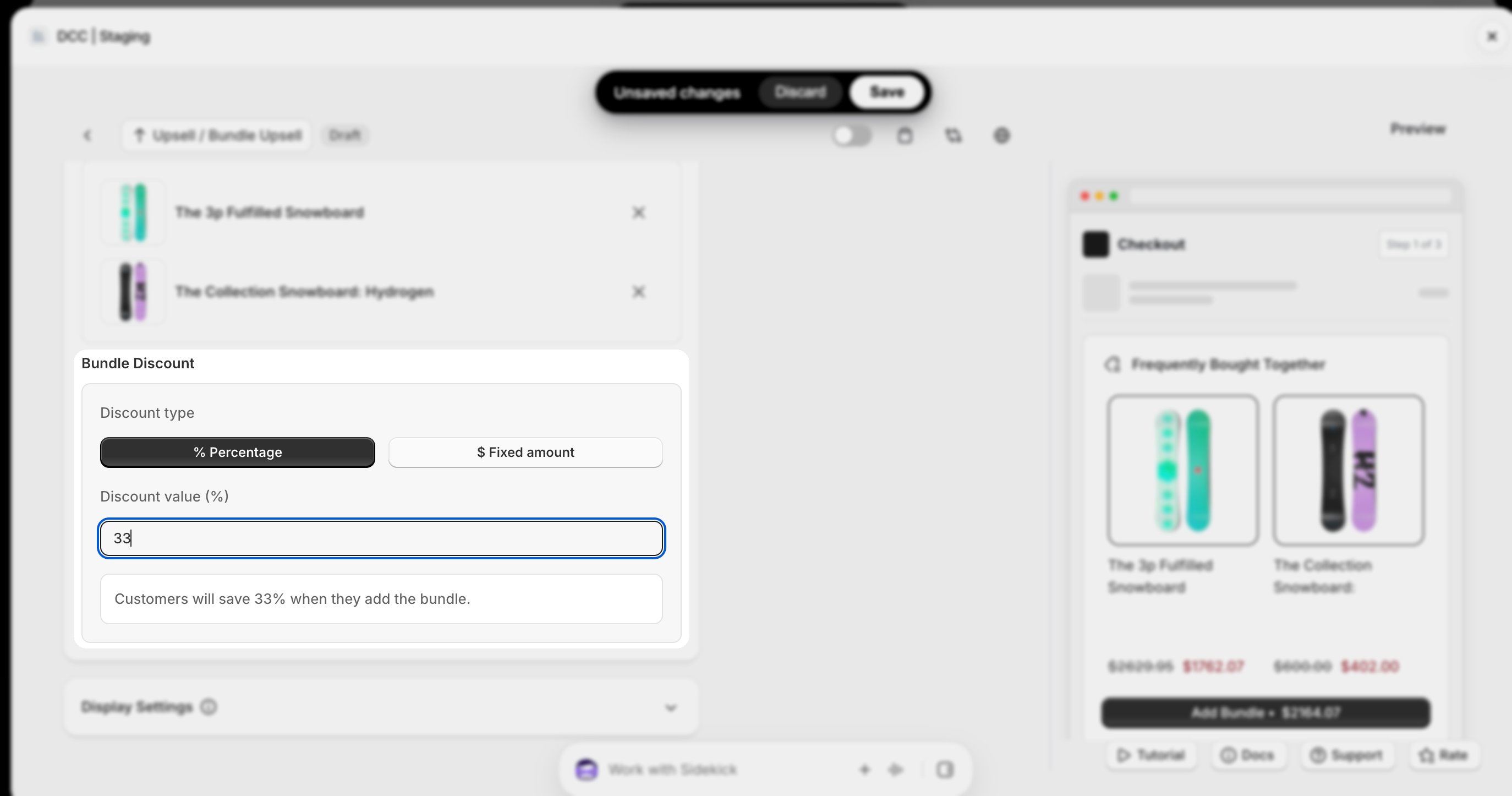
  <Step title="Products & Unit of Discount">
    Choose products and add discounts 

    <img src="https://mintcdn.com/nomads-arc/4PMFHZjnoTGXkuaw/images/bundle_7_heading_selection_discount.png?fit=max&auto=format&n=4PMFHZjnoTGXkuaw&q=85&s=d28f3225031d4f308a133eaaf70a19d9" alt="Bundle 7 Heading Selection Discount" width="2768" height="1494" data-path="images/bundle_7_heading_selection_discount.png" />

    <img src="https://mintcdn.com/nomads-arc/n7exi-ZEl8LvS775/images/Screenshot-2026-10-08-at-17.51.13.png?fit=max&auto=format&n=n7exi-ZEl8LvS775&q=85&s=46321c01694b825ed27d643accd04c51" alt="Screenshot 2026 10 08 At 17 51 13" width="2764" height="1458" data-path="images/Screenshot-2026-10-08-at-17.51.13.png" />

    <img src="https://mintcdn.com/nomads-arc/4PMFHZjnoTGXkuaw/images/bundle_8_bundle_discount.png?fit=max&auto=format&n=4PMFHZjnoTGXkuaw&q=85&s=c8fabacbd7b06c183a89f7f45c153053" alt="Bundle 8 Bundle Discount" width="2748" height="1446" data-path="images/bundle_8_bundle_discount.png" />
  </Step>

  <Step title="**Display Settings**">
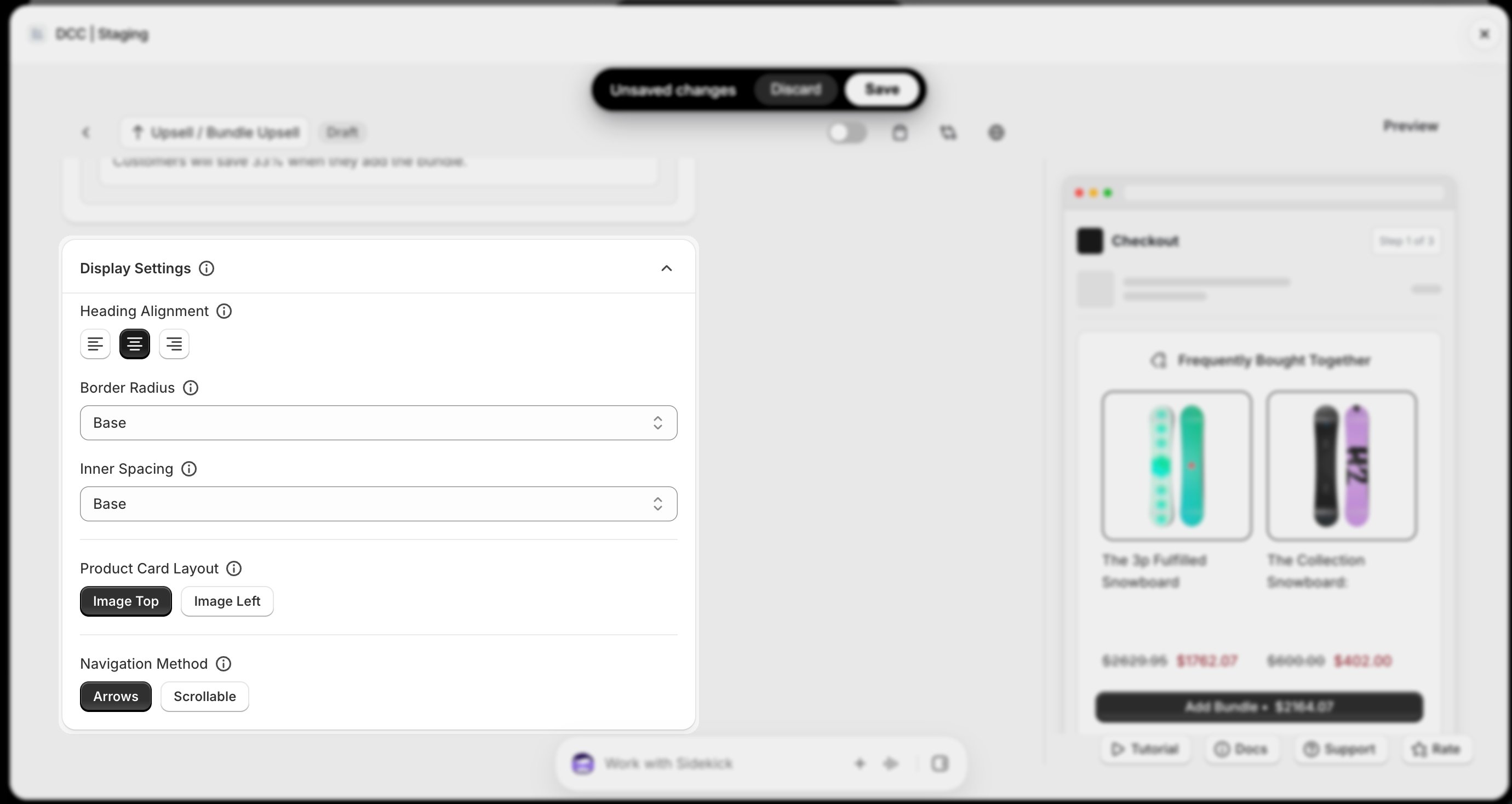
    Select display settings like (**Alignment ,Border-radius, Inner spacing, Product card layout, Navigation Method** )
    <img src="https://mintcdn.com/nomads-arc/4PMFHZjnoTGXkuaw/images/bundle_2_display_settings.png?fit=max&auto=format&n=4PMFHZjnoTGXkuaw&q=85&s=a5d683b634fd003e73618760a6d82a3e" alt="Bundle 2 Display Settings" width="2760" height="1468" data-path="images/bundle_2_display_settings.png" />
  </Step>

  <Step title="**Set the priority**">
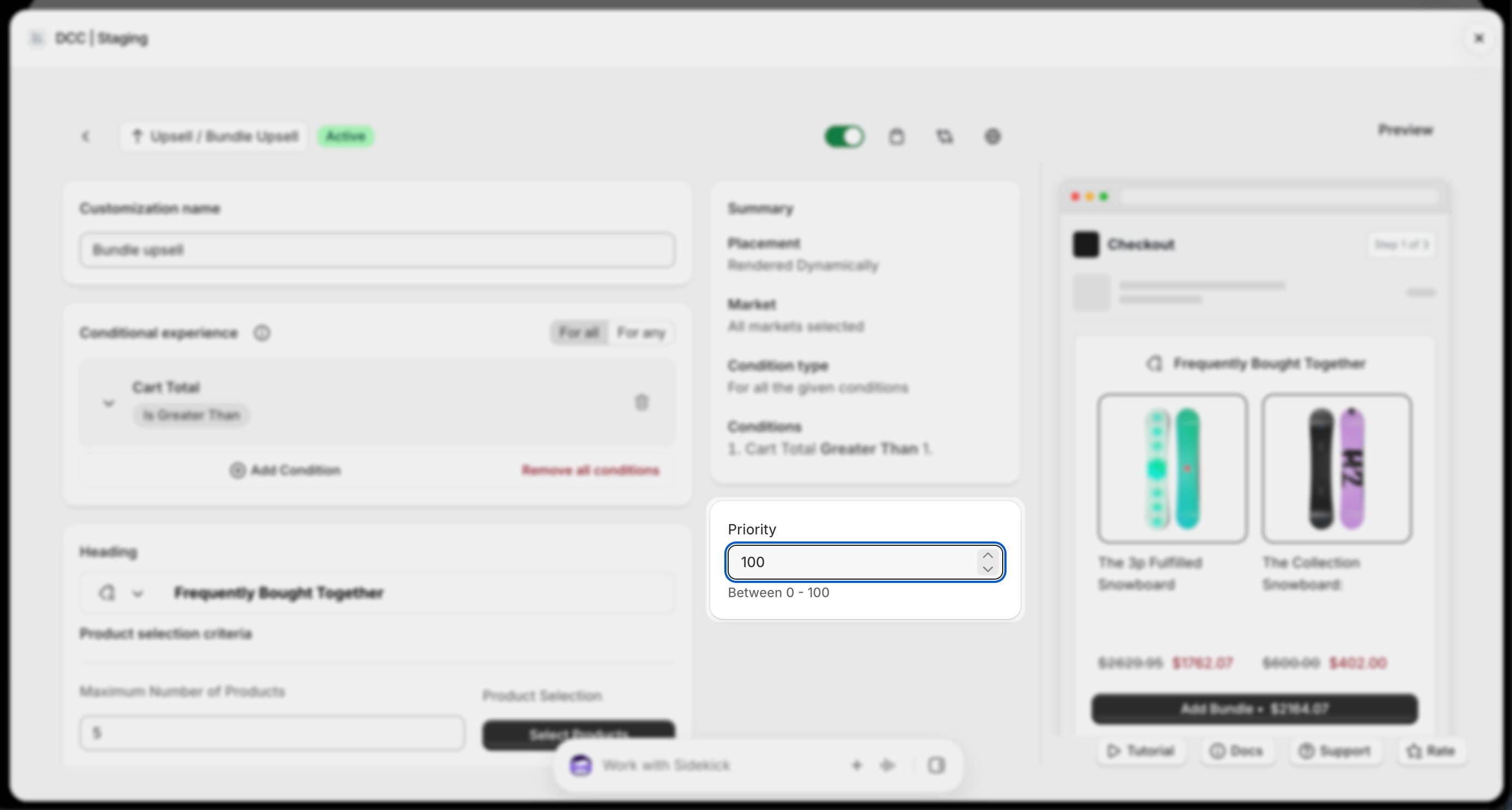
    Configure the Priority (0–100) to determine the execution order when multiple customizations are eligible.
    <img src="https://mintcdn.com/nomads-arc/4PMFHZjnoTGXkuaw/images/bundle_6_priority.png?fit=max&auto=format&n=4PMFHZjnoTGXkuaw&q=85&s=3630ef12bb74179da2d333cb2b7a2b94" alt="Screenshot 2026 10 08 At 17 53 21" width="2770" height="1484" data-path="images/bundle_6_priority.png" />
  </Step>

  <Step title="**Copy the Placement ID**">
    Copy the generated **Placement ID** from clipboard icon . You'll use this in the Shopify Checkout Editor.
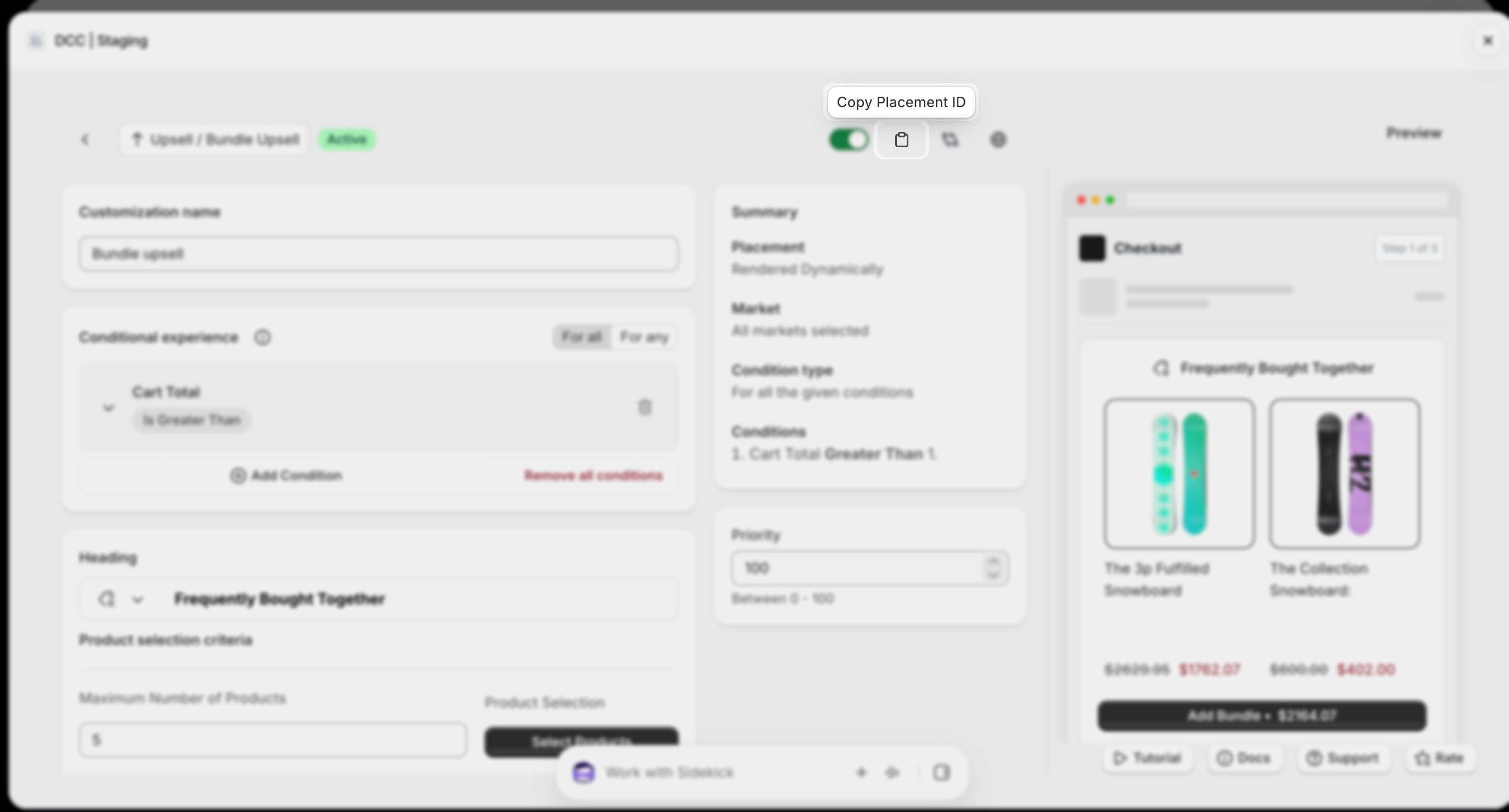
    <img src="https://mintcdn.com/nomads-arc/6ImB7AdI_dCOElbo/images/bundle_5_placement_id-1.png?fit=max&auto=format&n=6ImB7AdI_dCOElbo&q=85&s=0149462b6db7c5fdc603e79c52d71032" alt="Bundle 5 Placement Id" width="2746" height="1478" data-path="images/bundle_5_placement_id-1.png" />
  </Step>

  <Step title="**Activate the customization**">
    Change the **Status** to **Active** using toggle button to enable the customization.
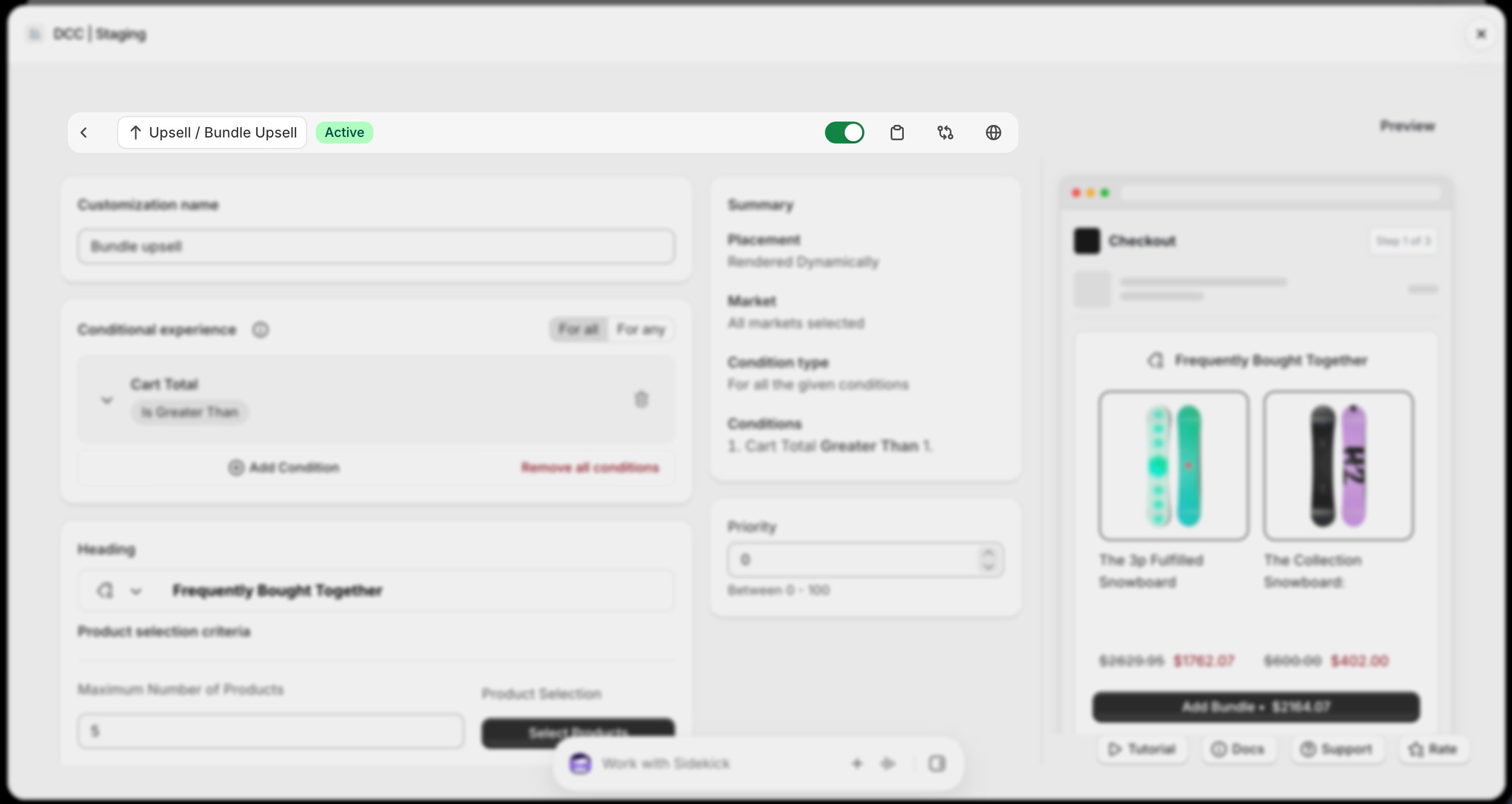
    <img src="https://mintcdn.com/nomads-arc/4PMFHZjnoTGXkuaw/images/bundle_3_active_bar.png?fit=max&auto=format&n=4PMFHZjnoTGXkuaw&q=85&s=58d88f11d842862391f82d205c7bac25" alt="Bundle 3 Active Bar" width="2762" height="1468" data-path="images/bundle_3_active_bar.png" />
  </Step>

  <Step title="**Preview**">
    Preview shows , How this block looks like at **CheckOut.**
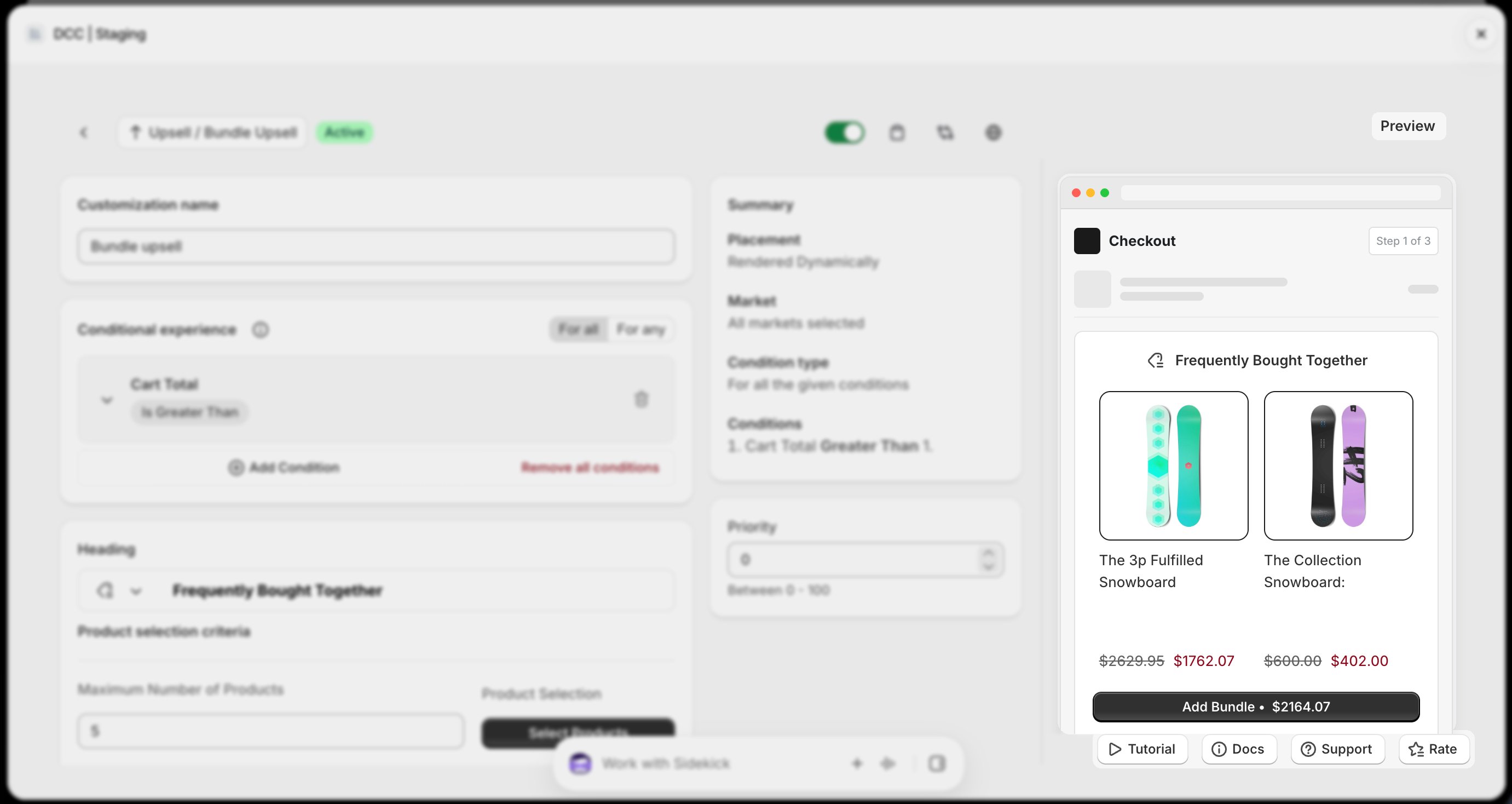
    <img src="https://mintcdn.com/nomads-arc/9Qv3bHMEBT_l5ot0/images/bundle_preview_focus.png?fit=max&auto=format&n=9Qv3bHMEBT_l5ot0&q=85&s=73e9d899e09f3f49e2e9576cb0fb5362" alt="Bundle Preview Focus" width="2762" height="1468" data-path="images/bundle_preview_focus.png" />
  </Step>

  <Step title="**Save the customization**">
    Click **Save** to keep your configuration.
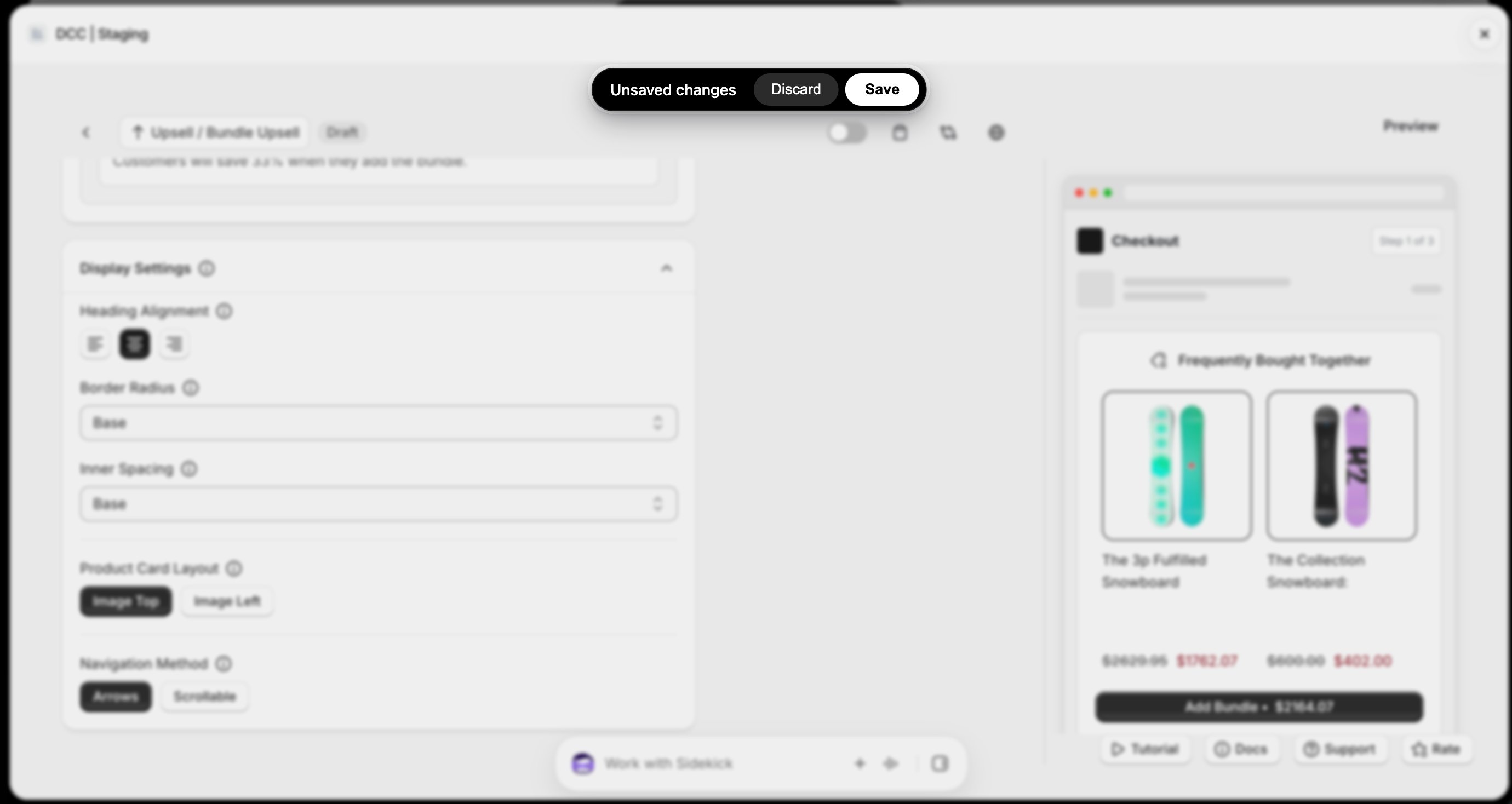
    <img src="https://mintcdn.com/nomads-arc/4PMFHZjnoTGXkuaw/images/bundle_9_unsaved_changes.png?fit=max&auto=format&n=4PMFHZjnoTGXkuaw&q=85&s=ed81ae3e857cac19f7324206a0eae590" alt="Bundle 9 Unsaved Changes" width="2760" height="1468" data-path="images/bundle_9_unsaved_changes.png" />
  </Step>

  <Step title="**Open the Checkout Editor**">
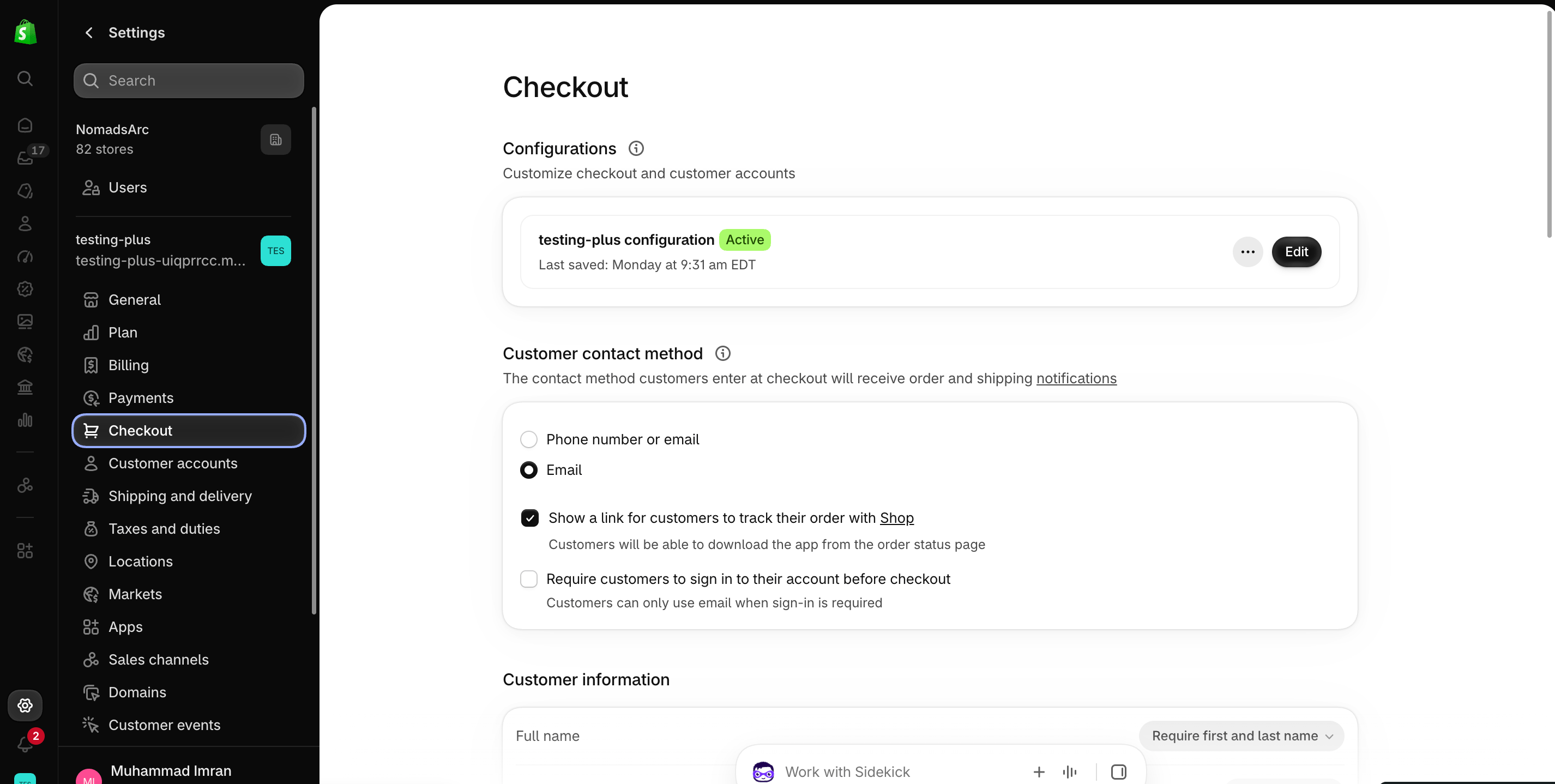
    Go to your Shopify [Settings](https://admin.shopify.com/settings)**→ Checkout**, select your checkout profile, and click **Edit**.
    <img src="https://mintcdn.com/nomads-arc/iXpFGcSFUJL7FNKL/images/screenshot_08.png?fit=max&auto=format&n=iXpFGcSFUJL7FNKL&q=85&s=16ba7d2015cd3c1cb9962b0f9665bac0" alt="Screenshot 08" width="2852" height="1438" data-path="images/screenshot_08.png" />
  </Step>

  <Step title="**Add the app block**">
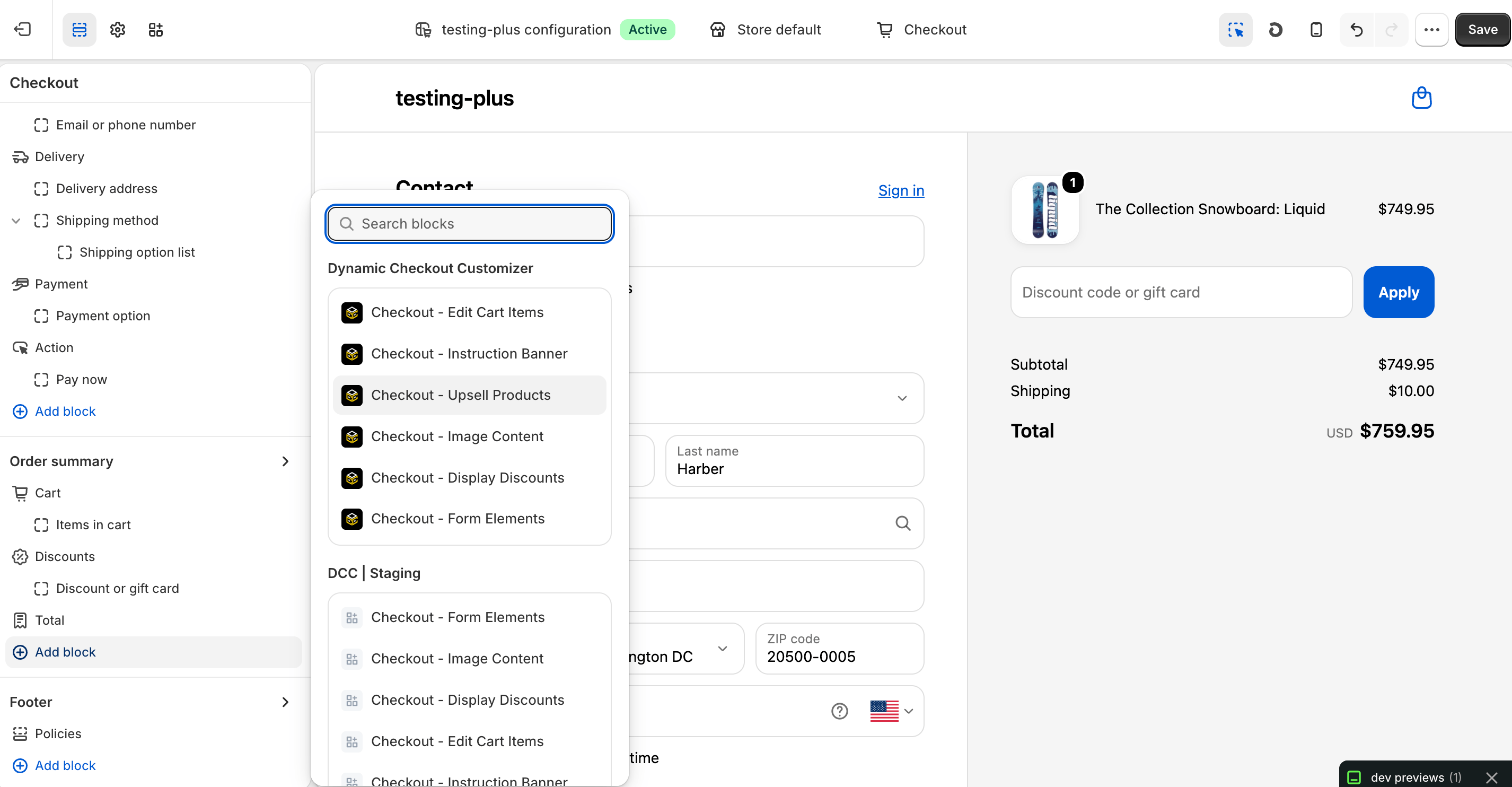
    In the Checkout Editor, click **Add app block**.
    <img src="https://mintcdn.com/nomads-arc/iXpFGcSFUJL7FNKL/images/screenshot_12.png?fit=max&auto=format&n=iXpFGcSFUJL7FNKL&q=85&s=6dc75ca325e64b98dd08ed2913f3aed4" alt="Screenshot 12" width="2852" height="1484" data-path="images/screenshot_12.png" />

    <Note>
      Make sure the app block is placed in the same checkout placement you selected in Dynamic Checkout Customizer.
    </Note>
  </Step>

  <Step title="**Configure the app block**">
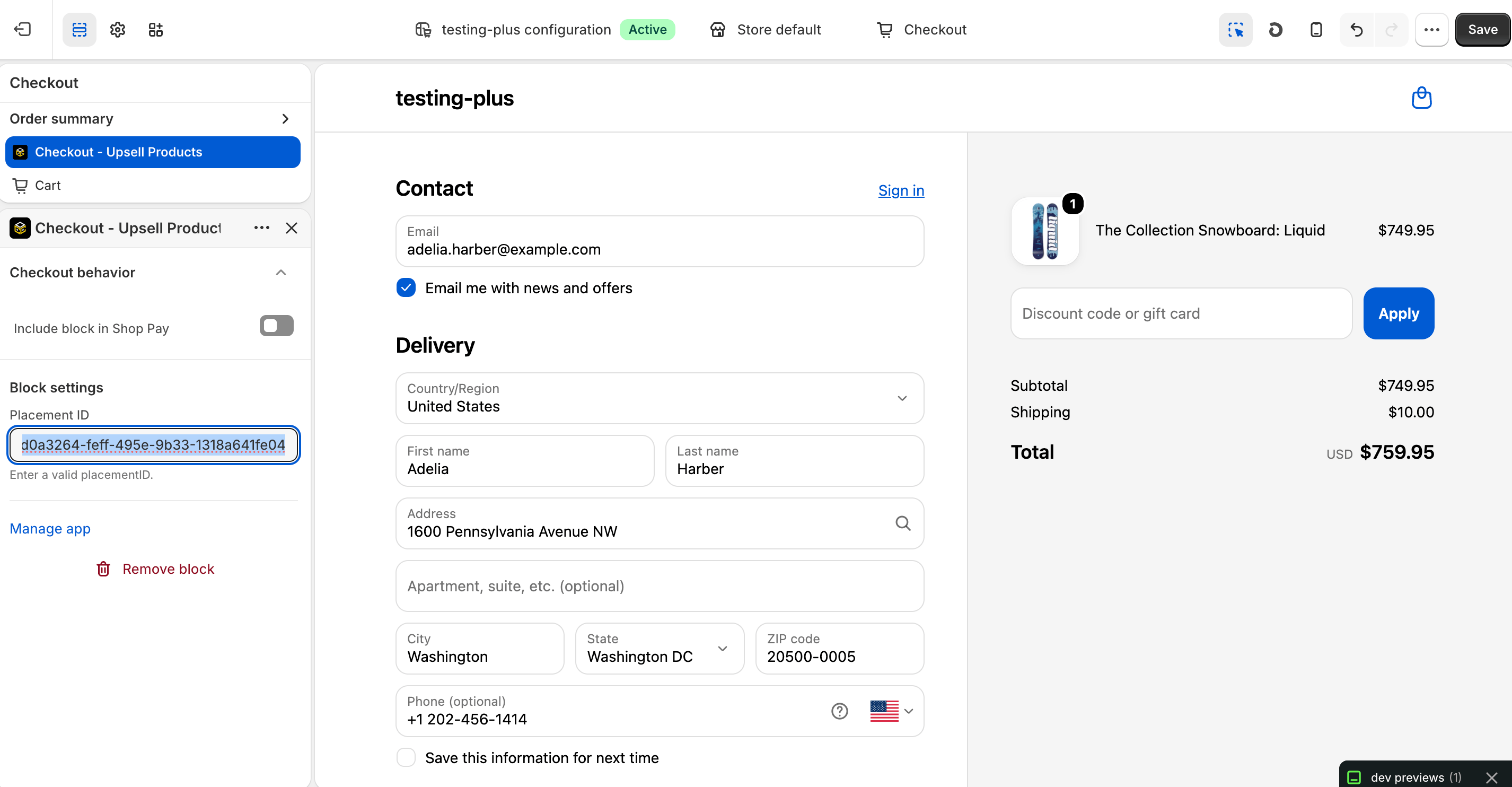
    Select the **Checkout – Upsell Products** app block, drag it to the desired location, and paste the copied **Placement ID**.
    <img src="https://mintcdn.com/nomads-arc/iXpFGcSFUJL7FNKL/images/screenshot_02.png?fit=max&auto=format&n=iXpFGcSFUJL7FNKL&q=85&s=ef78c0cd2a5385923ea09a48eec4d8ed" alt="Screenshot 02" width="2852" height="1484" data-path="images/screenshot_02.png" />
  </Step>

  <Step title="**Publish your changes**">
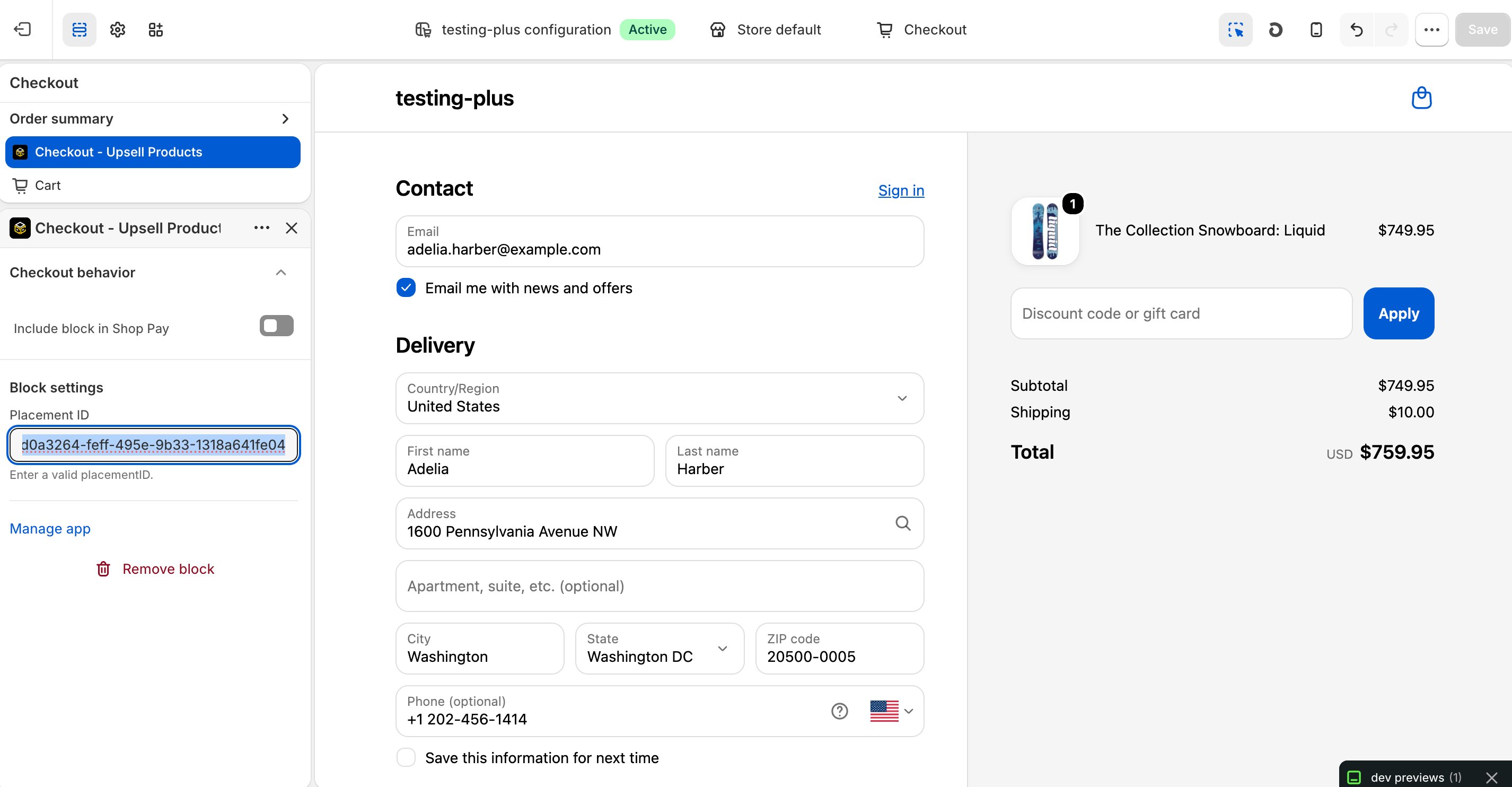
    Click **Save** in the Checkout Editor to publish the customization.
    <img src="https://mintcdn.com/nomads-arc/E2xhVgrurNt1u2Wx/images/screenshot_02_save_clicked.png?fit=max&auto=format&n=E2xhVgrurNt1u2Wx&q=85&s=6517b16aaba033478392d9185777647c" alt="Screenshot 02 Save Clicked" width="2852" height="1484" data-path="images/screenshot_02_save_clicked.png" />
  </Step>
</Steps>

<Note>
  **Why does it matter?**

  **Bundle Upsell** customization , to recommend relevant products during checkout, helping increase average order value (AOV) by presenting personalized opportunities at the right moment.
</Note>


This documentation is built and hosted on [Mintlify](https://mintlify.com), a developer documentation platform.