> ## Documentation Index
> Fetch the complete documentation index at: https://docs.nomadsarc.app/llms.txt
> Use this file to discover all available pages before exploring further.
# 📑 Display Tags
How to add **Custom** **Tags** for each cart item on the Checkout using the **Cart Item Details -> Display Tags** option.
## Guide
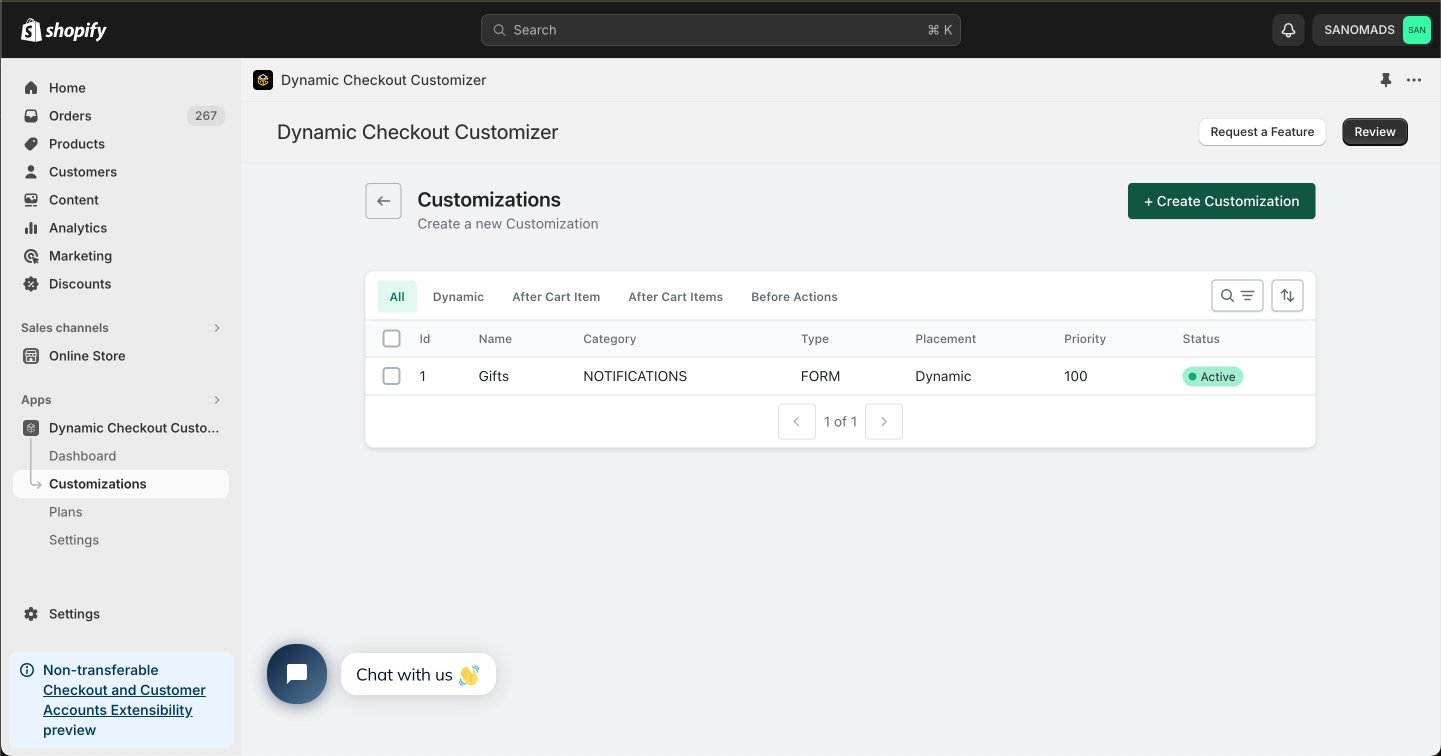
Create a new [customization](https://admin.shopify.com/apps/dynamic-checkout-customizer/customizations).
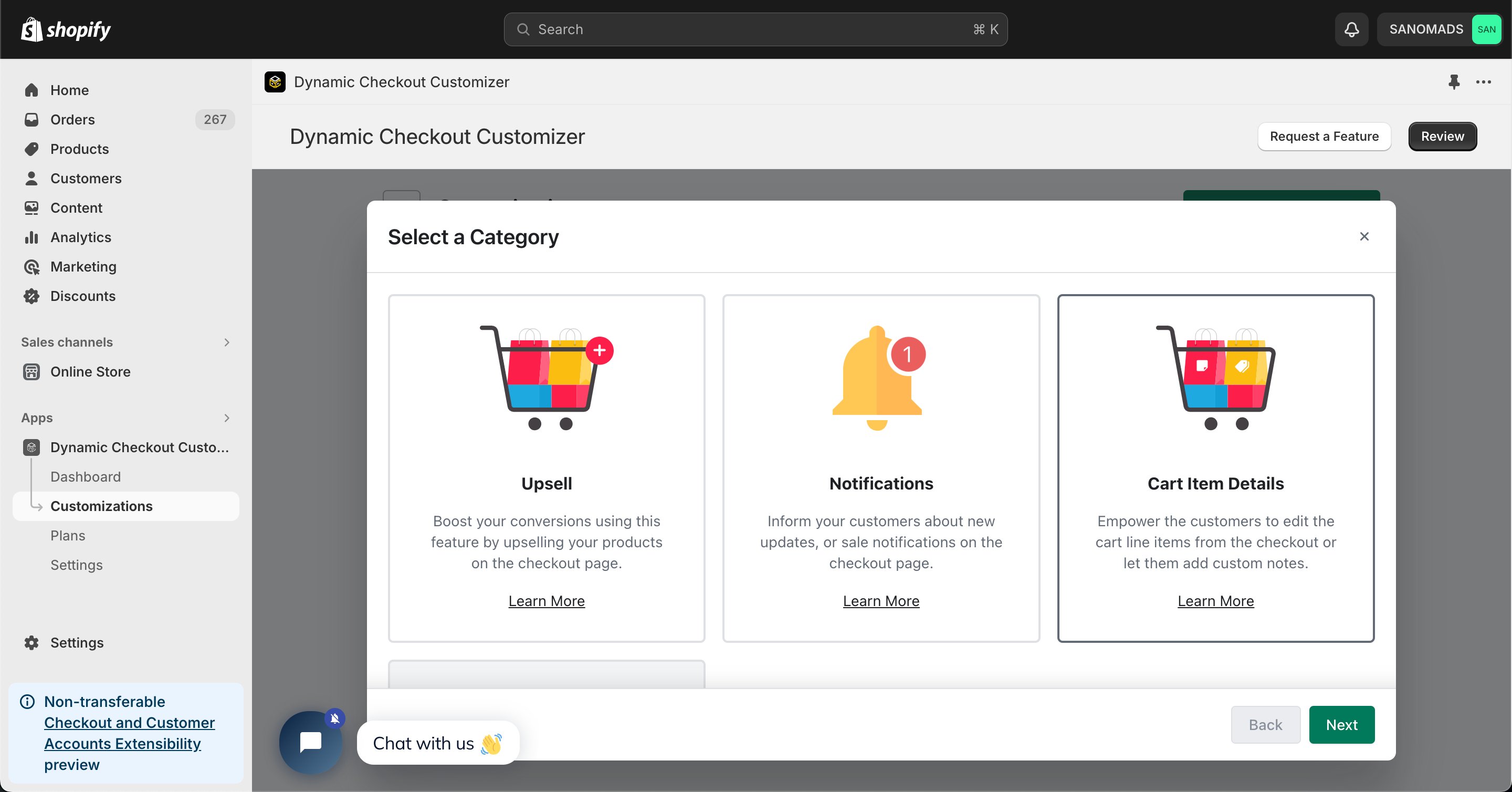
 Choose **Cart Item Details** as the customization category.
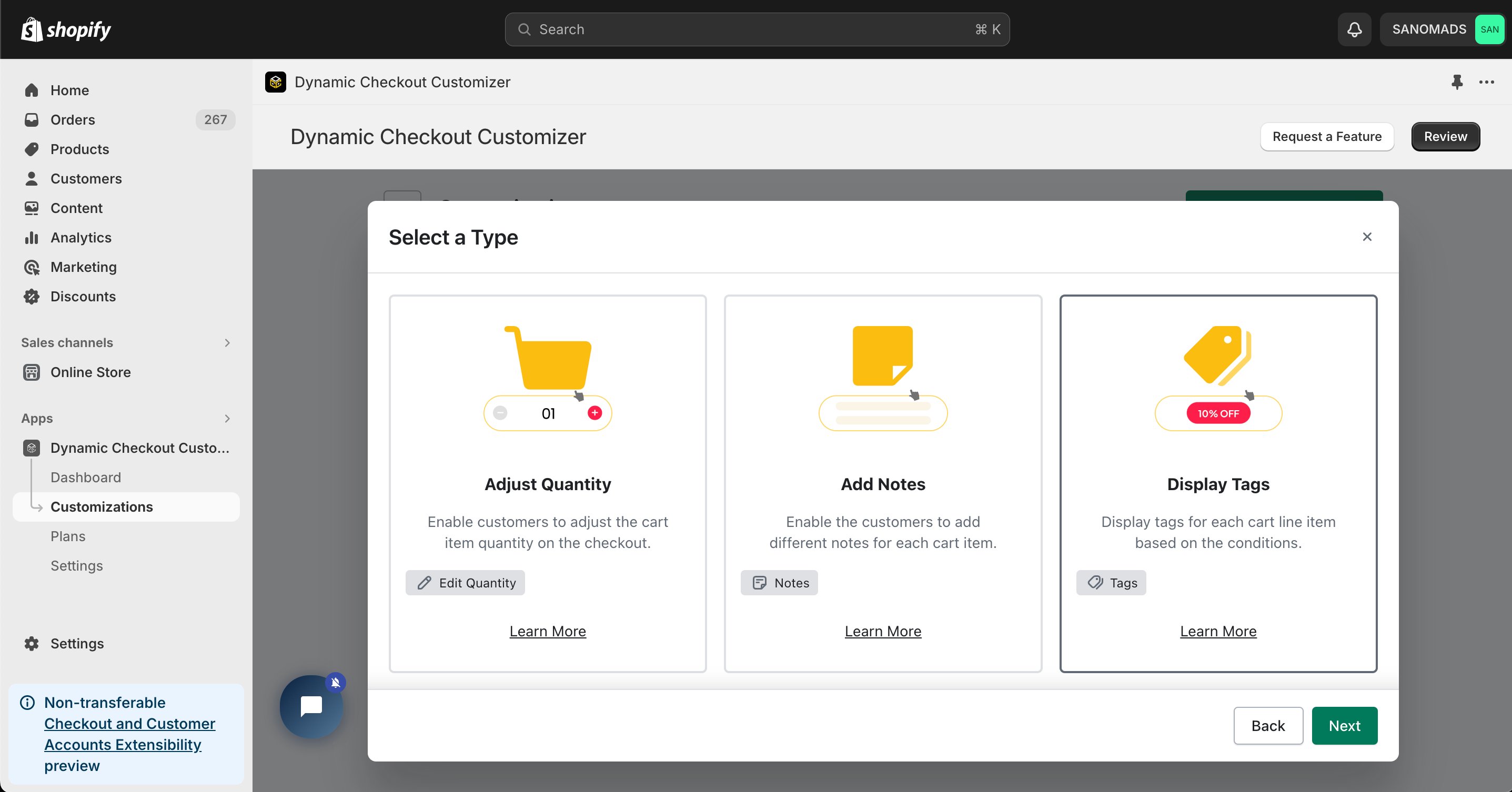
 Select **Display Tags** from the available Cart Item Details options to display custom product tags for each cart item during checkout.
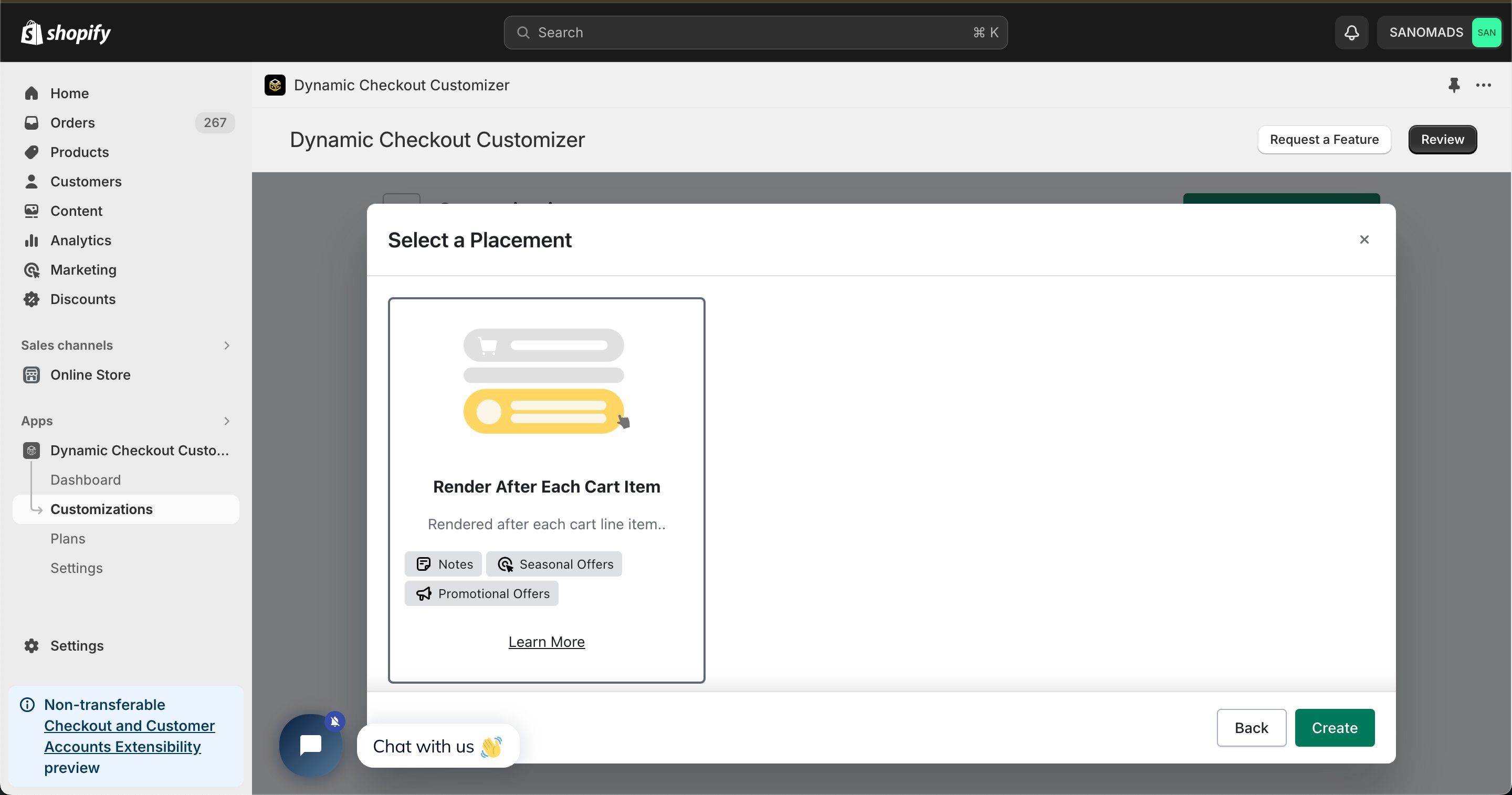
 Select **Render After Each Cart Item** from the available placement options.
 Add one or more **conditions** to control when the customization is displayed during checkout.
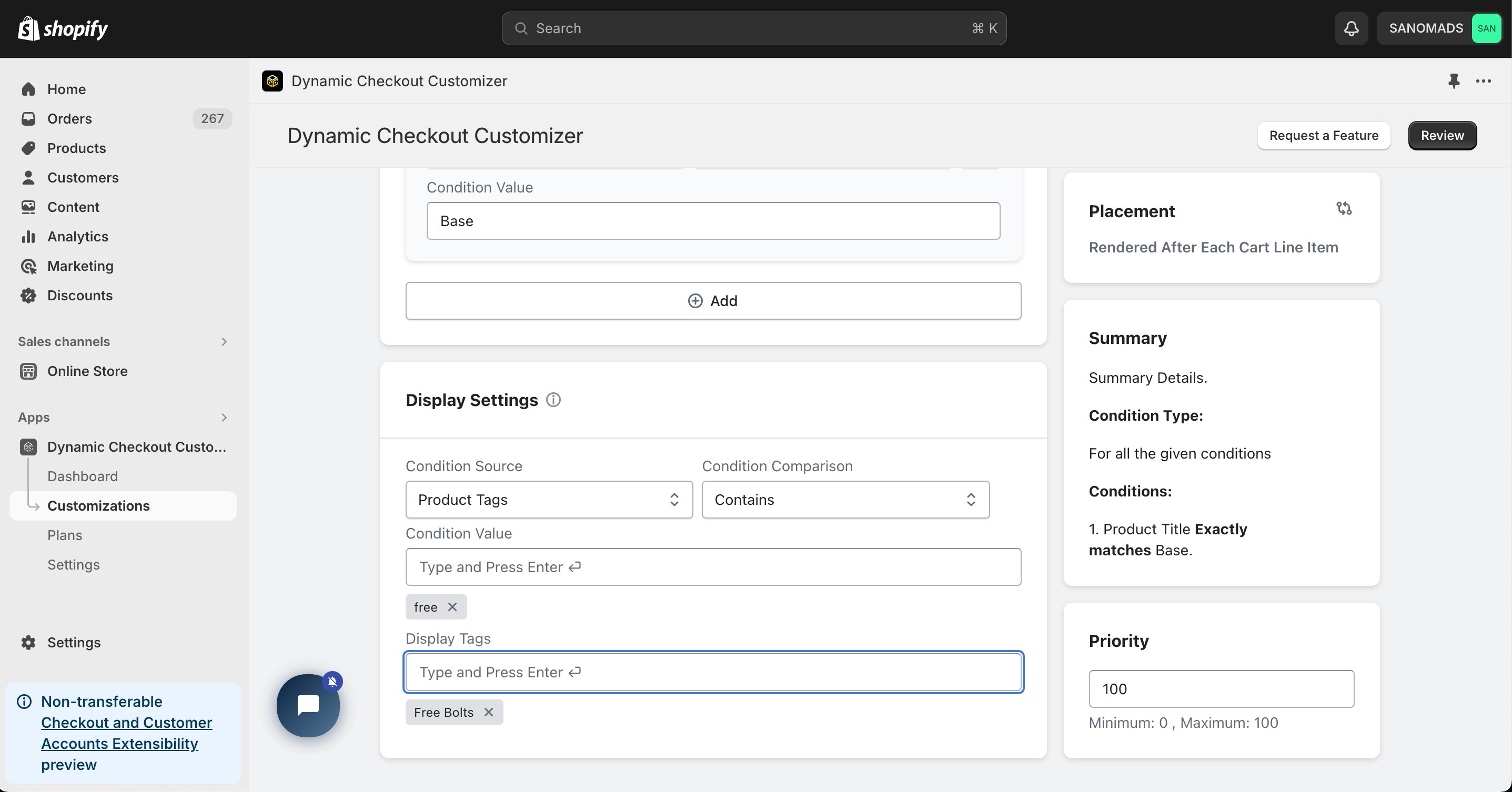
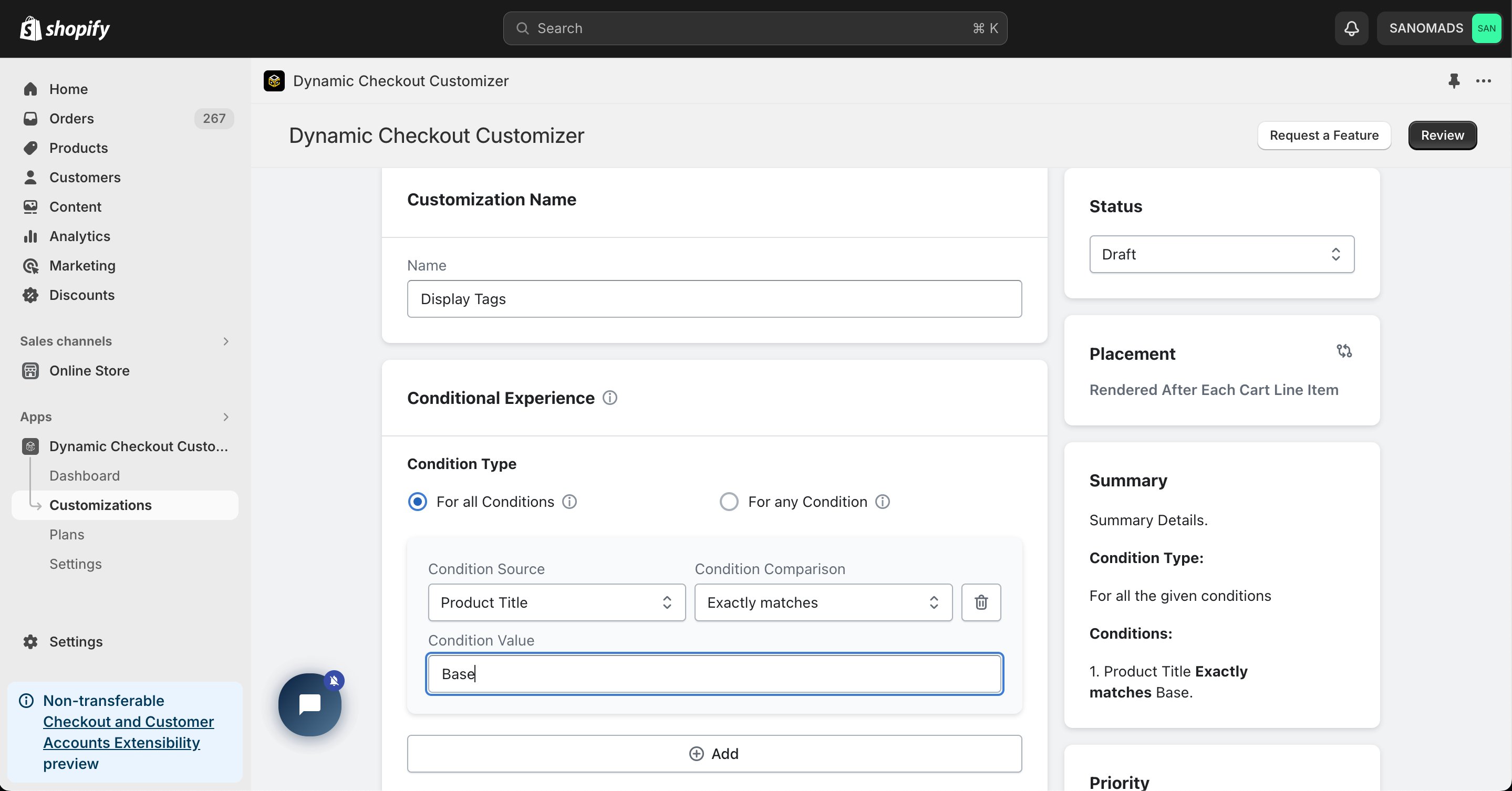 Configure the **Display Tags** settings by mapping **Product Tags** to the custom tag values you want to display for each cart item.
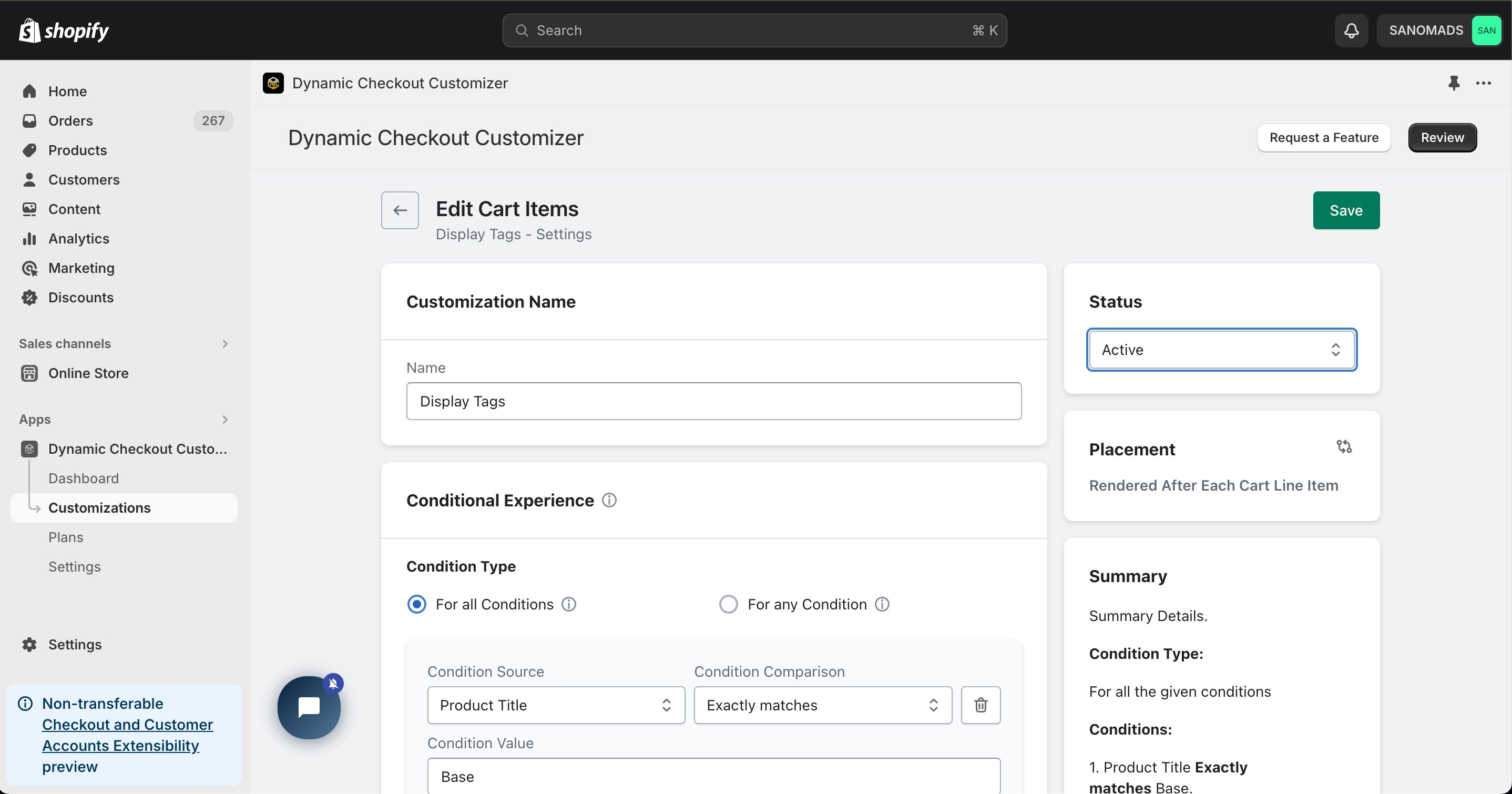
 Change the **Status** to **Active** to enable the customization.
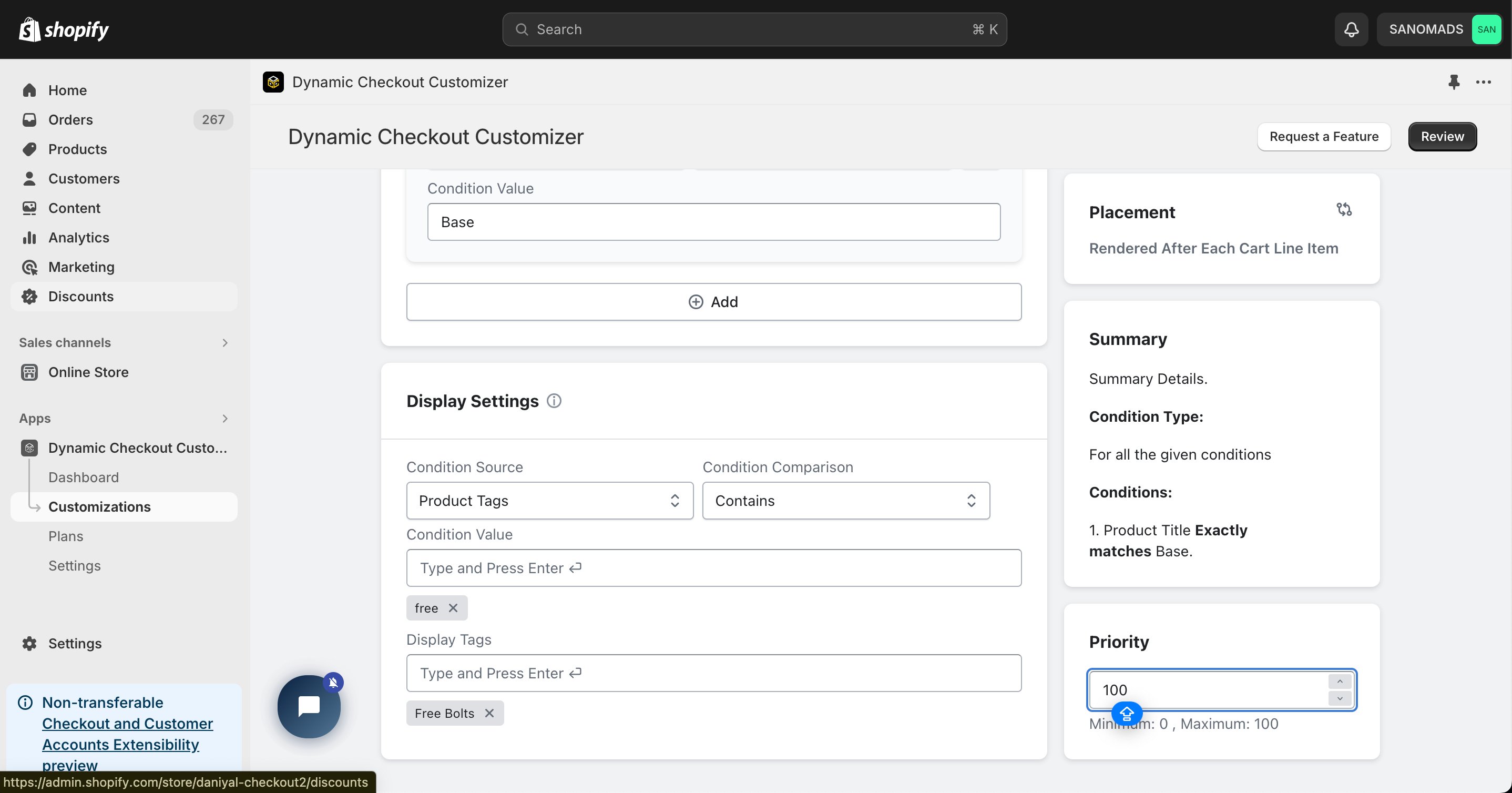
 Configure the **Priority** (0–100) to determine the execution order when multiple customizations are eligible.
 Open the **Placement** tab and copy the generated **Placement ID**. You'll use this in the Shopify Checkout Editor.
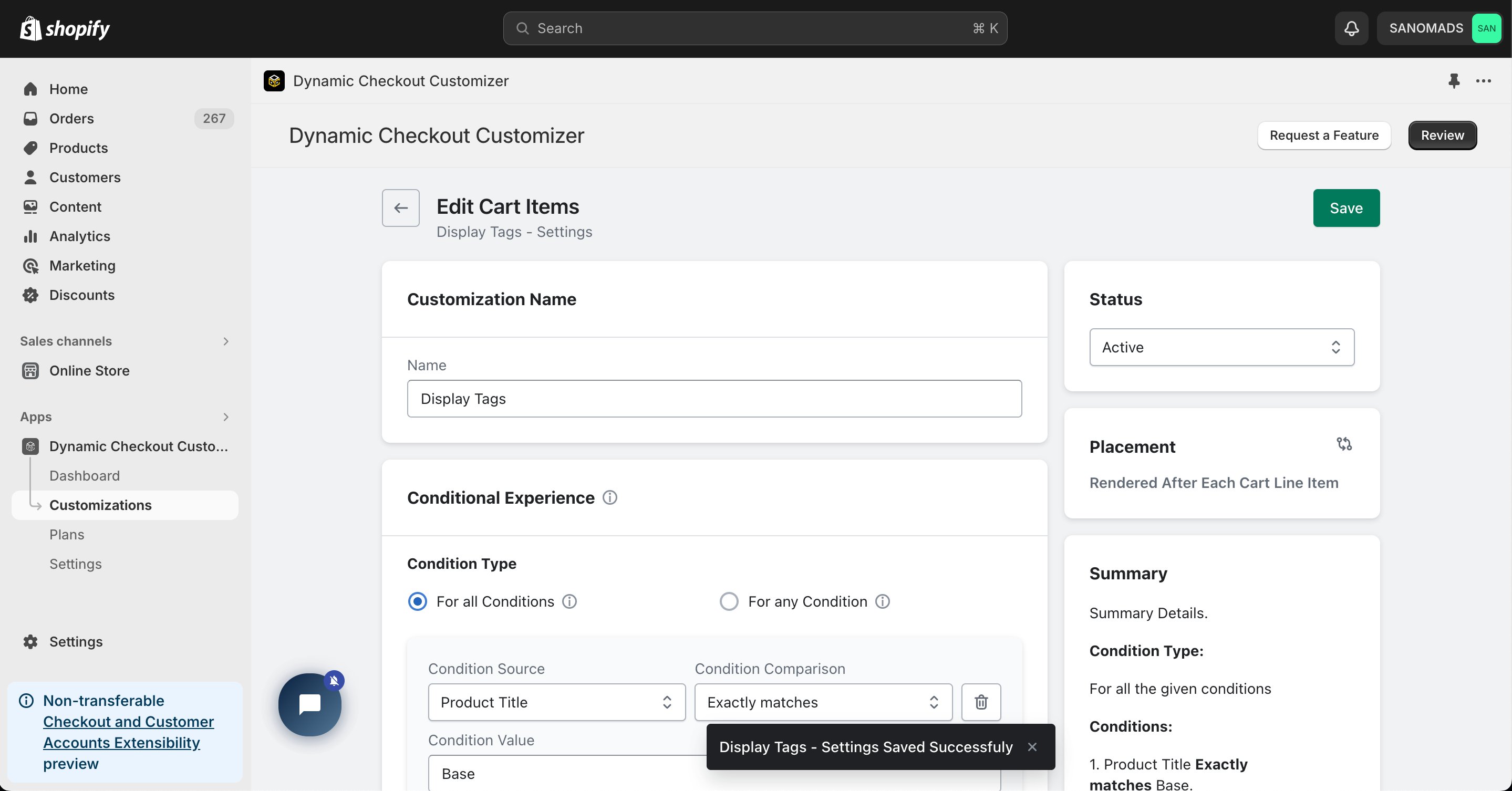
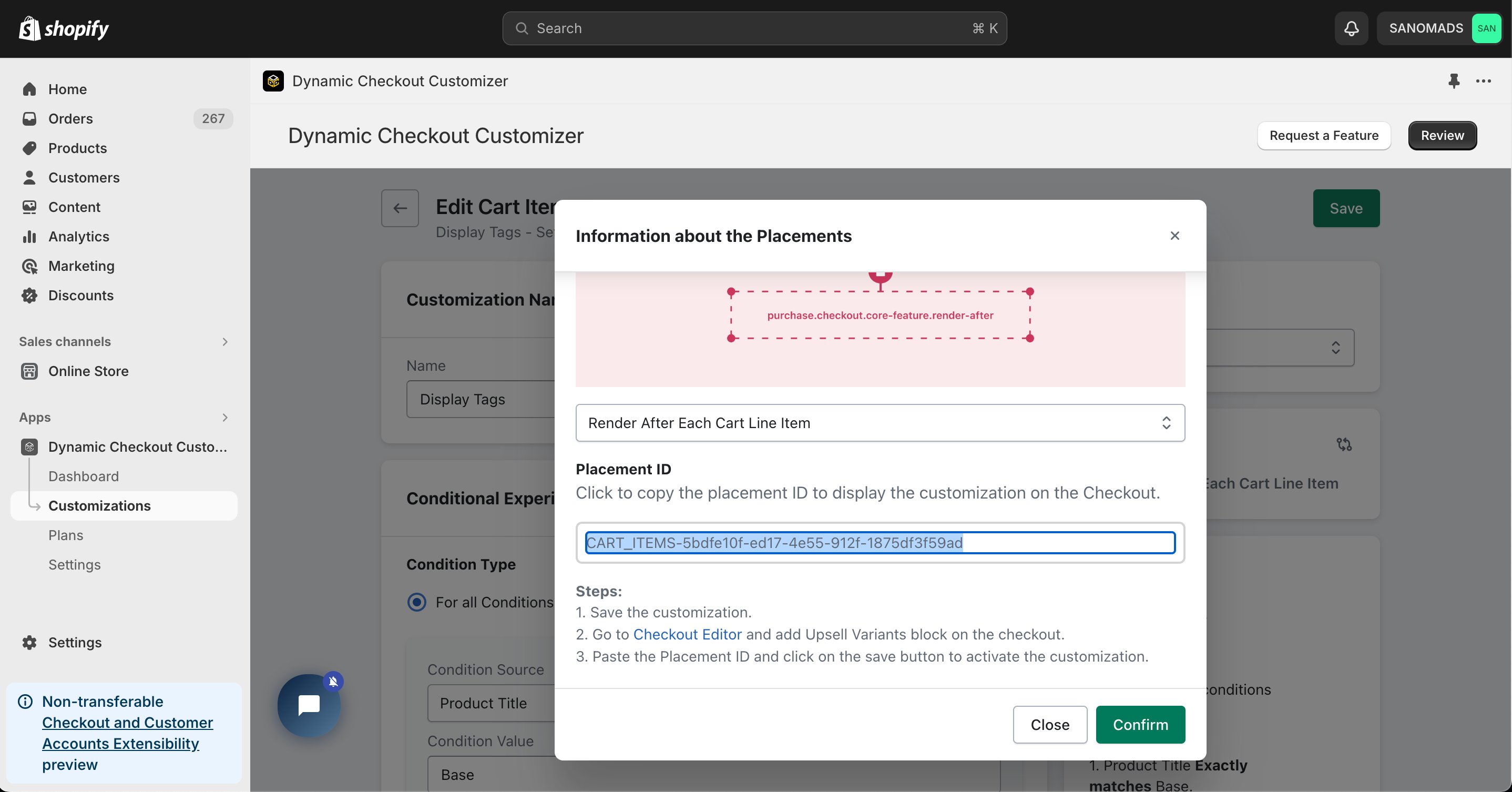 Click **Save** to store your configuration.
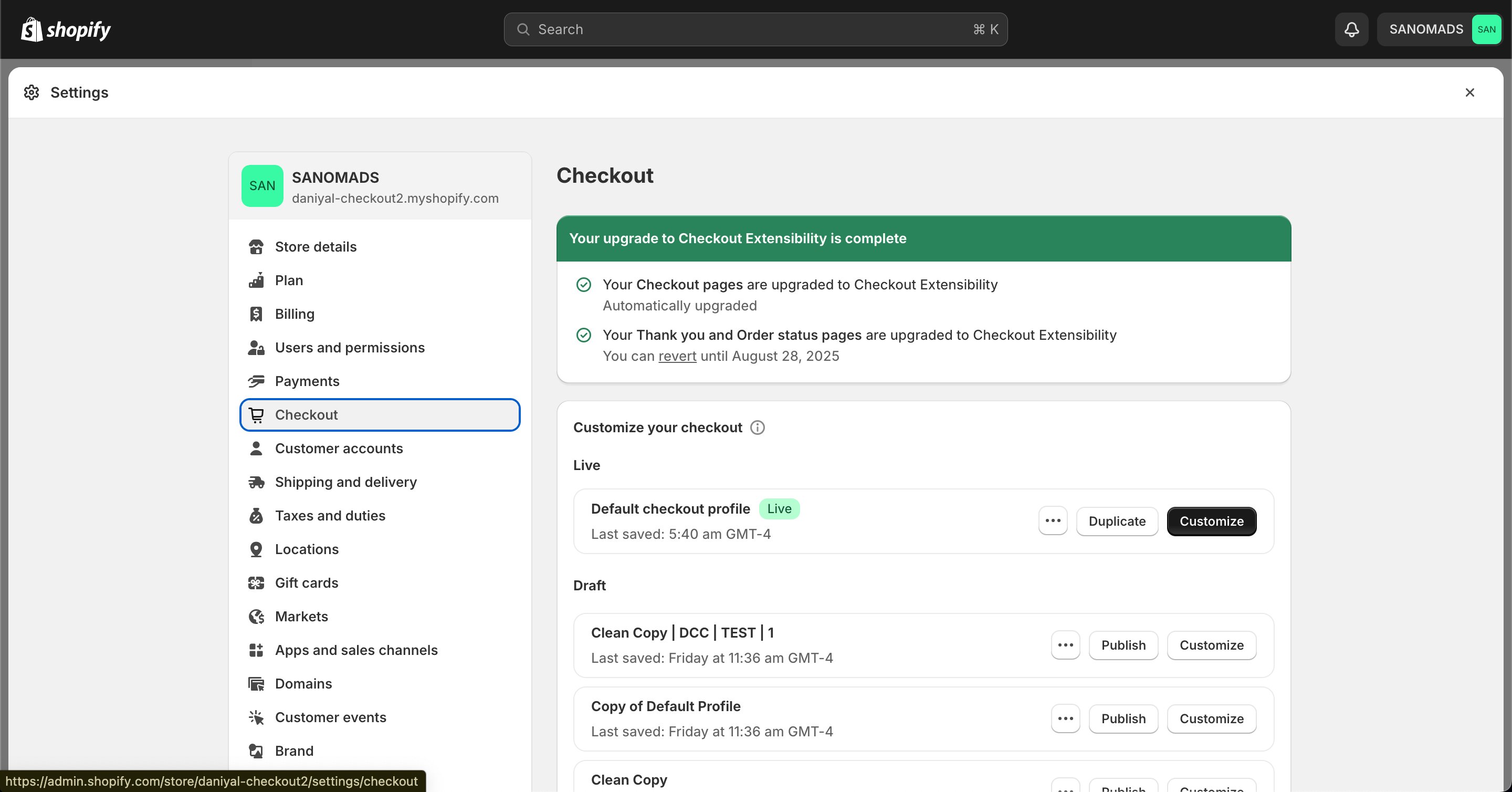
 Go to your Shopify **[Settings](https://admin.shopify.com/settings) → Checkout**, select your checkout profile, and click **Customize**.
 In the [Checkout Editor](https://admin.shopify.com/settings/checkout/editor), click **Add app block**.
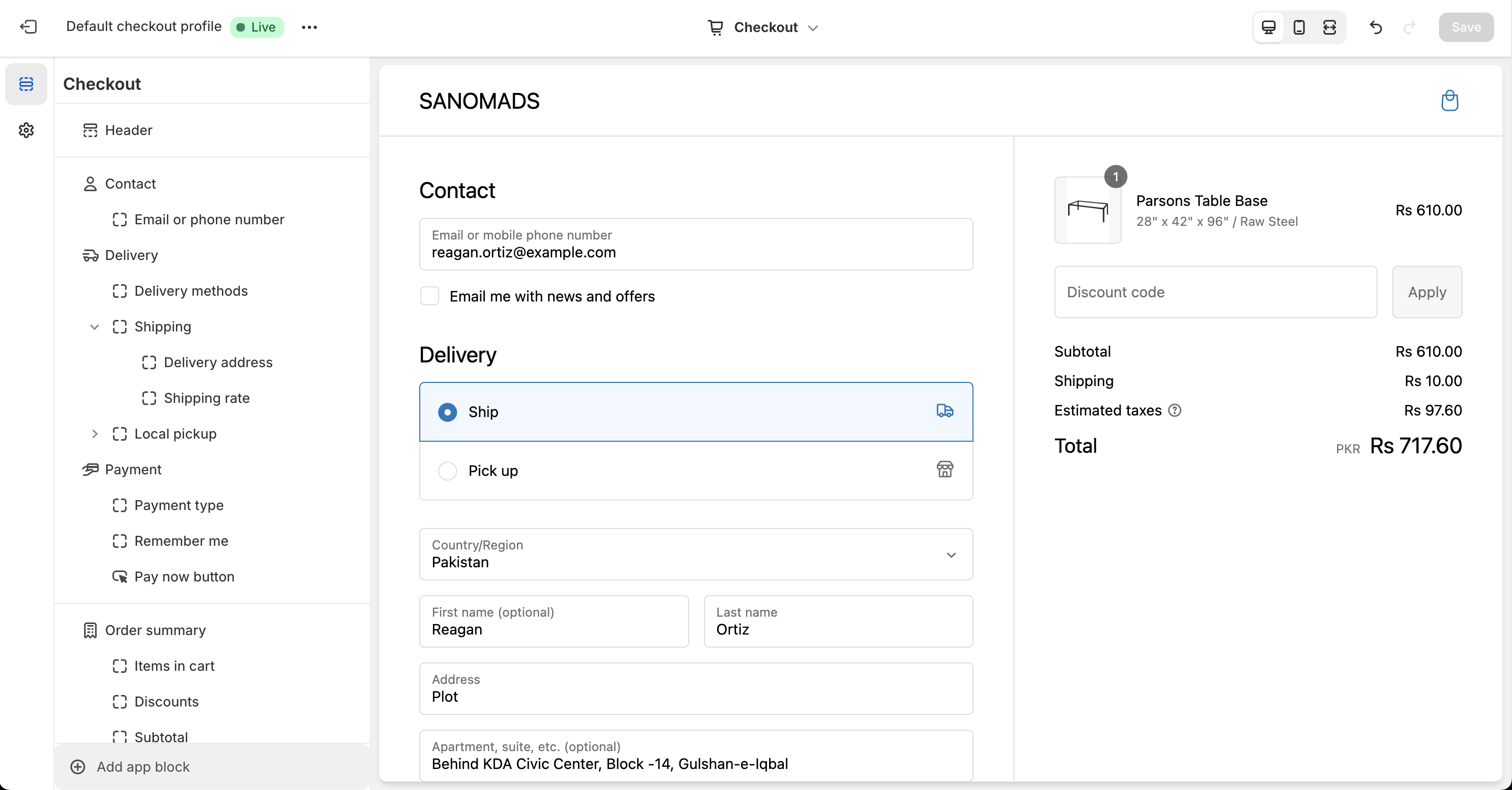 Make sure the app block is placed in the same checkout placement you selected in Dynamic Checkout Customizer.
Select the **Checkout – Edit Cart Items** app block, drag it to the desired location, and paste the copied **Placement ID**.
Make sure the app block is placed in the same checkout placement you selected in Dynamic Checkout Customizer.
Select the **Checkout – Edit Cart Items** app block, drag it to the desired location, and paste the copied **Placement ID**.
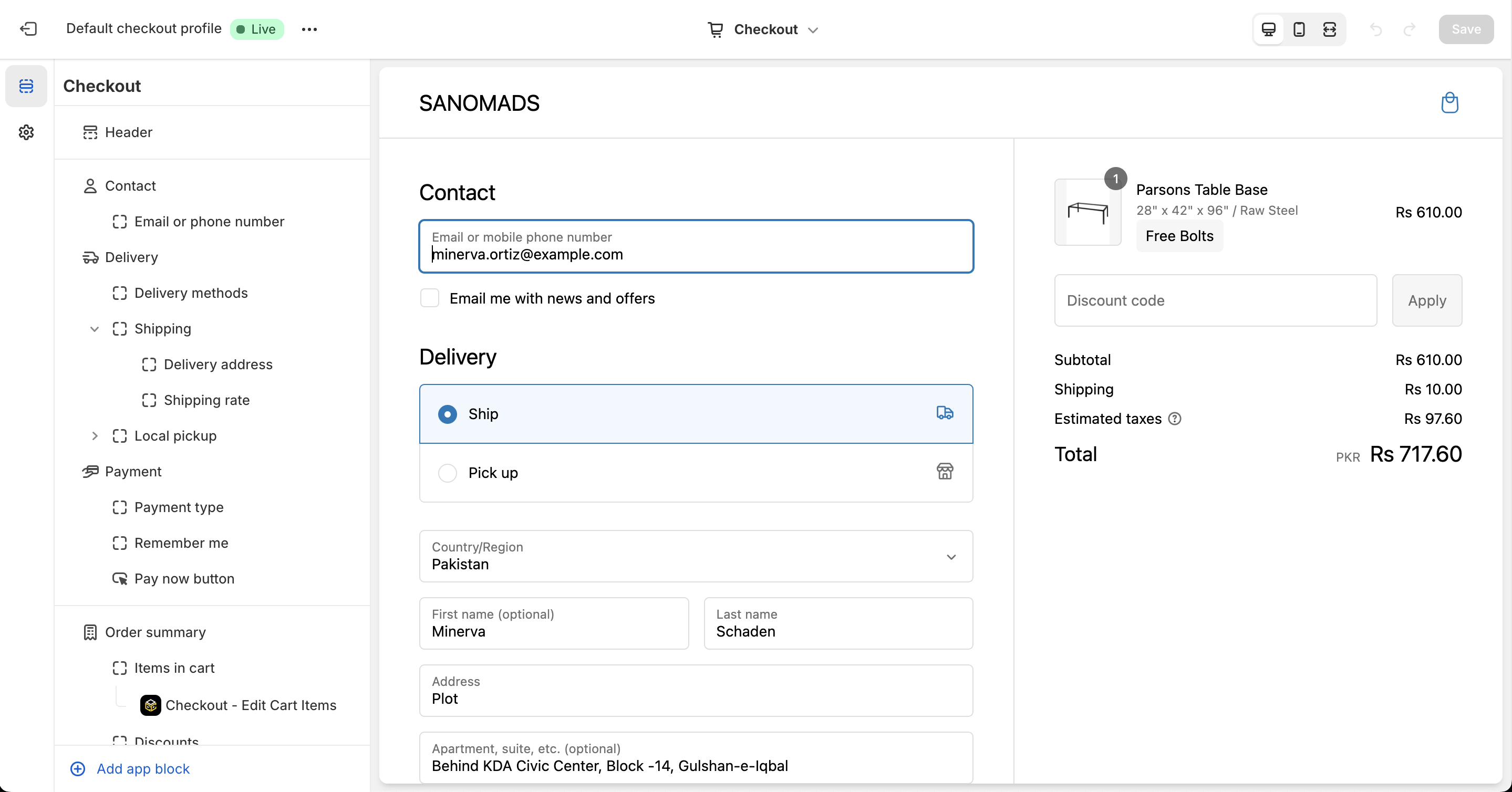
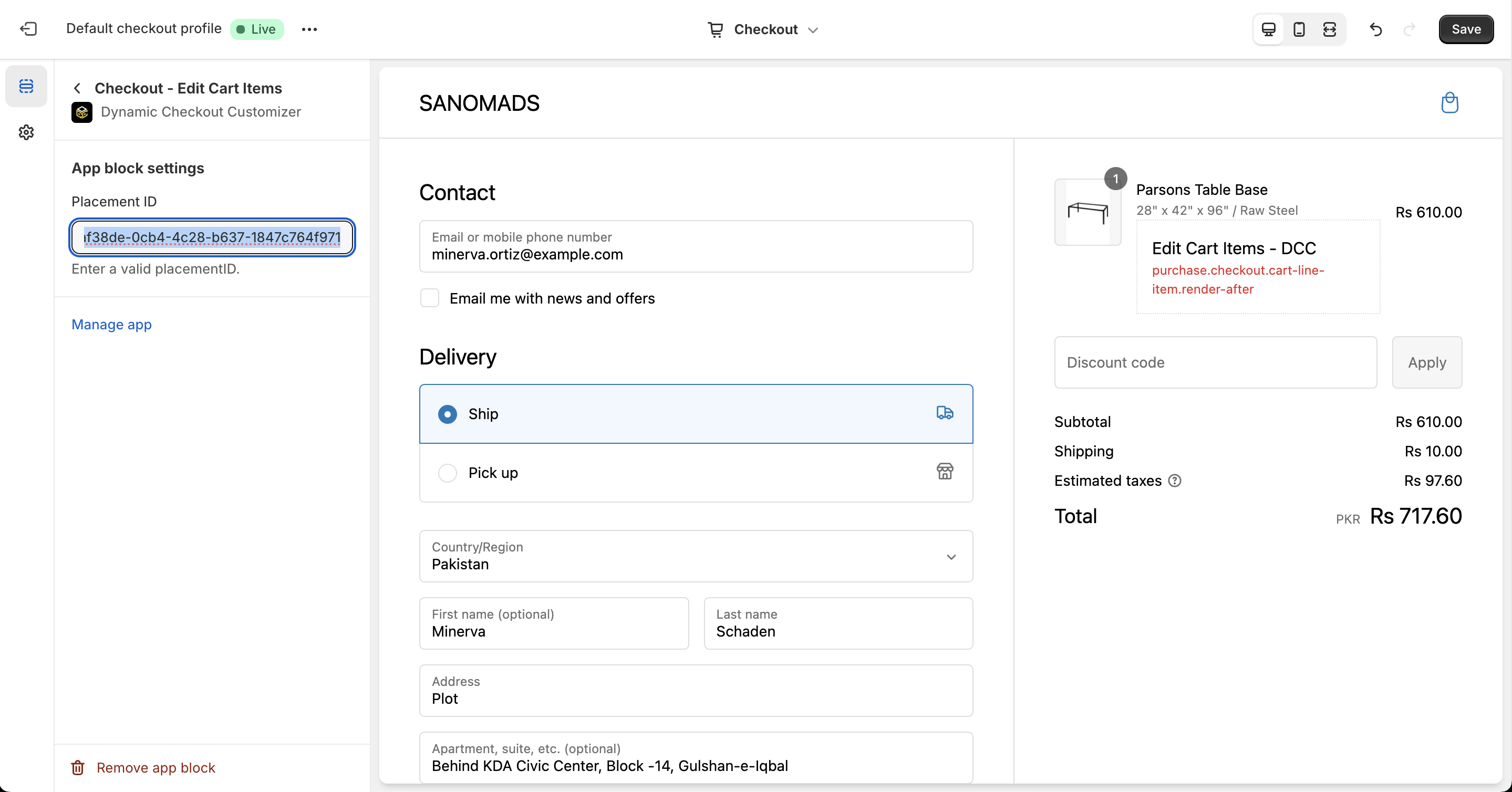 Click **Save** in the Checkout Editor to publish the customization. Refresh your checkout page to verify that the Display Tags customization is active.
 **Why does it matter?**
[BoutiquesByTheBox](https://boutiquebythebox.com) uses the **Cart Item Details → Display Tags** customization to highlight important product information during checkout, creating a more informative shopping experience that can help increase average order value (AOV).
**Why does it matter?**
[BoutiquesByTheBox](https://boutiquebythebox.com) uses the **Cart Item Details → Display Tags** customization to highlight important product information during checkout, creating a more informative shopping experience that can help increase average order value (AOV).