> ## Documentation Index
> Fetch the complete documentation index at: https://docs.nomadsarc.app/llms.txt
> Use this file to discover all available pages before exploring further.
# Create Amount Off Products Discounts in Shopify
> Step-by-step guide to creating a product-level discount using Slice 'n Save. Add conditions, criteria, scheduling, and market eligibility.
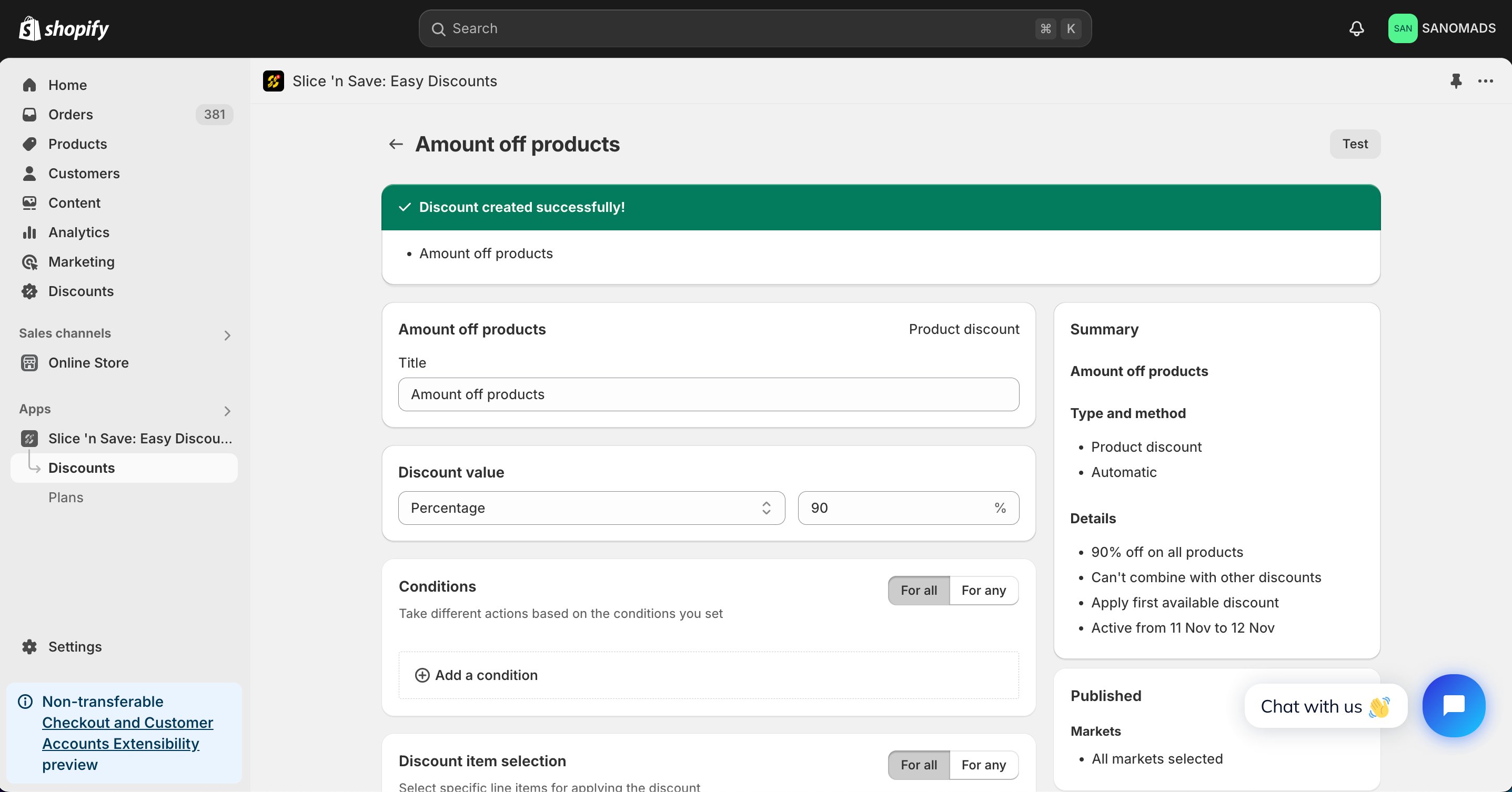
The **Amount off products** discount type in Slice 'n Save lets you apply a fixed amount or percentage discount to specific products in a customer's cart. You can target products precisely using criteria like tags, vendor, or SKU, and control eligibility with conditions on the cart, customer, or line items.
## Steps Guide
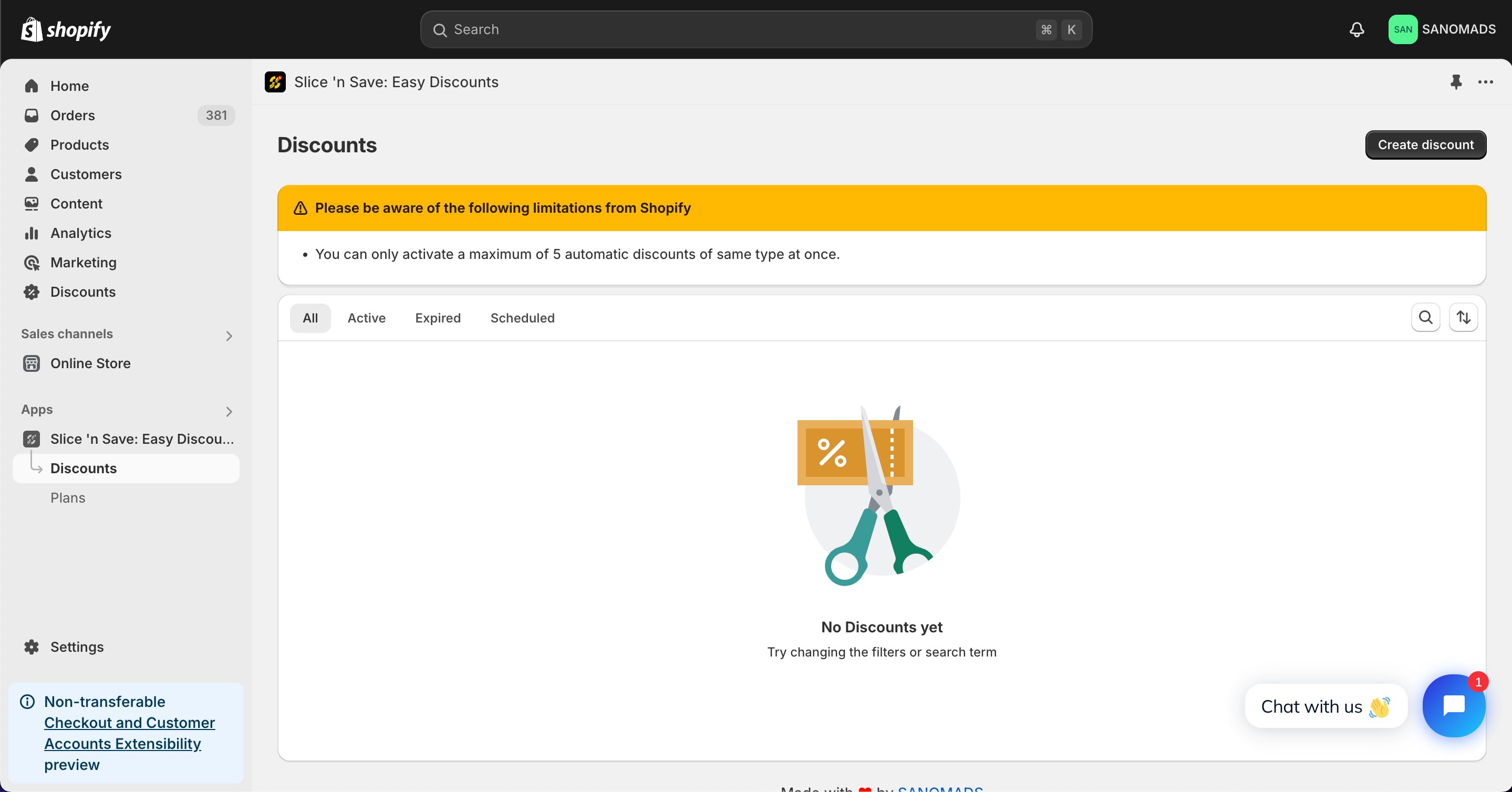
Open the [Discounts](https://admin.shopify.com/apps/slice-n-save/discounts) section in the Slice 'n Save app and click **Create discount**.
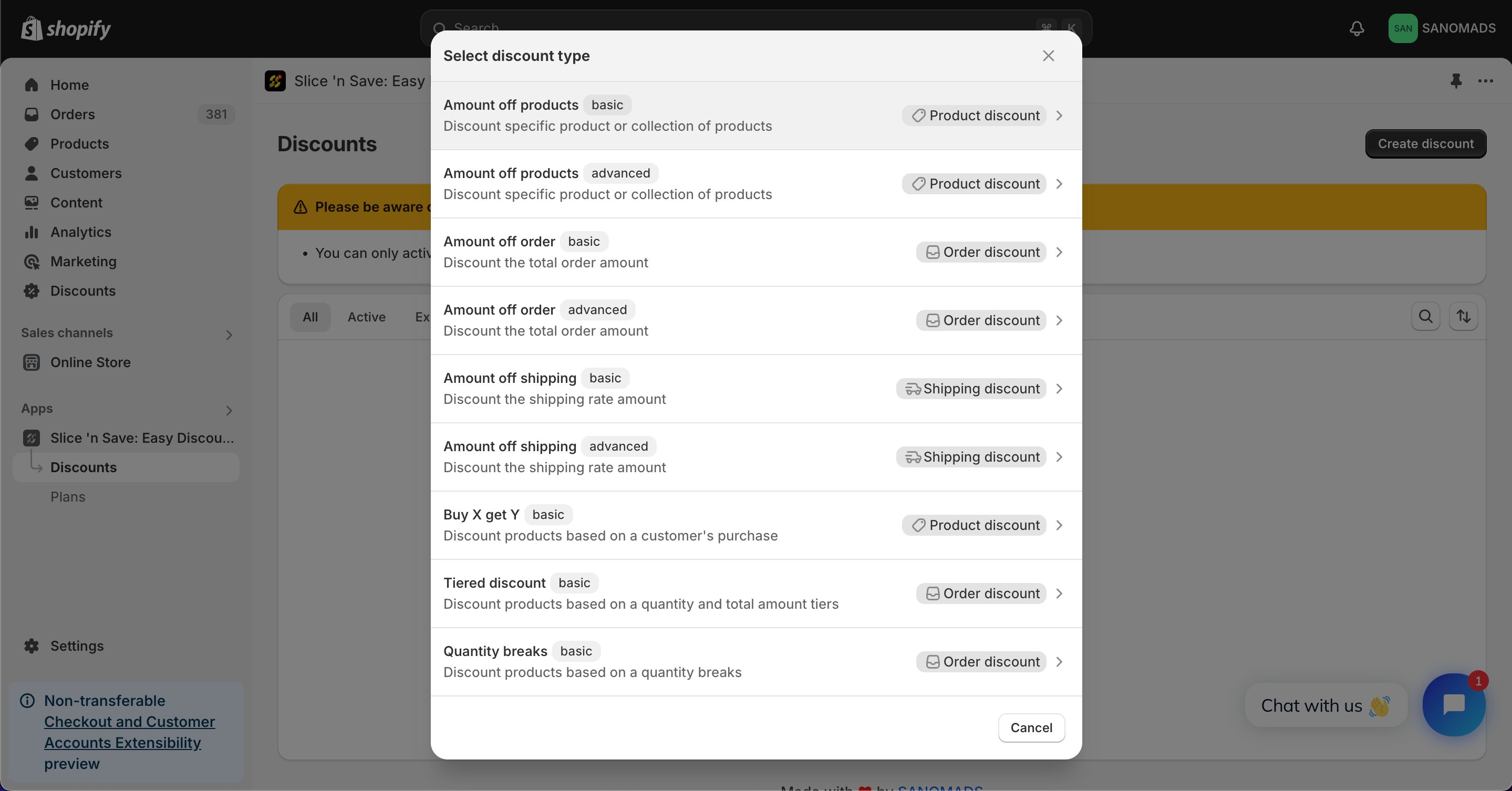
 Choose **Amount off products** from the list of discount types.
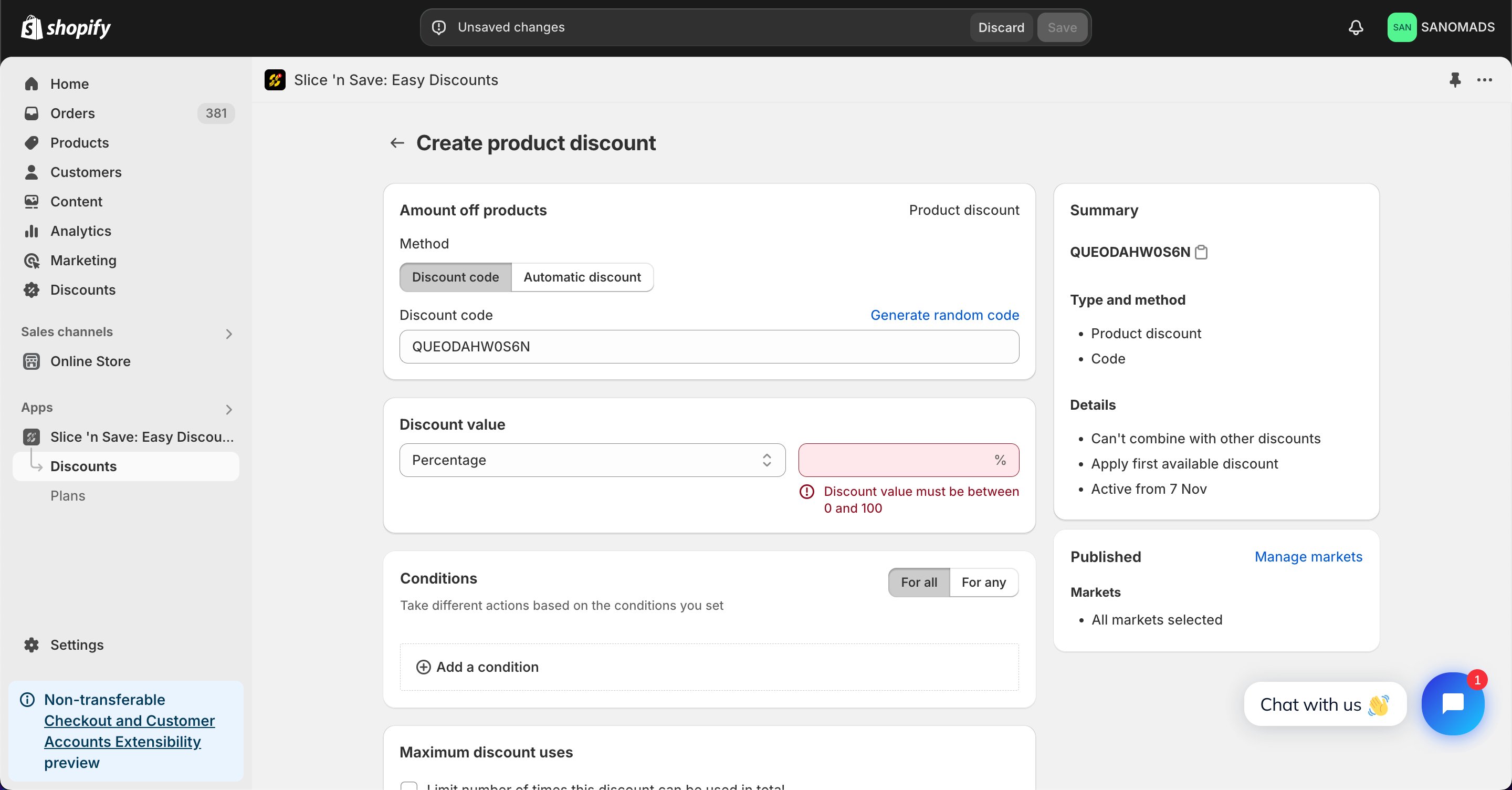
 Select the discount method (percentage or fixed amount), enter a title for the discount, and set the discount value.
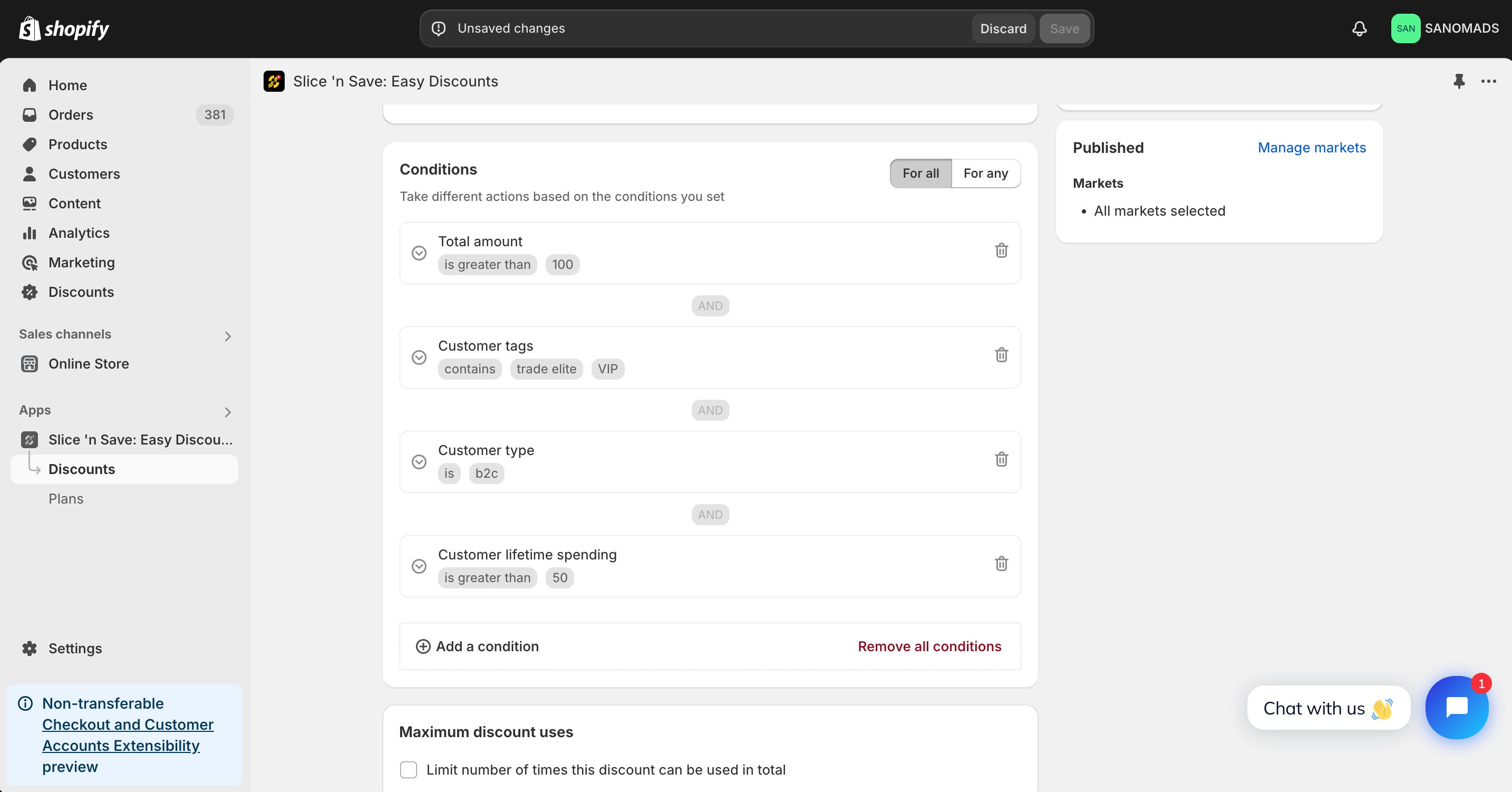
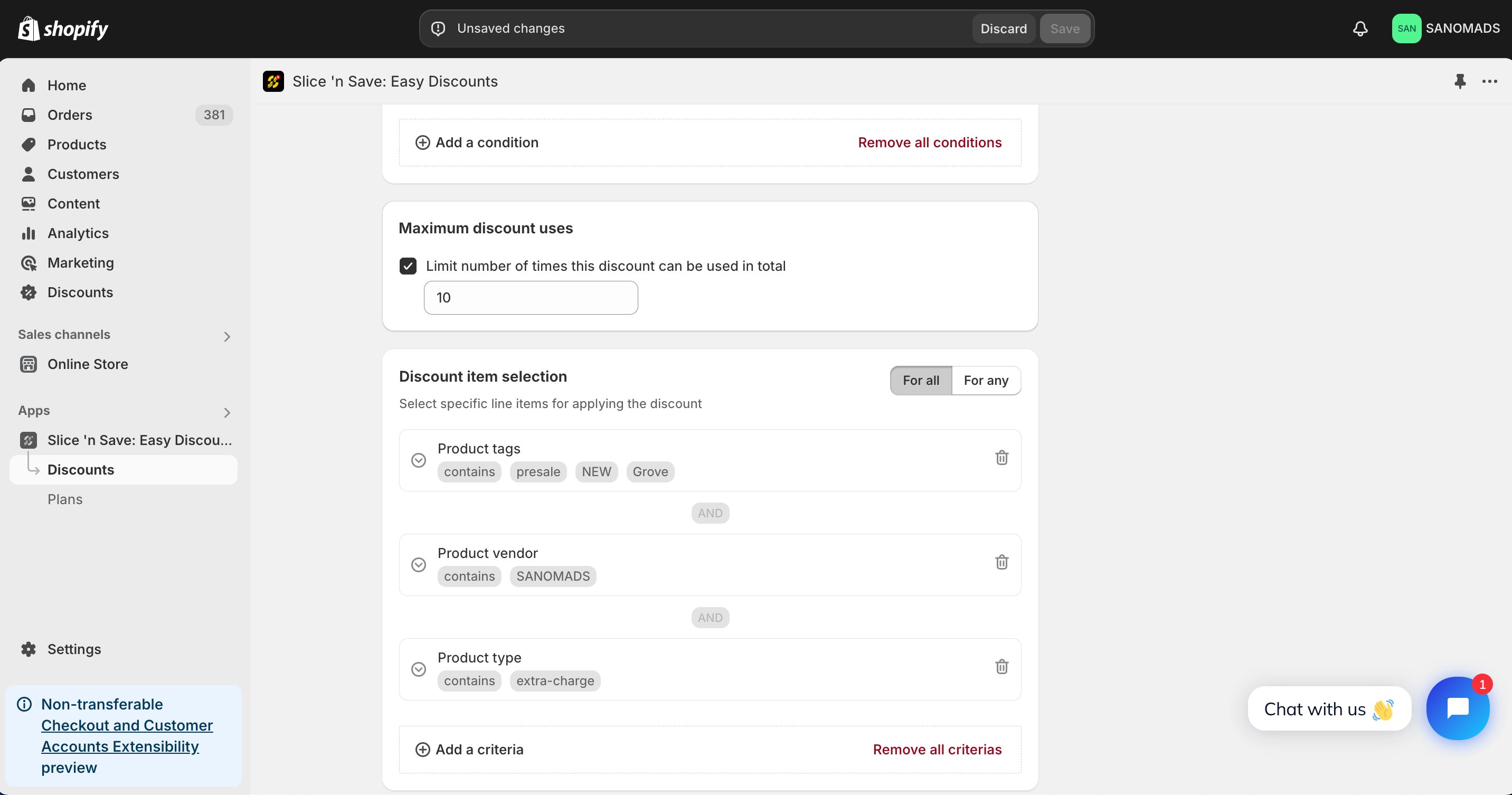
 Add multiple **conditions** to handle the validation of the product discount on the cart and checkout page.
 Add product-level criteria to filter which products the discount applies to. For example, apply the discount to products with a specific tag or product vendor.
 Discounts can be applied in **combination** with other discounts which are created using Slice 'n Save app.
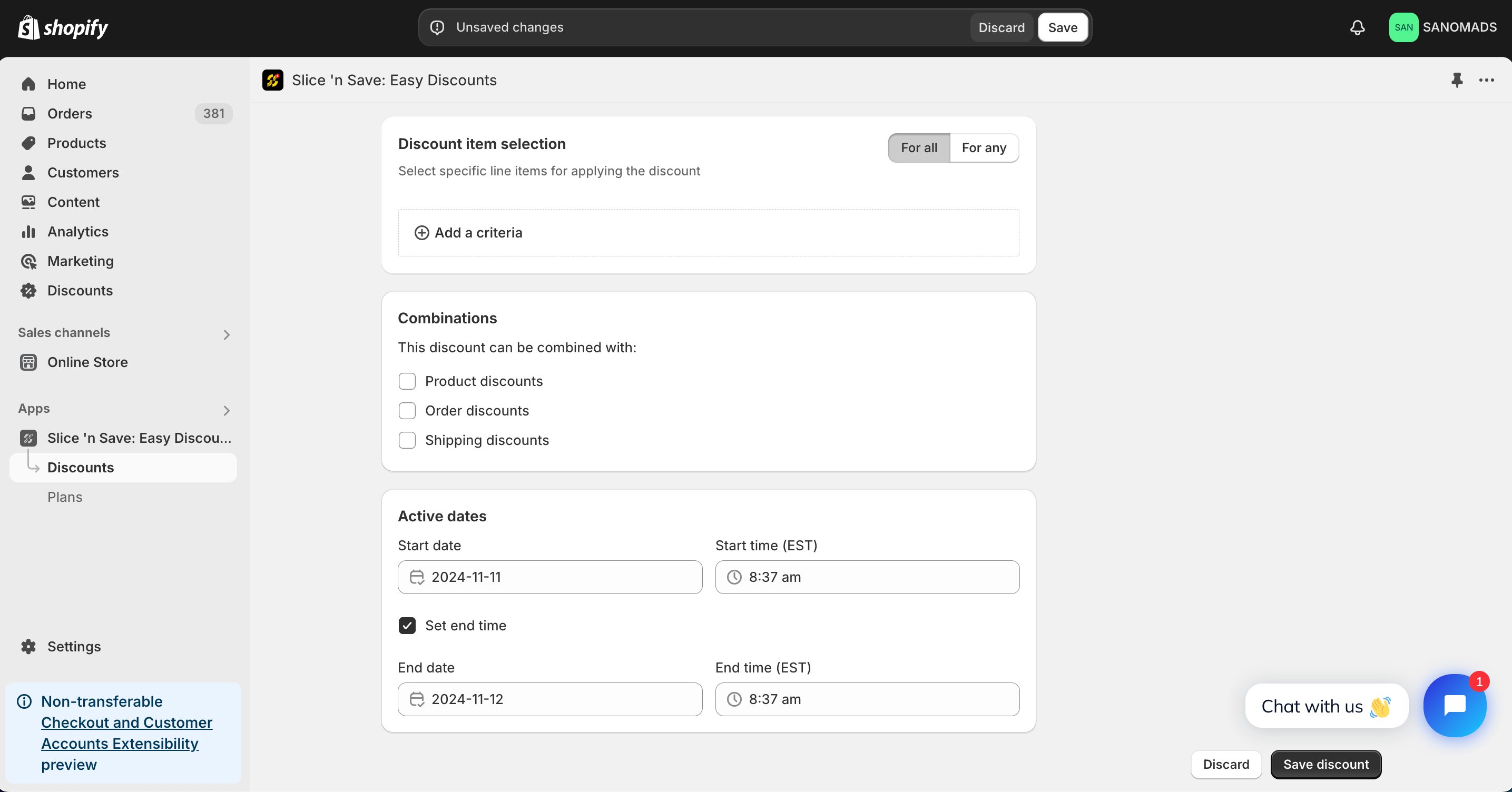
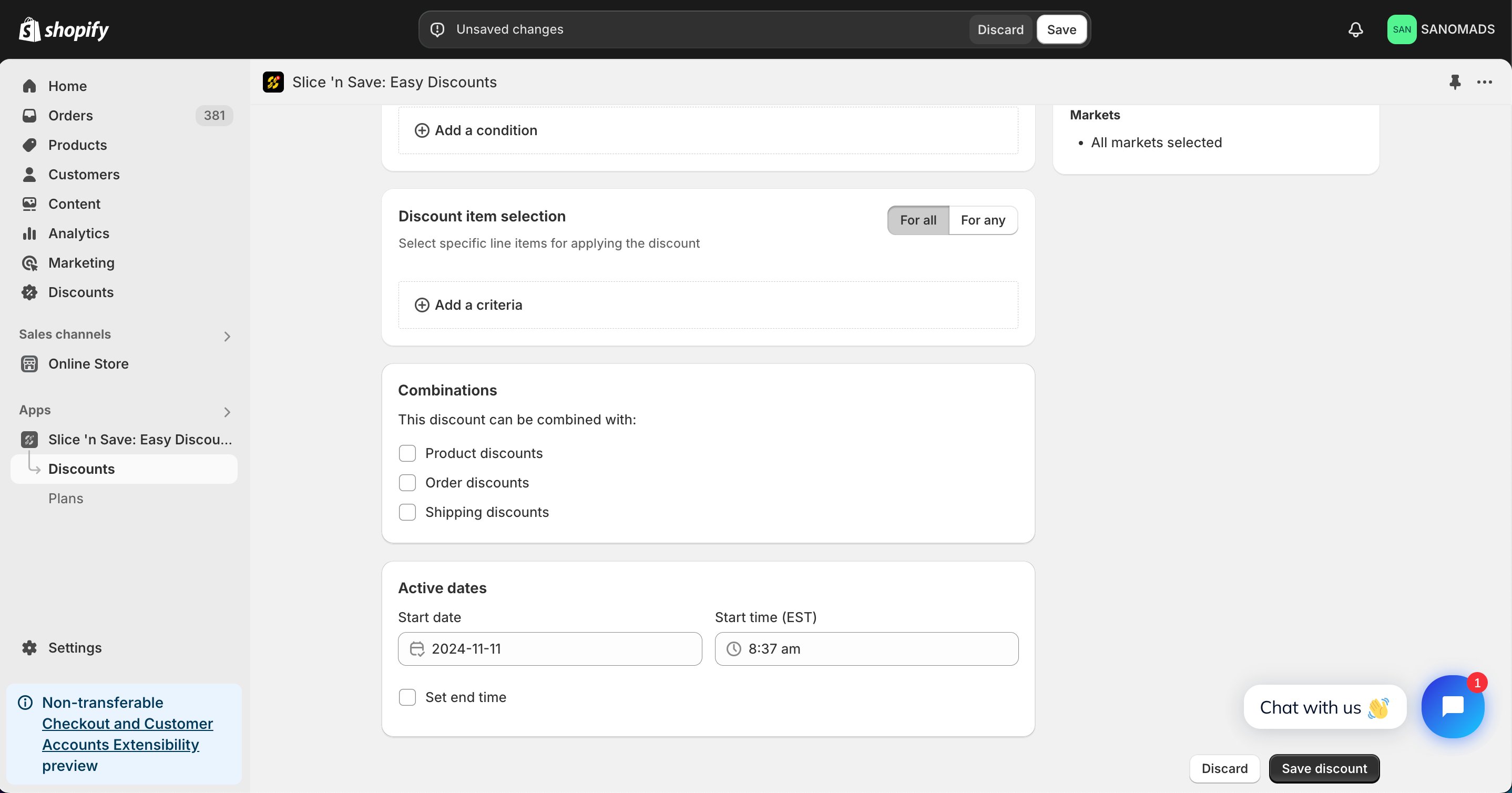 To activate the discount at a future date or time, set the active start and end dates in the **Active dates** section.
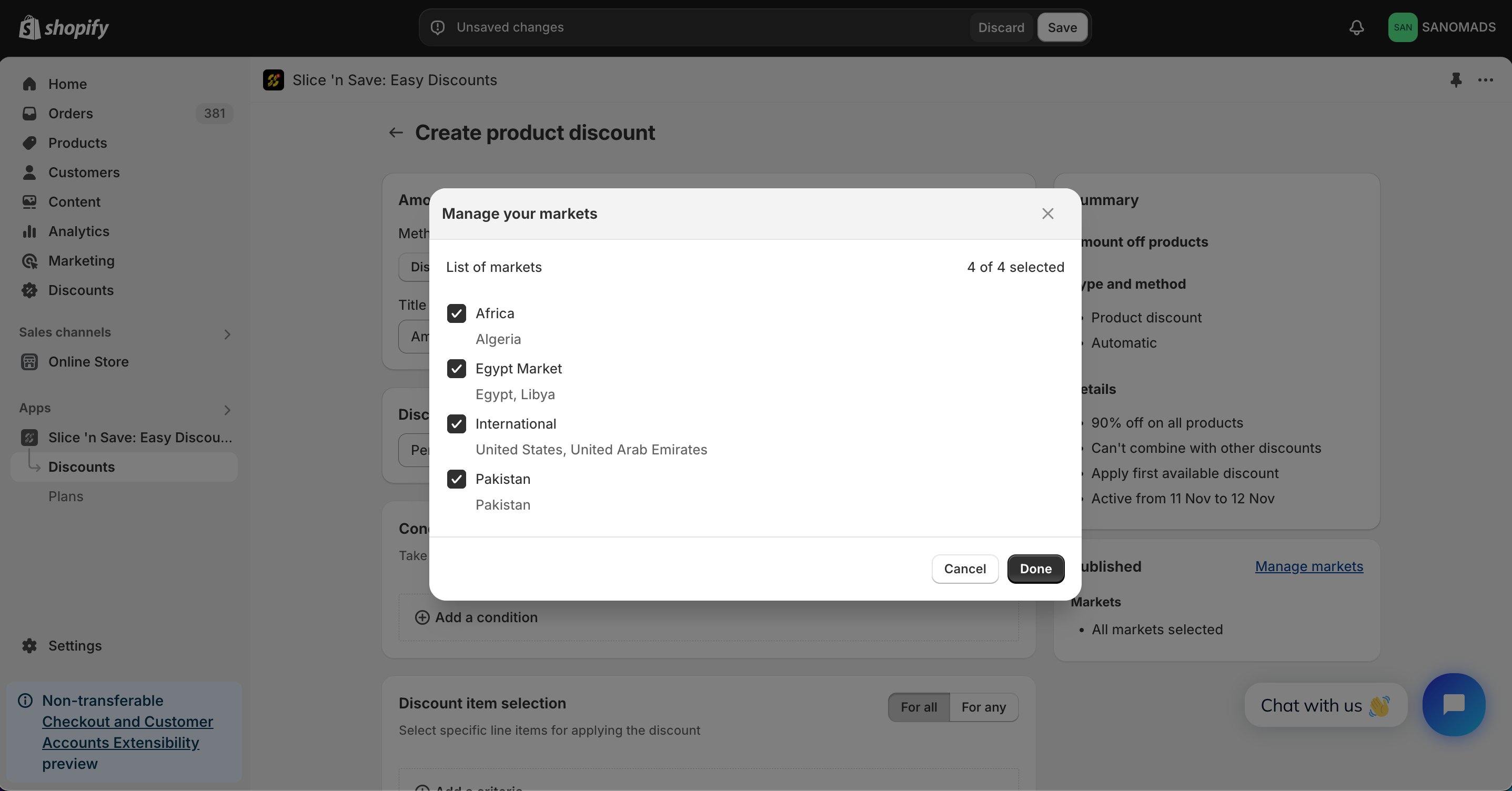
 Adjust the markets from the **manage markets** section for discount eligibility.
 Click **Save** to activate your discount.
 ## Tips & Gotchas
Use **product criteria** alongside cart conditions to create highly targeted promotions — for example, offer 20% off all items tagged "summer-sale" only when the cart total exceeds \$75.
**Conditions** and **criteria** serve distinct roles in your discount configuration:
* **Conditions** validate whether the discount should apply to the cart at all (based on cart totals, customer attributes, etc.).
* **Criteria** filter which specific products in the cart receive the discount.
## Tips & Gotchas
Use **product criteria** alongside cart conditions to create highly targeted promotions — for example, offer 20% off all items tagged "summer-sale" only when the cart total exceeds \$75.
**Conditions** and **criteria** serve distinct roles in your discount configuration:
* **Conditions** validate whether the discount should apply to the cart at all (based on cart totals, customer attributes, etc.).
* **Criteria** filter which specific products in the cart receive the discount.