
The Amount off order discount type applies a fixed amount or percentage discount to the entire order total. Unlike product-level discounts, this discount type does not require product criteria — instead, you control eligibility through cart, customer, and line-item conditions.
Steps Guide
1
Create a new discount
Open the Discounts section in the Slice ‘n Save app and click Create discount.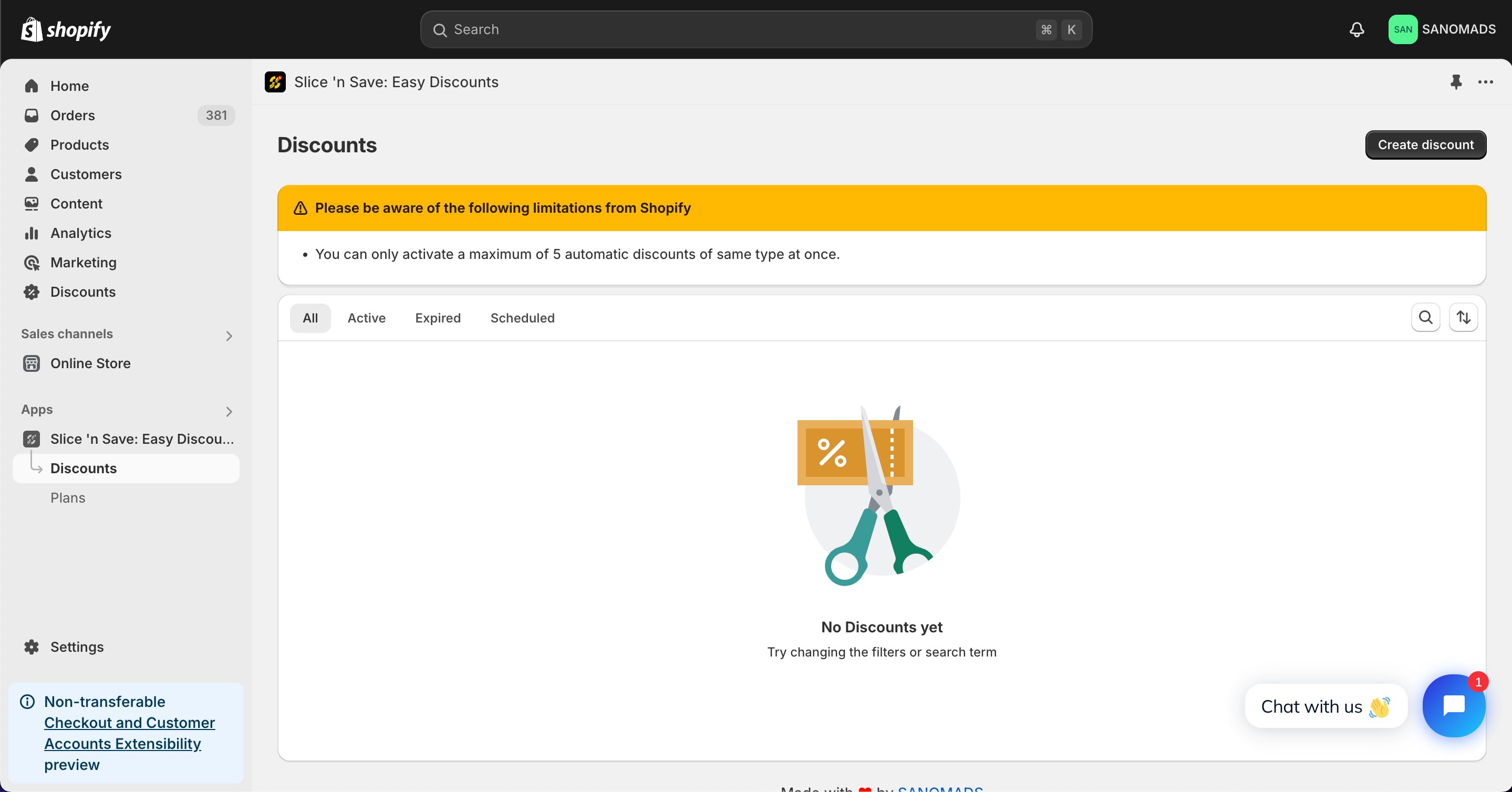
2
Select the discount type
Choose Amount off order from the list of discount types.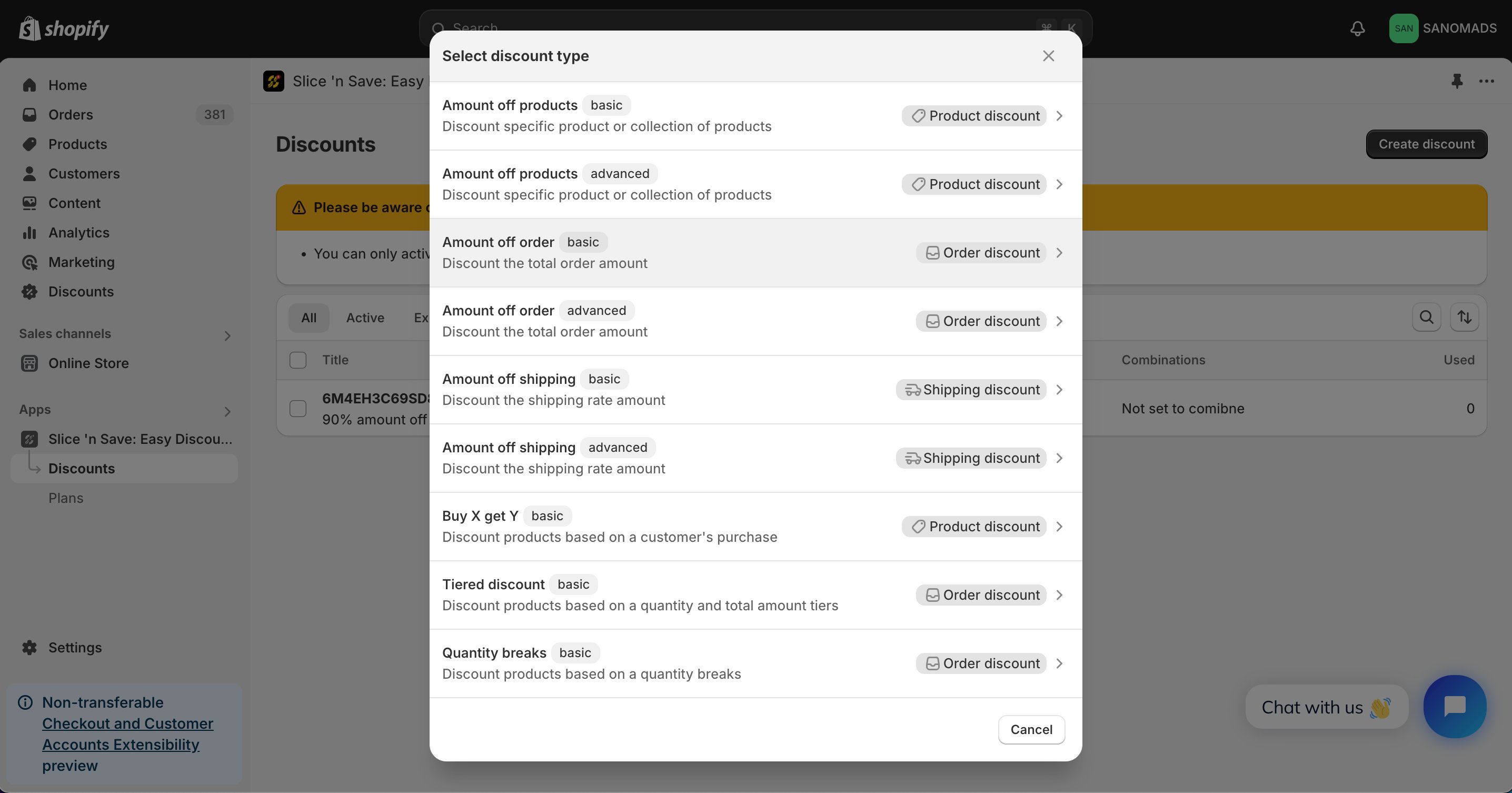
3
Set the method, title, and value
Select the discount method (percentage or fixed amount), enter a title for the discount, and set the discount value.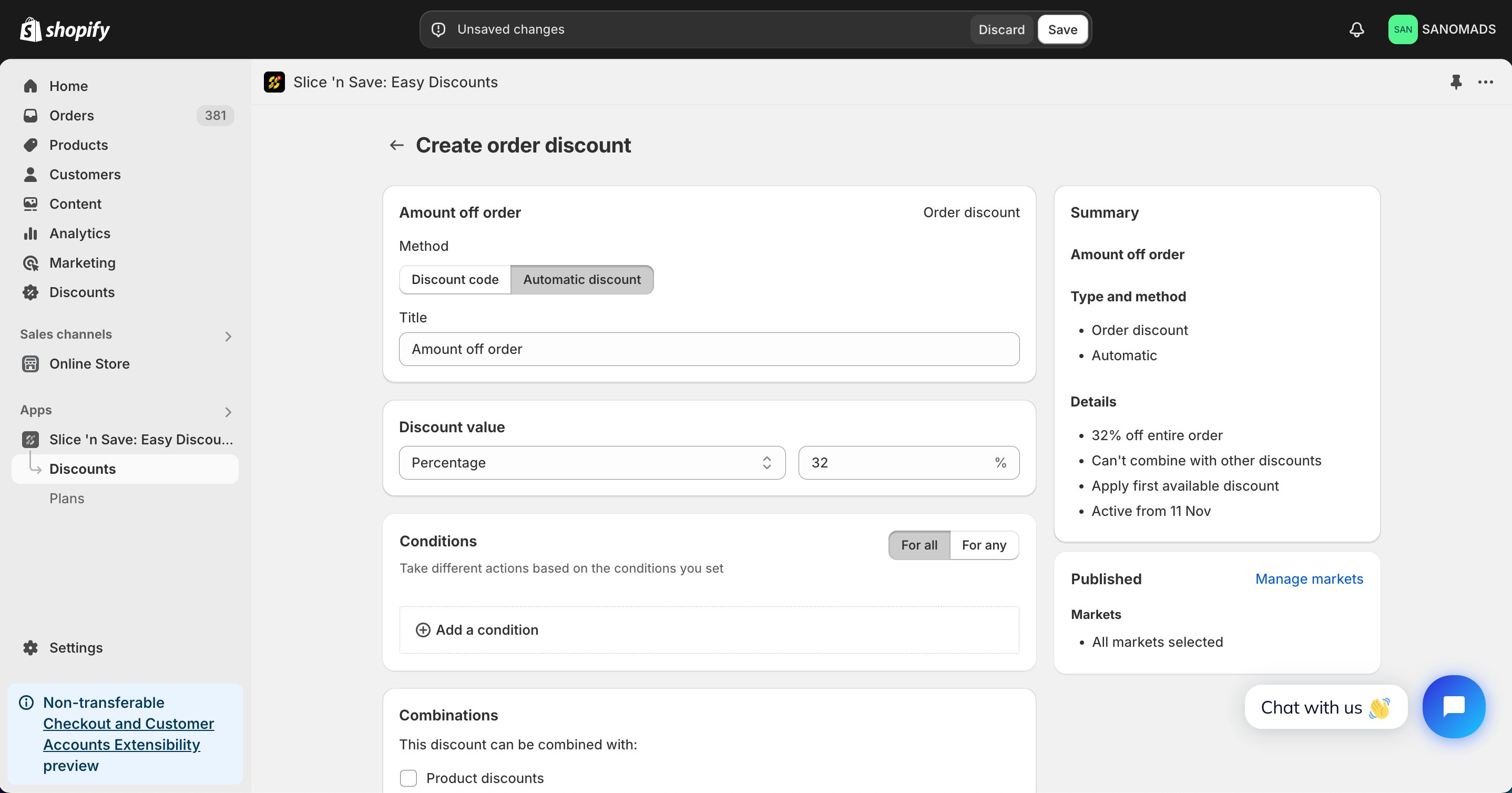
4
Add conditions
Add one or more conditions to control when this discount is valid. You can use cart conditions ( total, subtotal, country, language, attributes ), line-item conditions ( product title, vendor, tags ), or customer type ( lifetime spending, tags, B2B/B2C type ).
5
Set discount combinations
Discounts can be applied in combination with other discounts which are created using Slice ‘n Save app.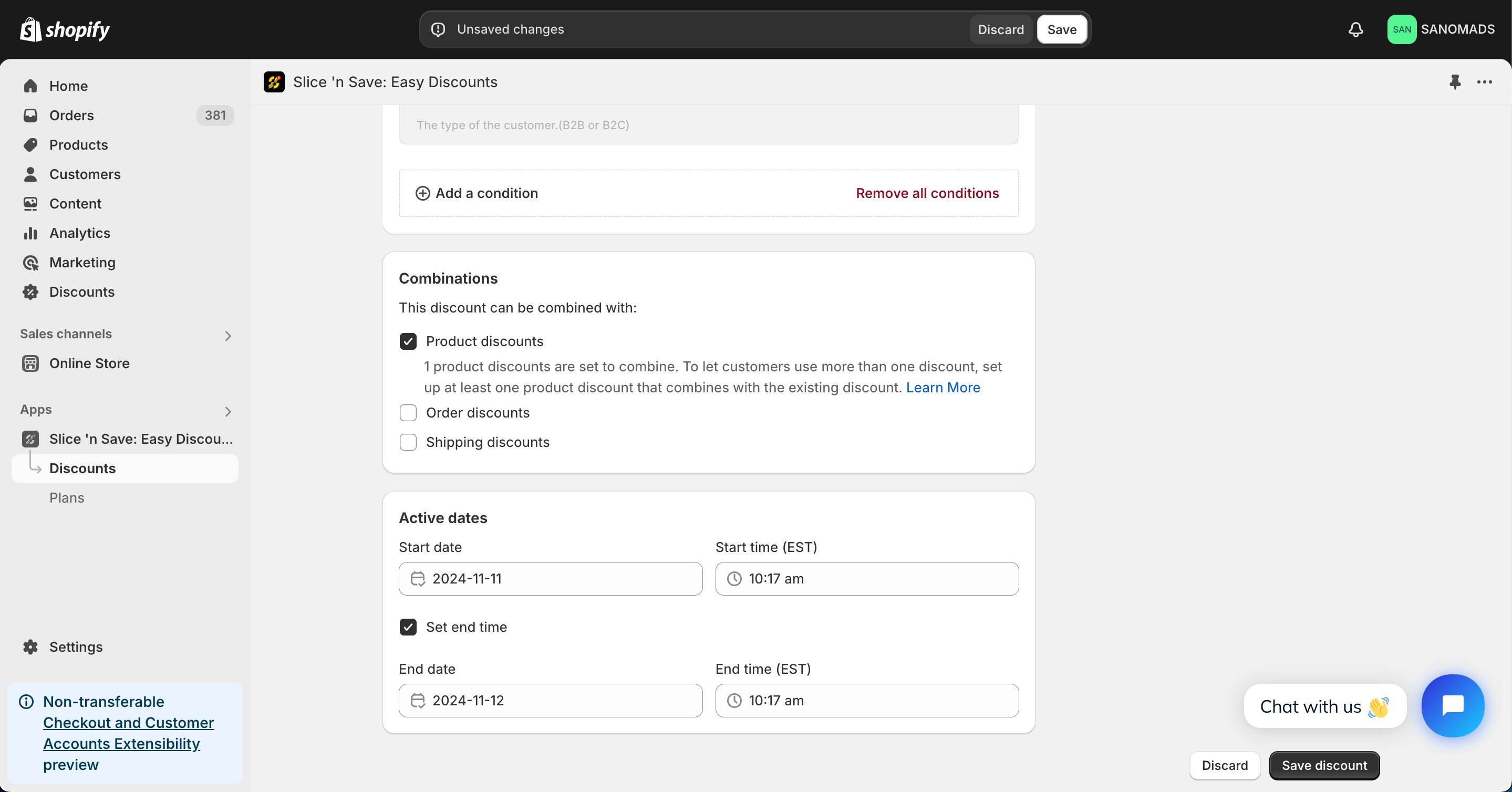
6
Schedule the discount
To activate the discount at a future date or time, update the active dates in the Active dates section.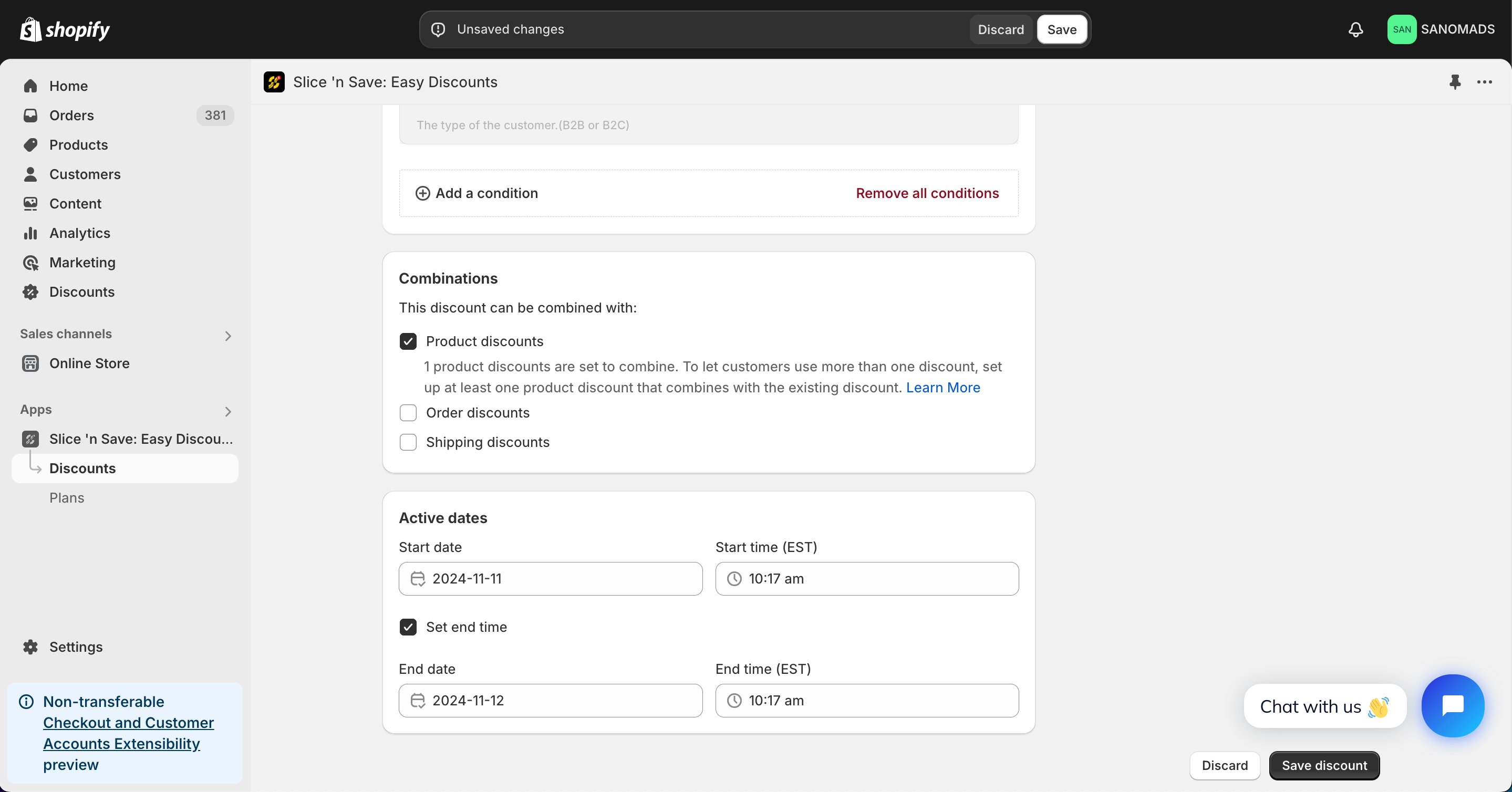
7
Manage markets
Adjust the markets from the manage markets section for discount eligibility.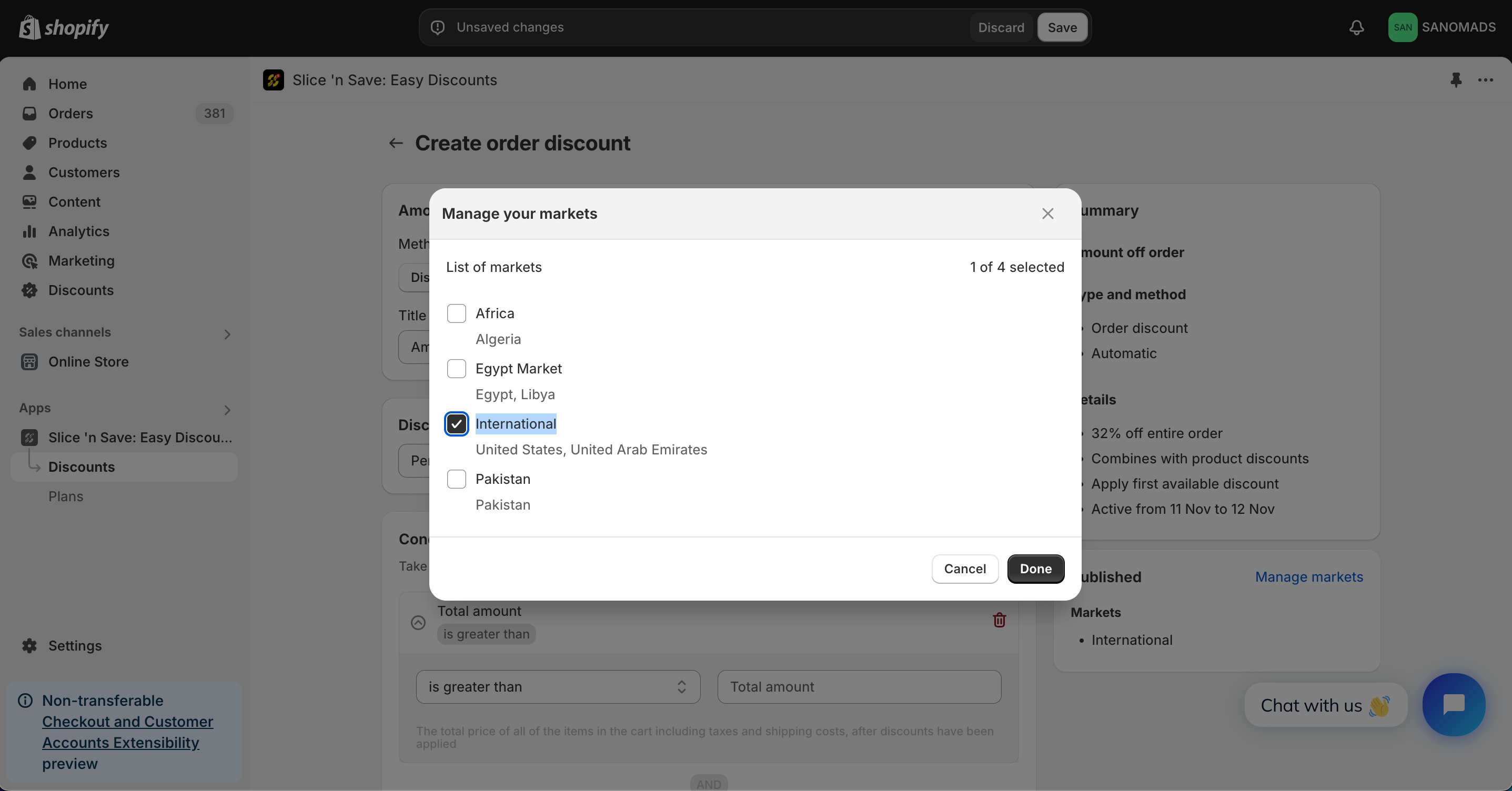
8
Save
Click Save to activate your discount.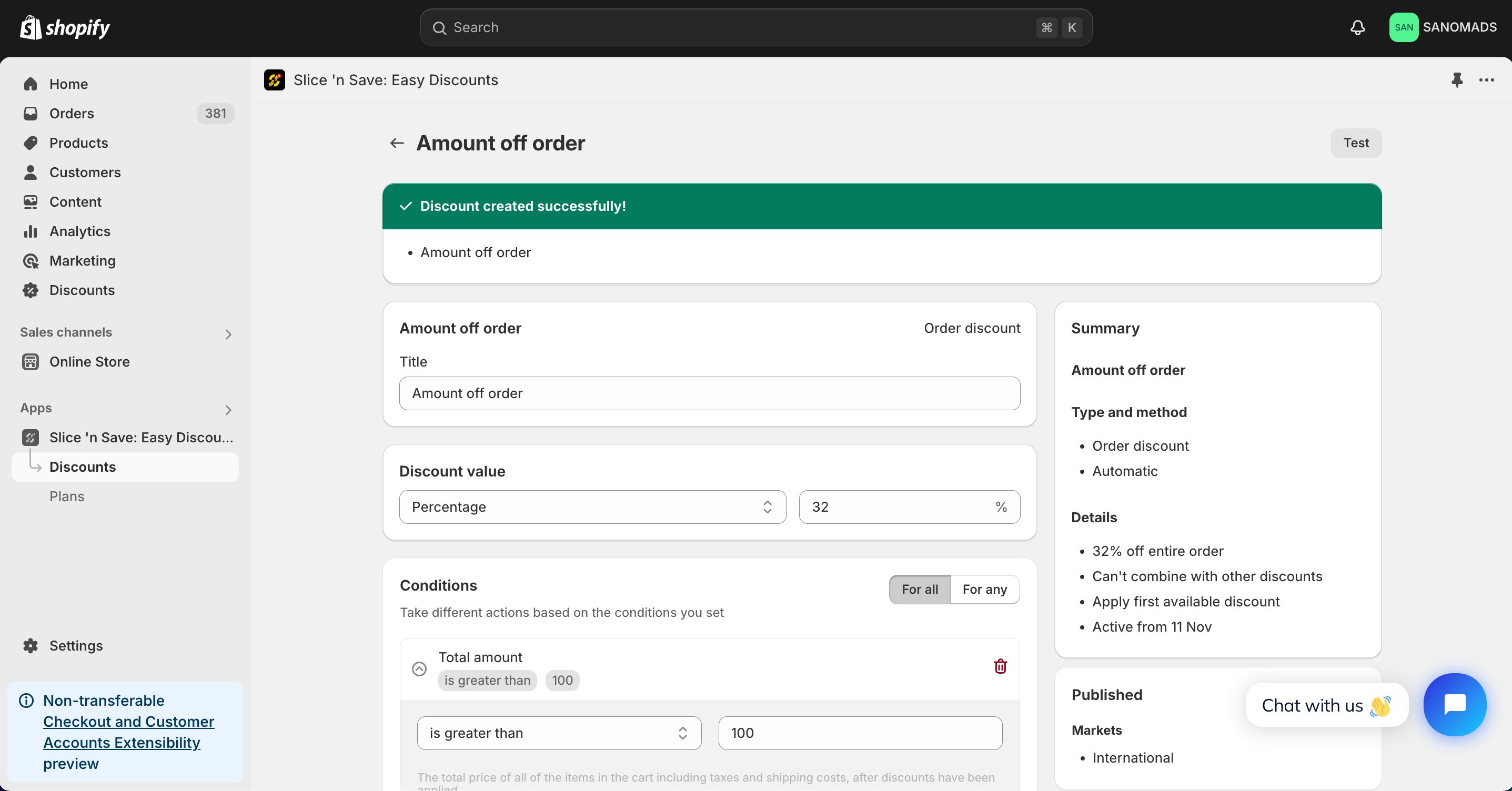
Tips & Gotchas
Order-level discounts do not use product criteria — conditions alone determine whether the discount applies. If you need to restrict the discount to specific products, use an Amount off products discount instead.