
The Amount off shipping discount type lets you reduce the shipping cost for specific rates by a fixed amount or percentage. Unlike the free shipping setup, you control exactly how much of the shipping cost is discounted — useful for promotions like “50% off Standard shipping for B2B customers”.
Steps Guide
1
Create a new discount
Open the Discounts section in the Slice ‘n Save app and click Create discount.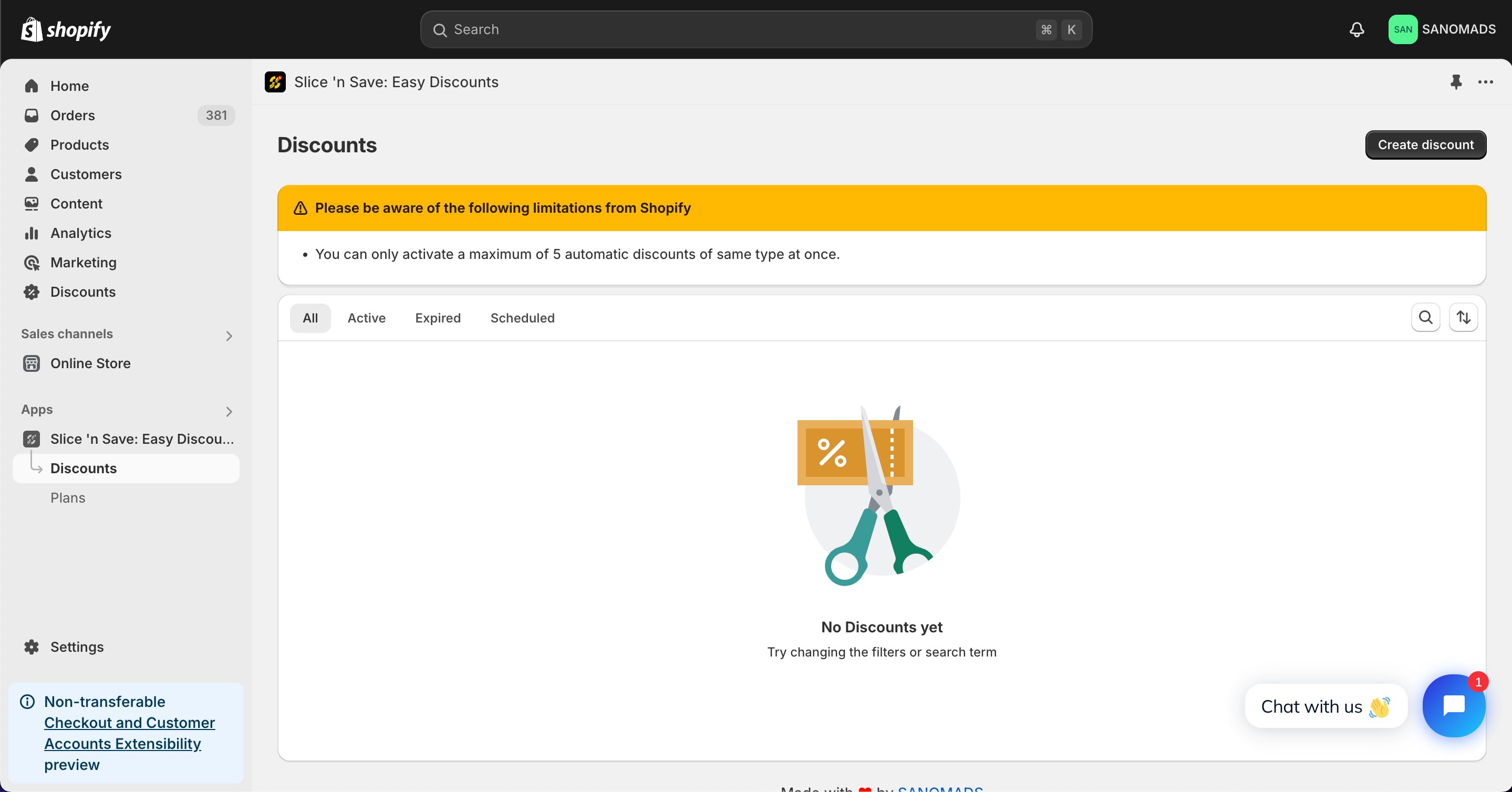
2
Select the discount type
Choose Amount off shipping from the list of discount types.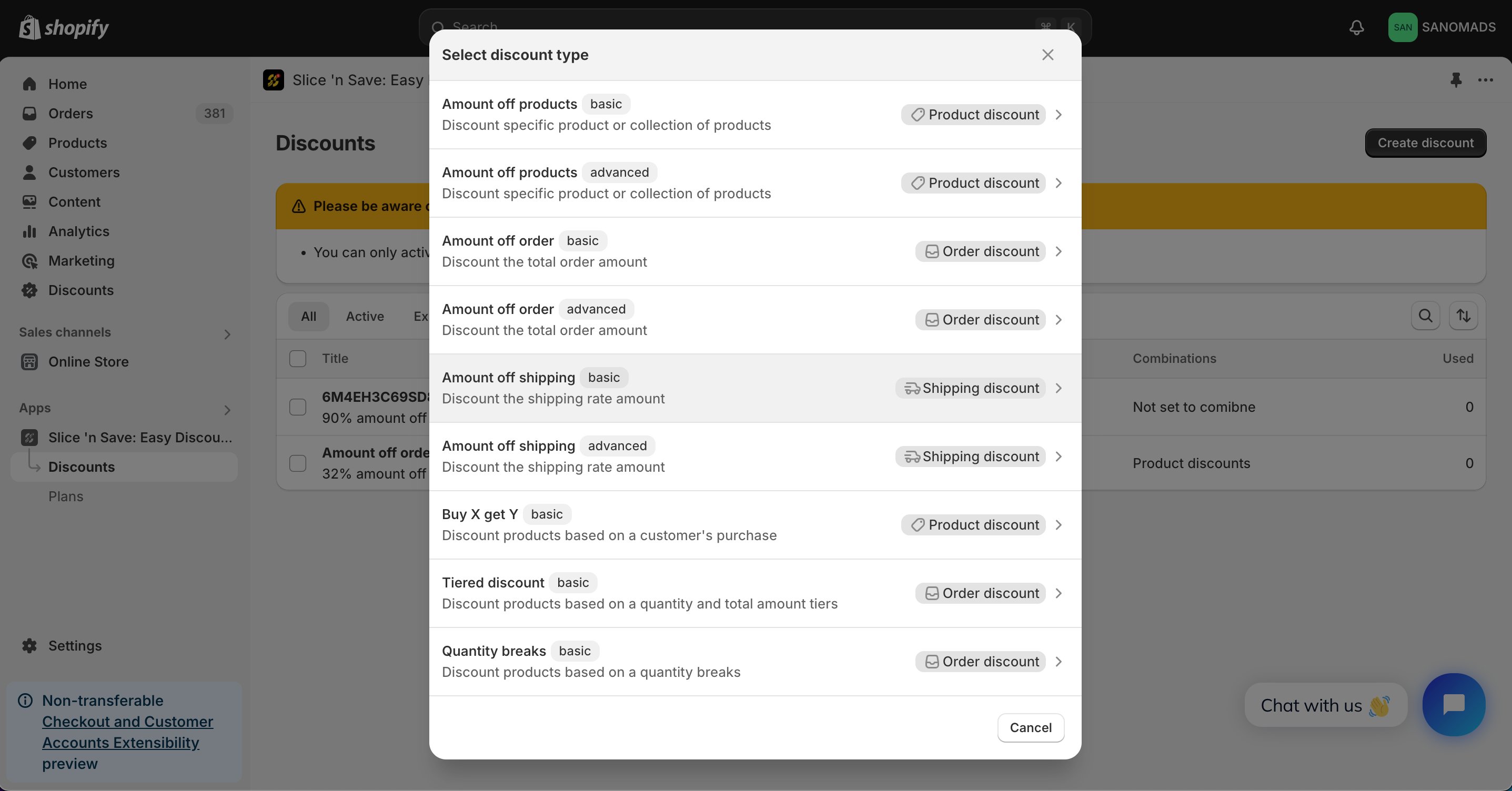
3
Set the method, title, and value
Select the discount method (percentage or fixed amount), enter a title, and set the discount value. For example, enter 30 for a 30% discount on the shipping rate.
4
Add multiple conditions
Add conditions to target eligibility. Common options include country, customer type (B2B/B2C), customer order or cart total.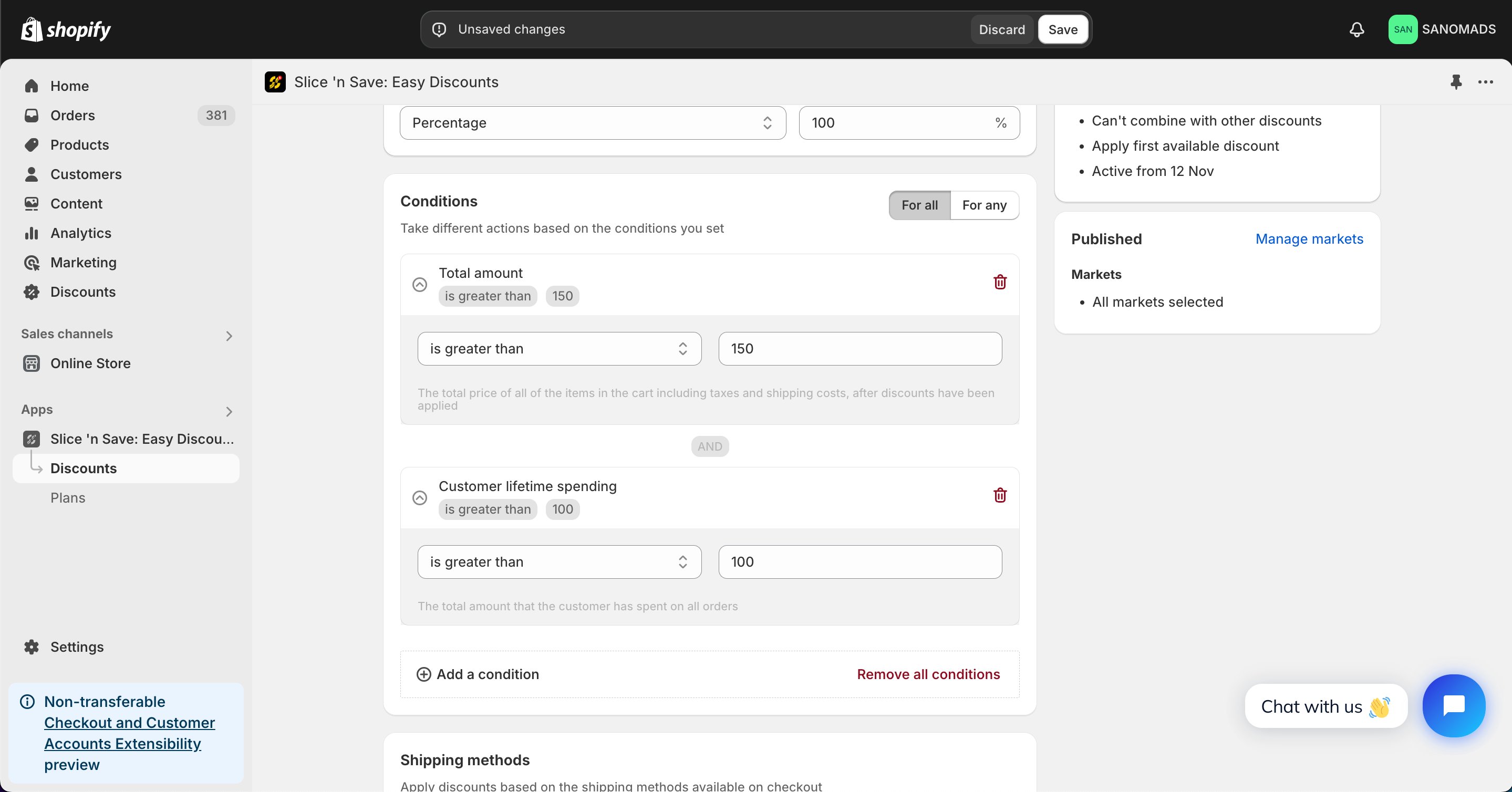
5
Select shipping methods
Choose the specific shipping methods that the discount applies to.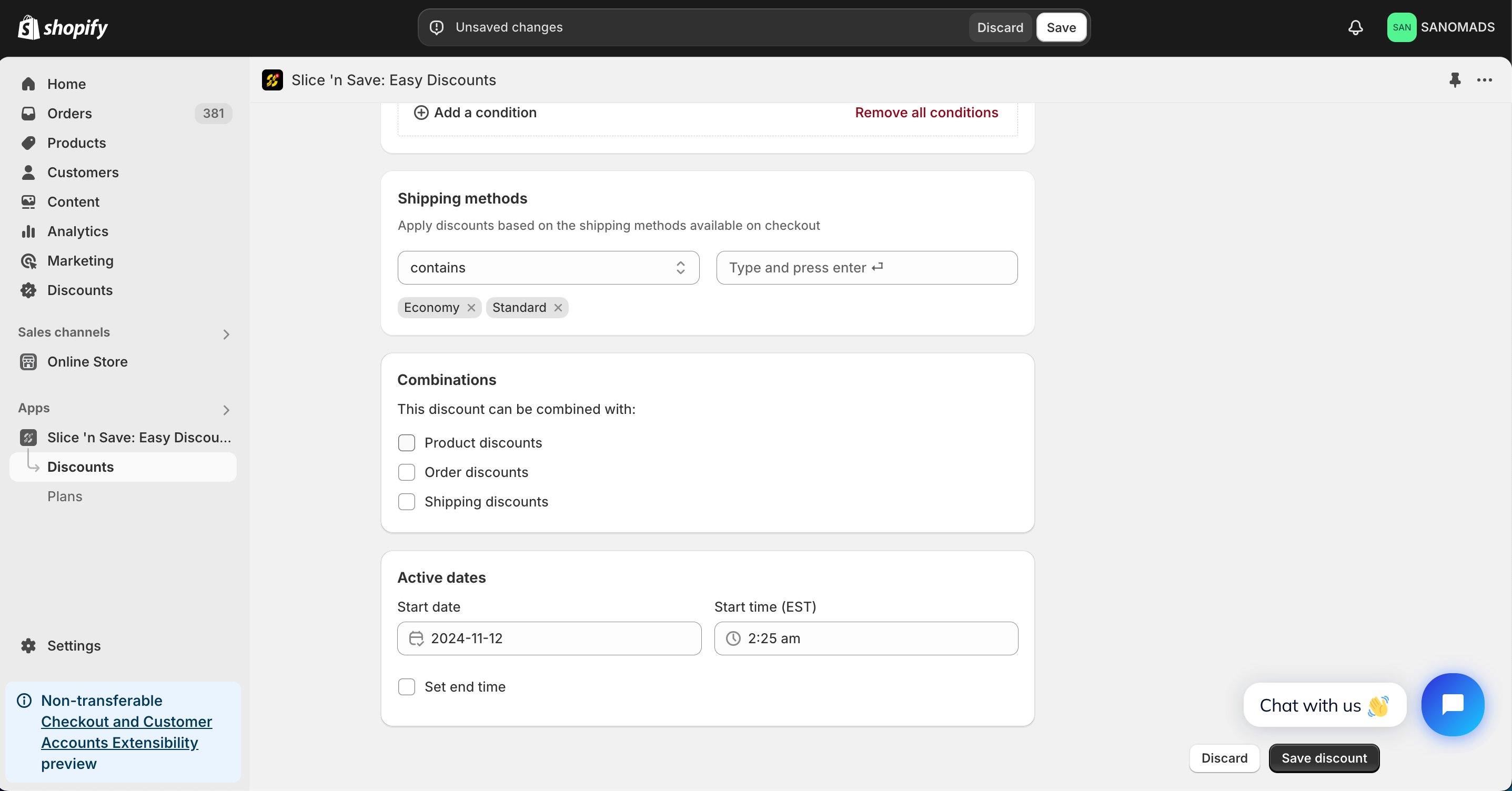
6
Set discount combinations
Discounts can be applied in combination with other discounts which are created using Slice ‘n Save app.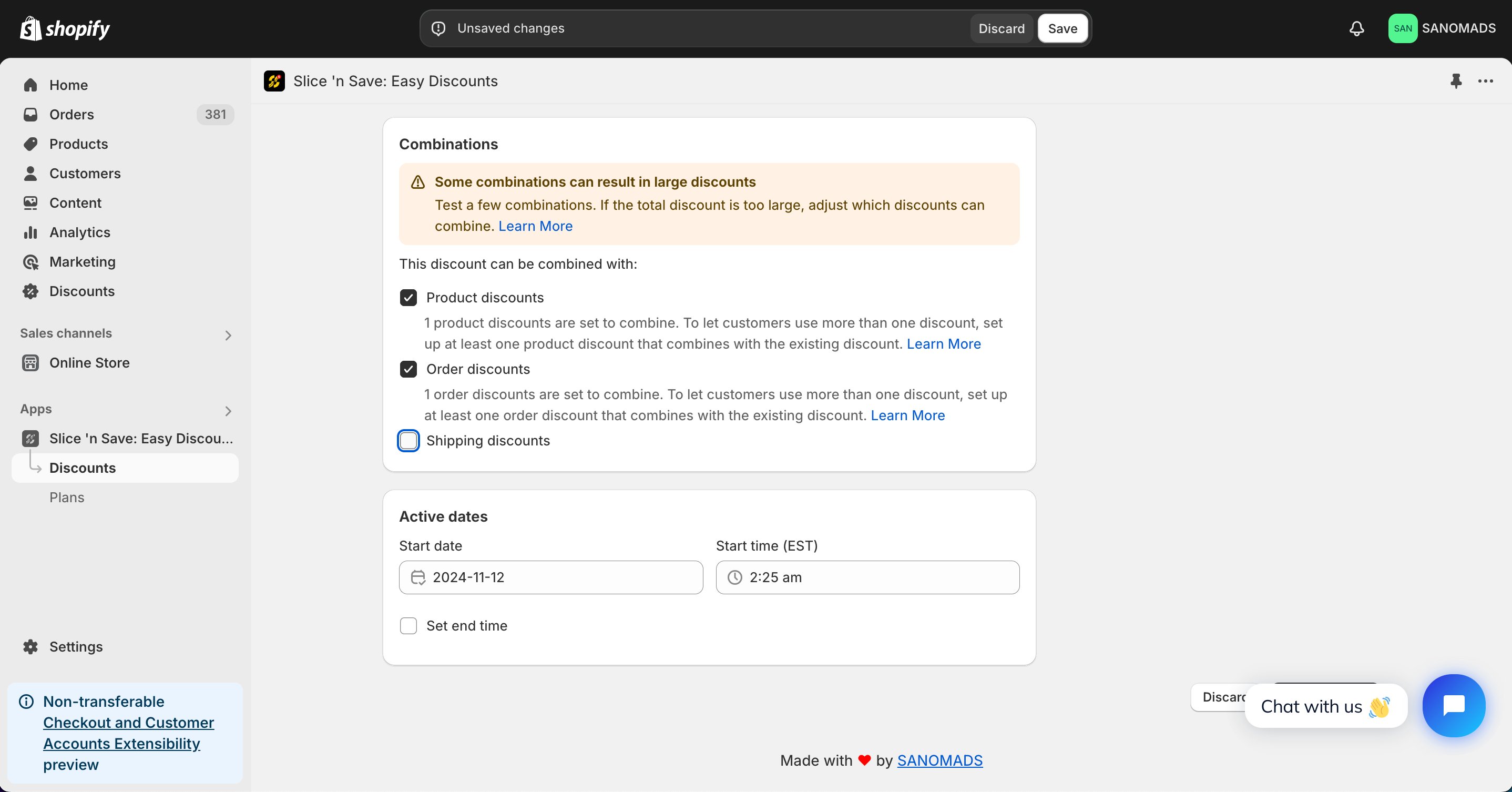
7
Schedule the discount
To activate at a future date or time, update the active dates.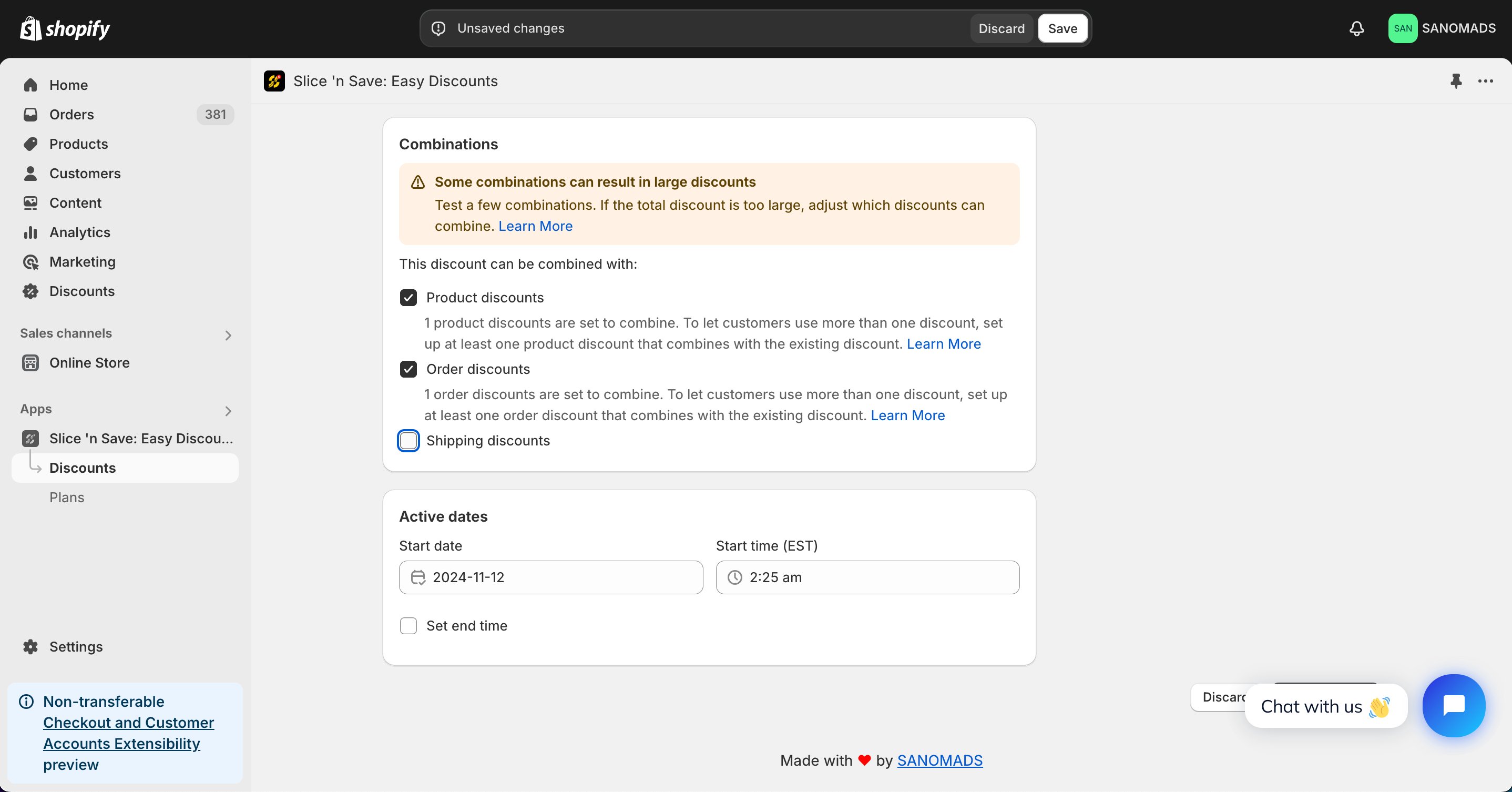
8
Manage markets
Adjust the markets from the manage markets section for discount eligibility.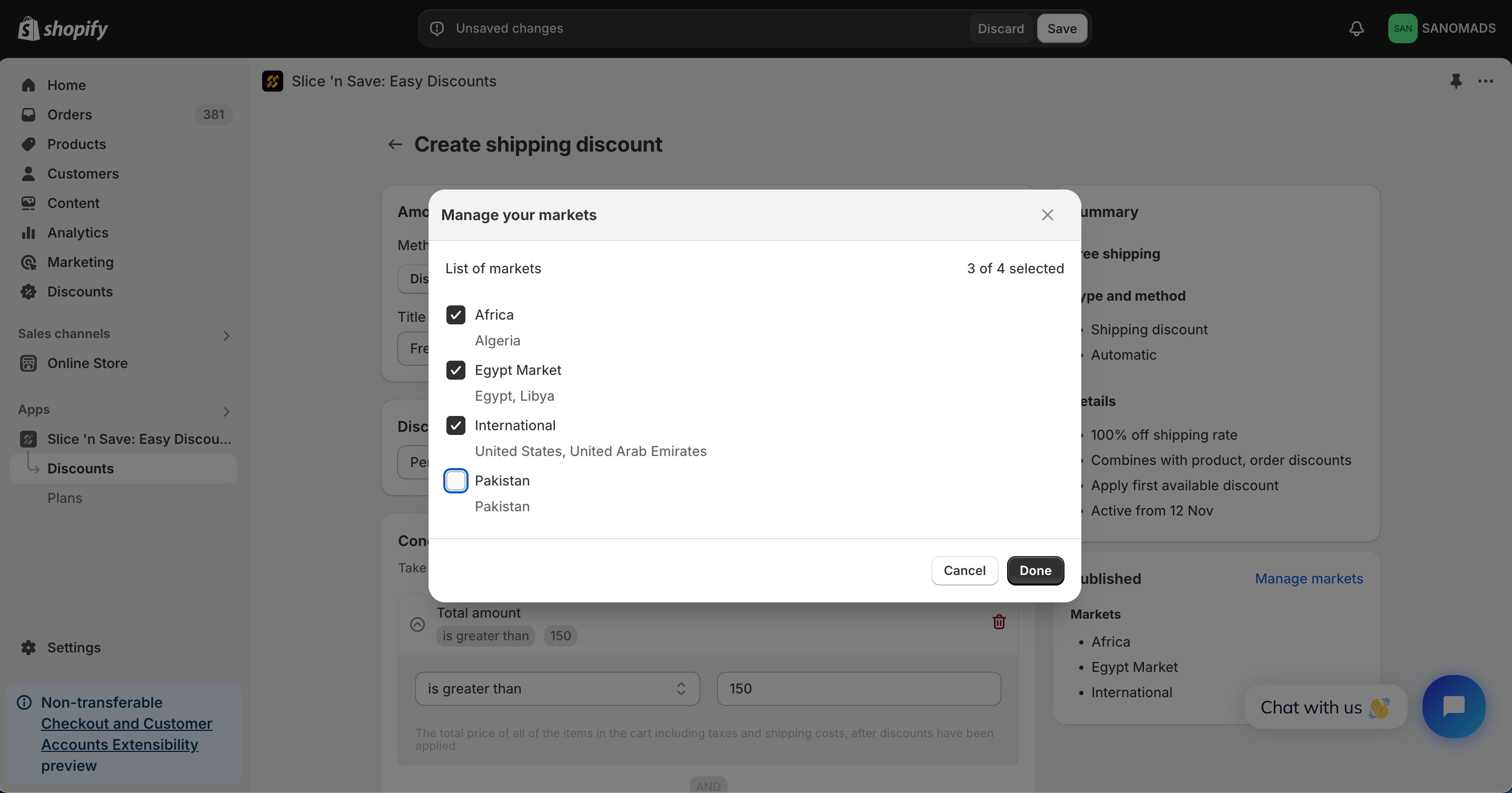
9
Save
Click Save to activate your discount.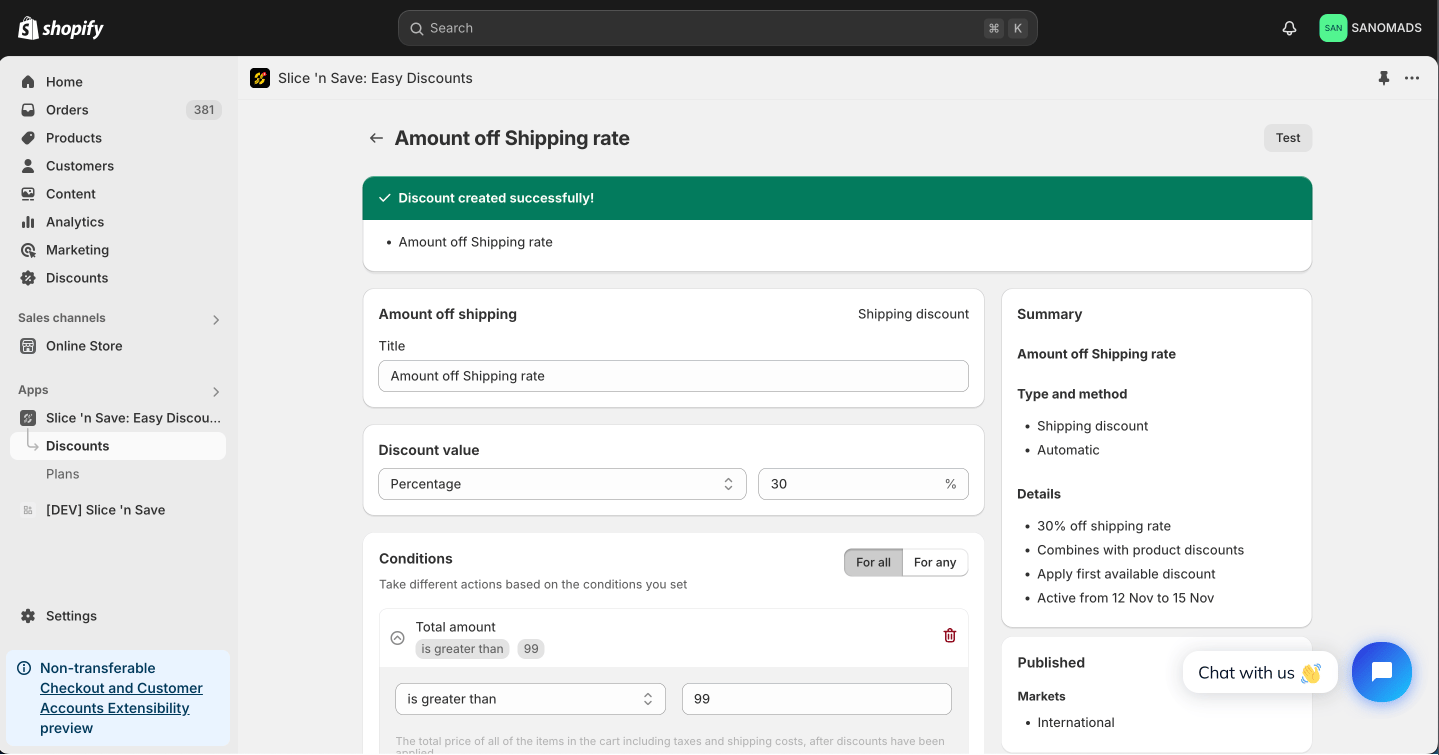
Tips & Gotchas
- Free shipping: Set the discount value to 100% to fully waive the shipping cost.
- Amount off shipping rate: Set any value between 1–99% (or a fixed amount) for a partial shipping discount.