
Slice ‘n Save lets you offer free shipping at checkout without requiring customers to enter a code. You create a shipping discount, set the value and apply conditions — such as a minimum cart total — to control when the free shipping kicks in.
Steps Guide
1
Create a new discount
Open the Discounts section in the Slice ‘n Save app and click Create discount.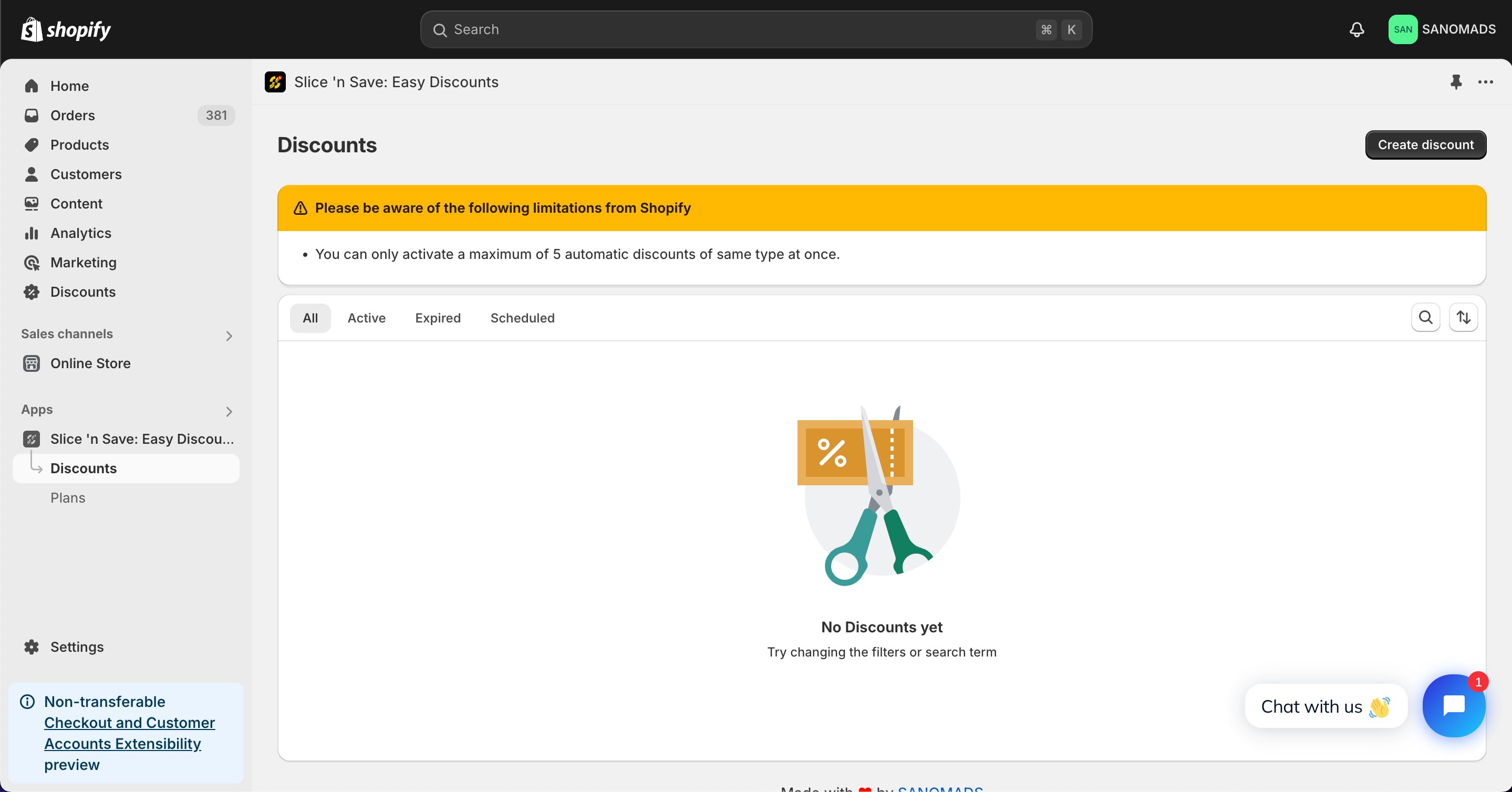
2
Select the discount type
Choose Amount off shipping from the list of discount types.
3
Select method, title and value as 100% for the free shipping discount.
Select your preferred method, enter a title for the discount, and set the discount value to 100% to make shipping completely free.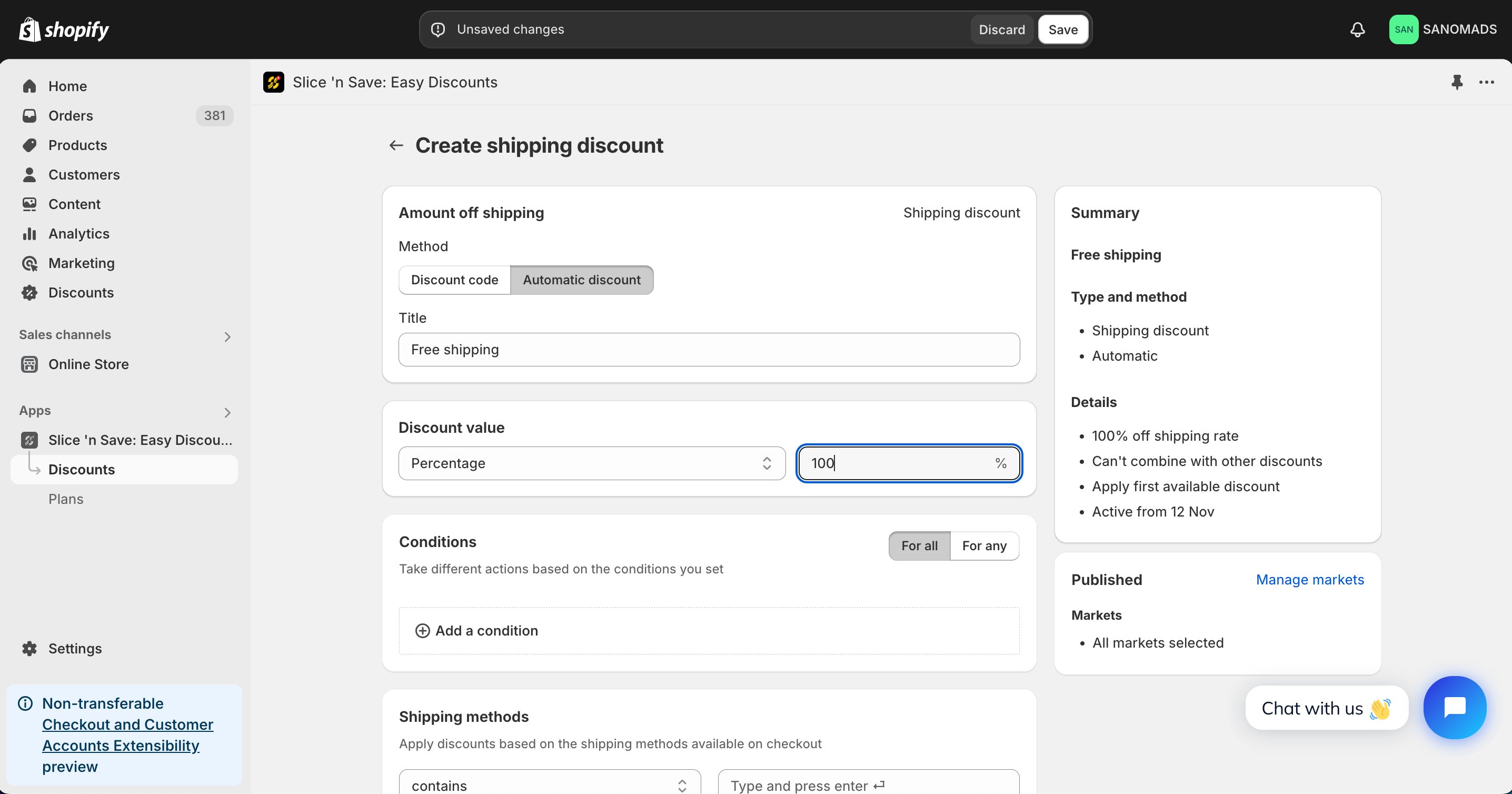
4
Add conditions
Add one or more conditions to control when free shipping applies. Common conditions include cart total (e.g., cart total ≥ $50), cart country, or customer lifetime spending.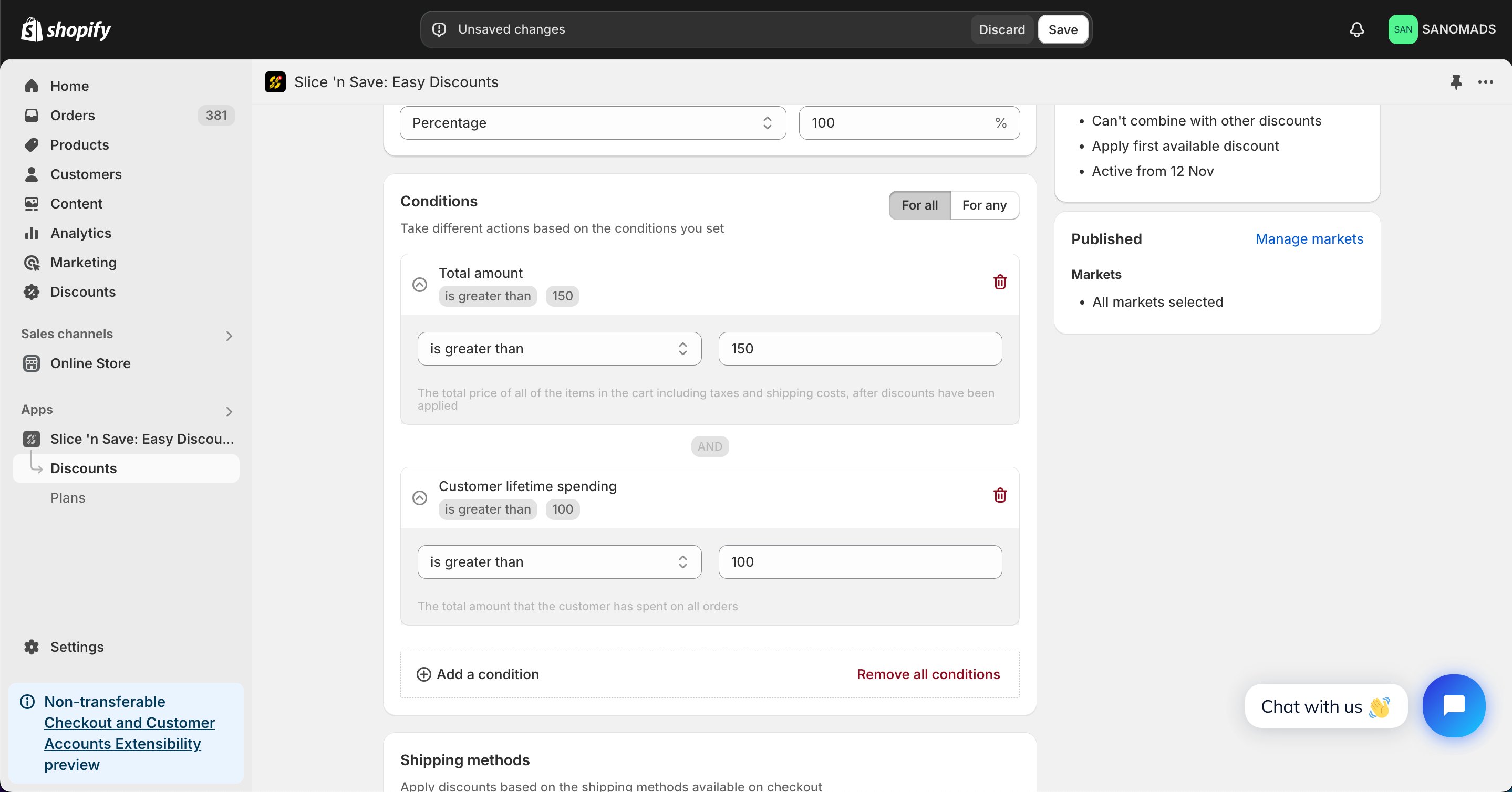
5
Select shipping methods
Select the shipping methods or rates on which the shipping discount will be applied.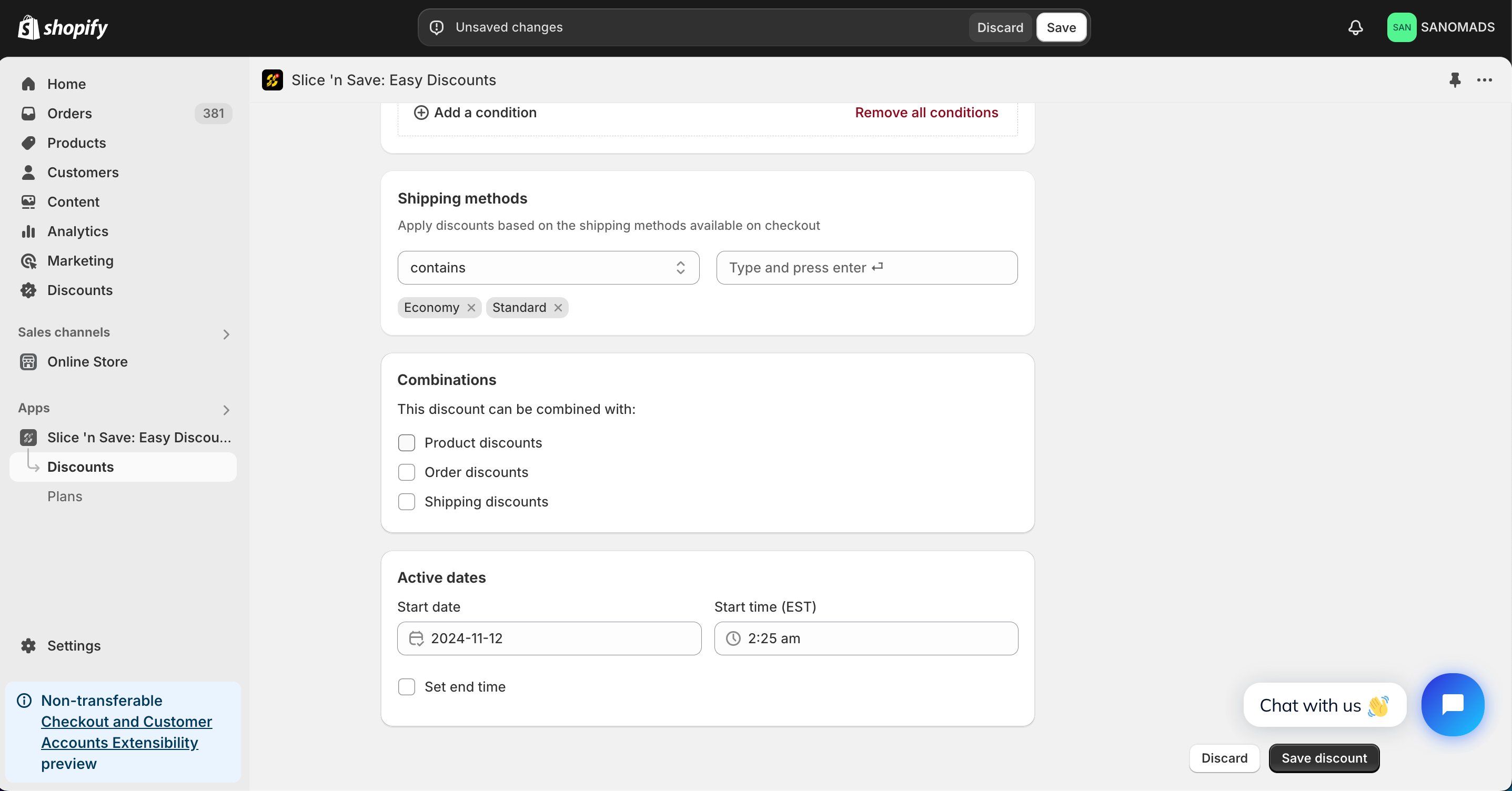
6
Set discount combinations
Choose whether this discount can combine with other Slice ‘n Save discounts.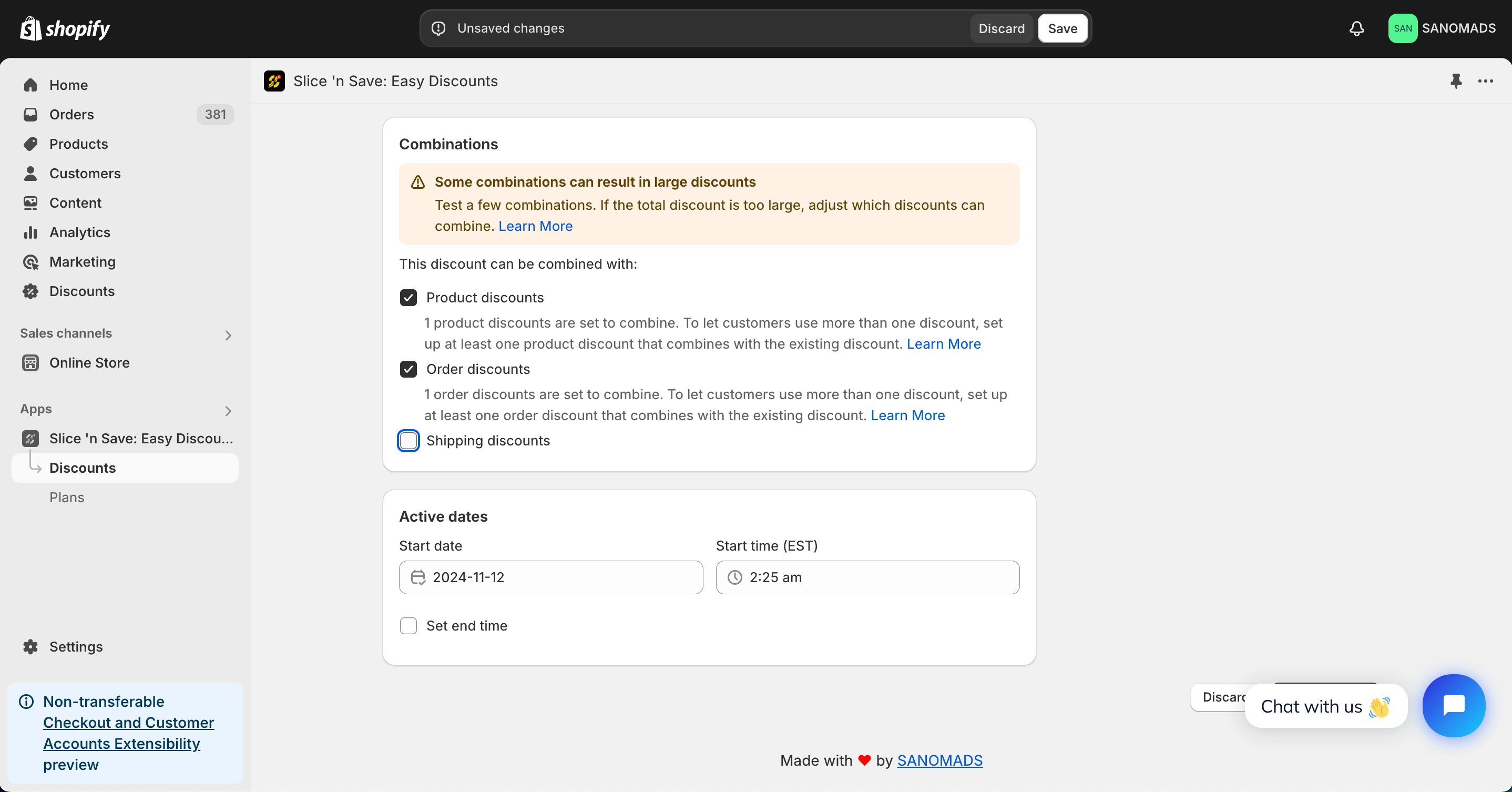
7
Schedule the discount
To activate at a future date or time, update the active dates.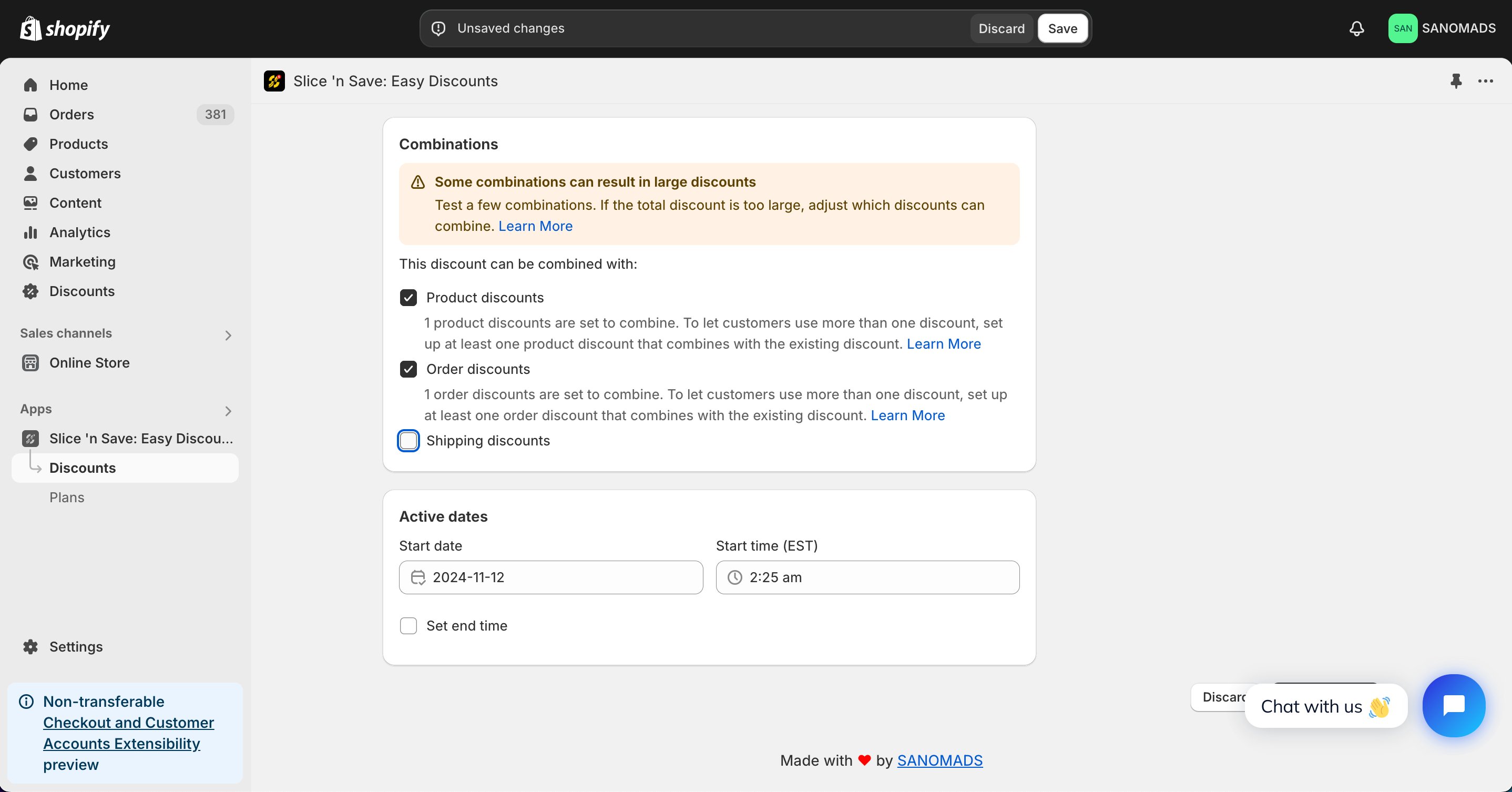
8
Manage markets
Adjust the markets from the manage markets section for discount eligibility.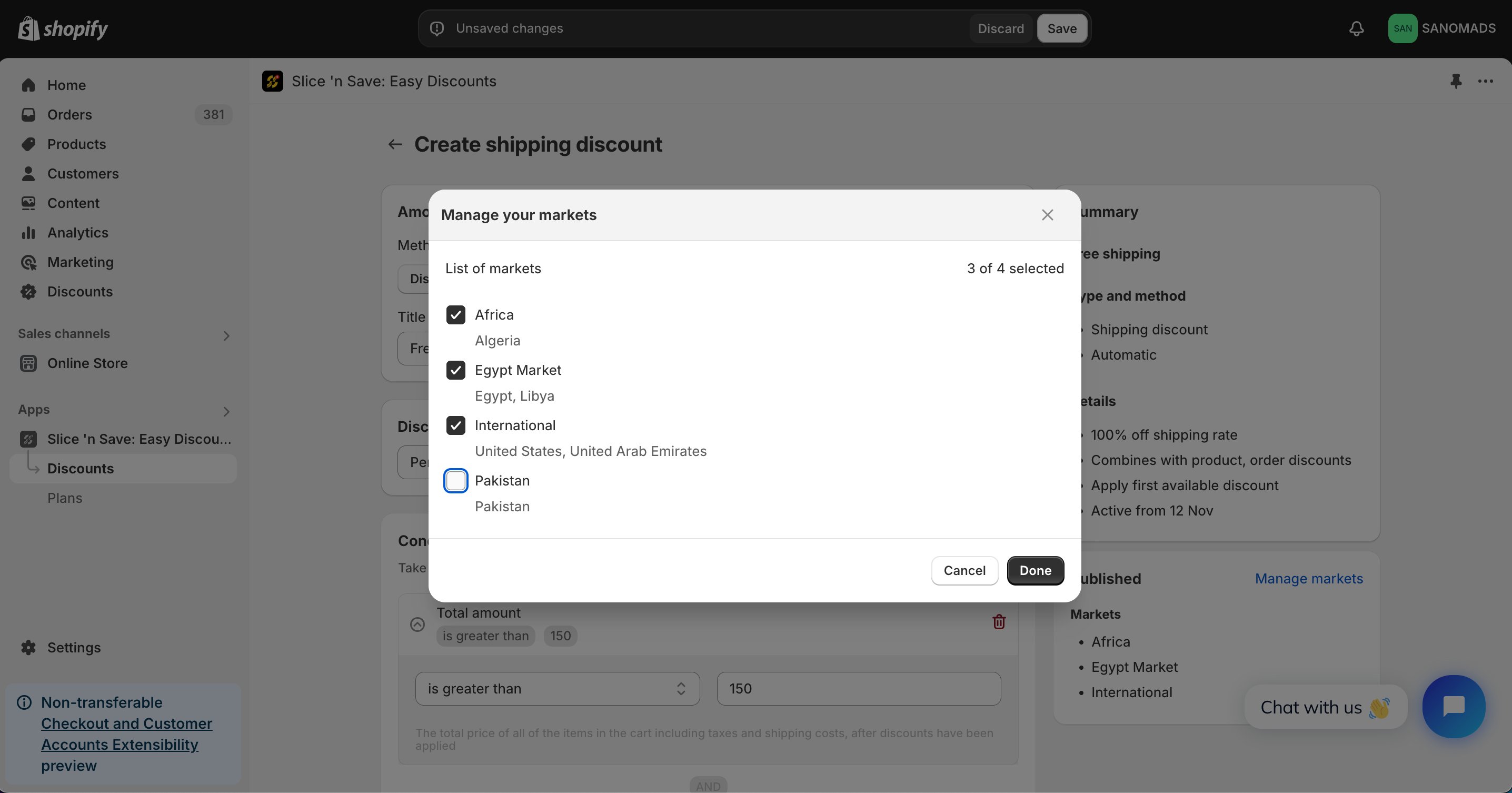
9
Save
Click Save to activate your discount.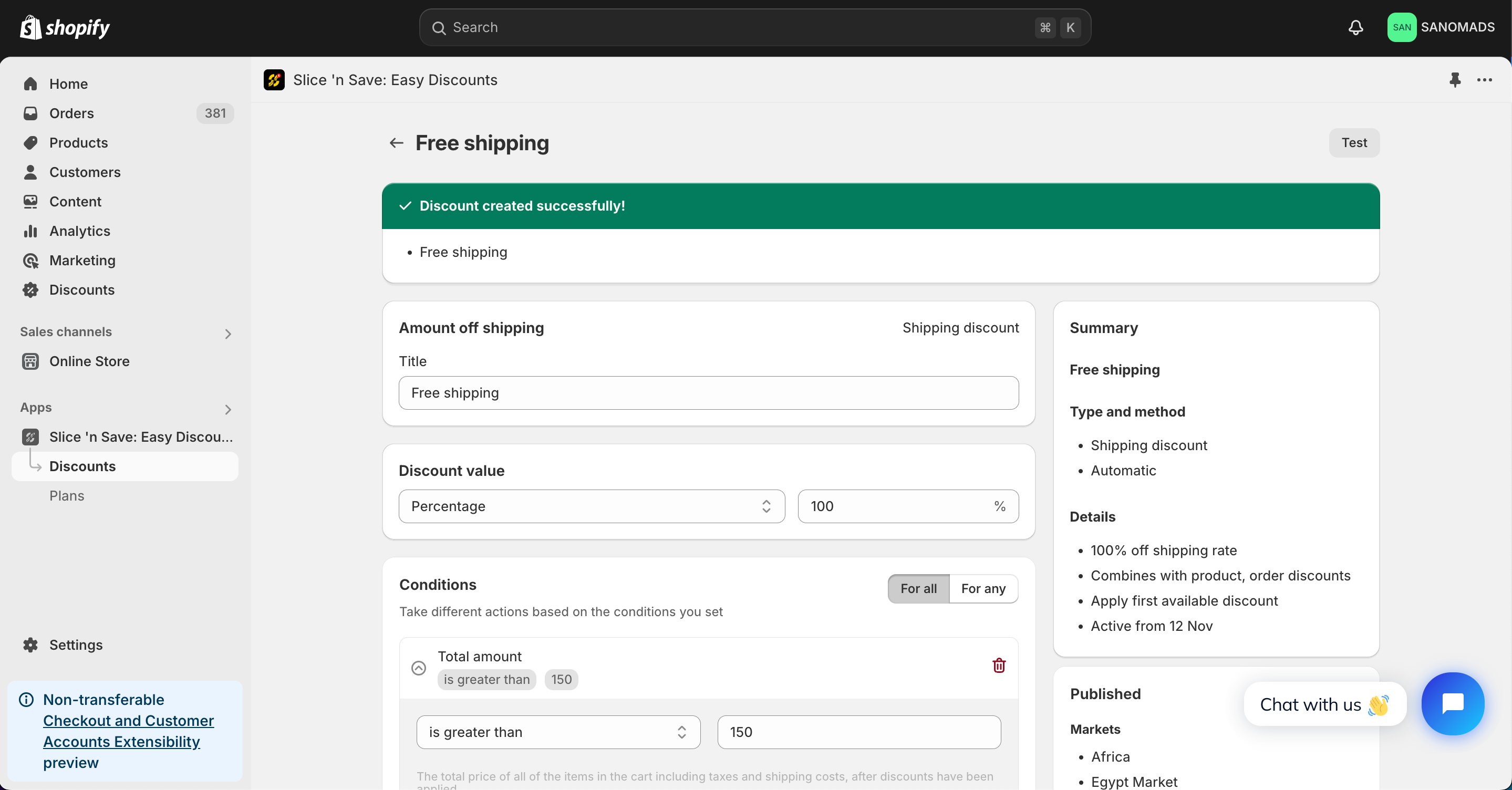
Tips & Gotchas
Free shipping applies automatically at checkout for eligible carts. Customers do not need to enter a discount code.